Edit released lot details
In IWRS, you can release items from various lots multiple times. Each released lot has its auxiliary details—date of release, supporting documents, and so on. These details can be updated to help you maintain accurate information in the IWRS system.
-
In the IWRS application header, select the TREATMENT DESIGN tab.
-
In the left pane, select the Lot subtab.
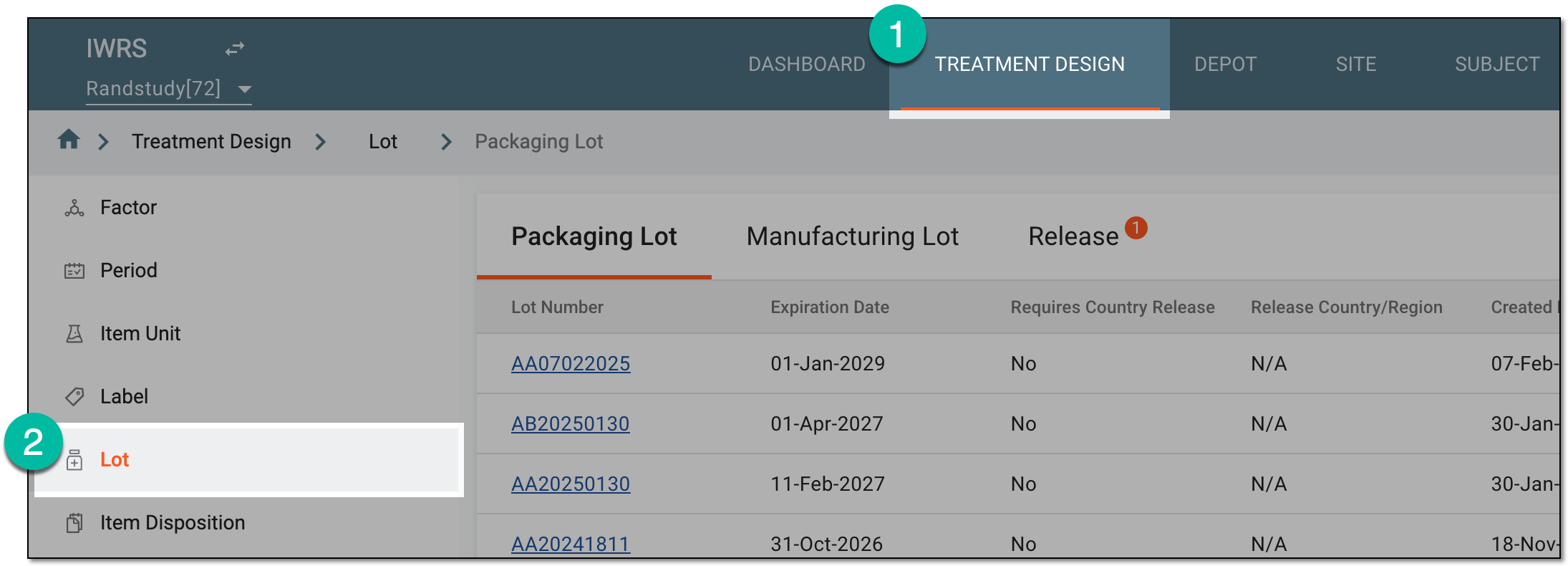 Figure 1. Accessing lot subtab
-
On the page that opens, in the contents panel, select the Release tab.
-
In the Release table that appears, go to the packaging lot of your interest. Then in the Actions column next to it, select Details
 .
. Figure 2. Accessing released item details
-
In the Edit dialog that appears, update the released lot details as needed. These details are explained in the table of the Release packaging lot items to depot/site section.
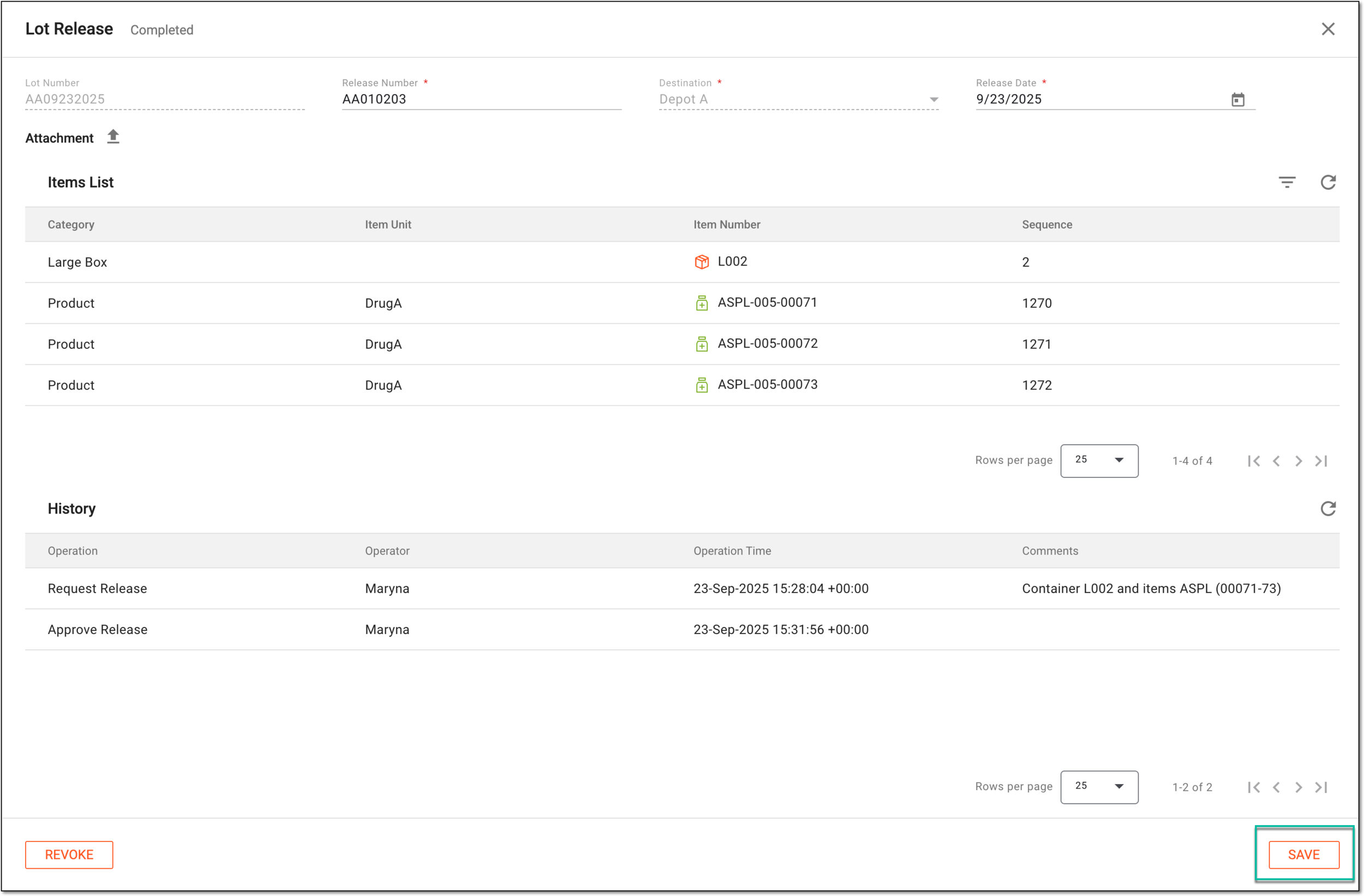 Figure 3. Editing released lot details
-
Select
 to implement the changes.
Once saved, the changes are implemented and reflected in the RELEASE table.