Cancel open lab query
In the EDC application, once you have opened a new lab query, and no action has been taken on it by you or other users, you can cancel this query.
-
In the EDC application header, select the STUDY INFO tab.
-
In the left pane, select Lab > Site Normal Range.
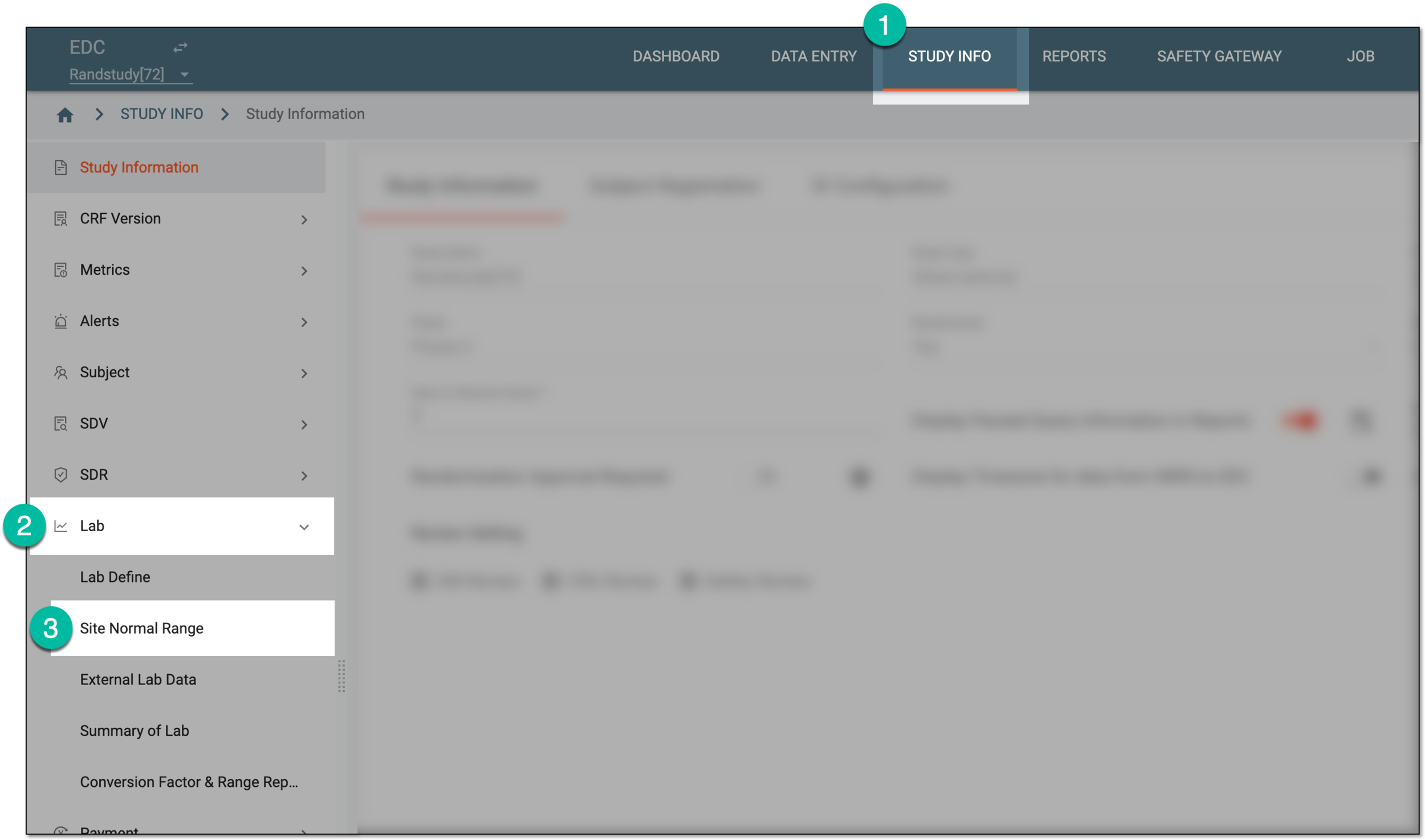 Figure 1. Accessing normal range list
-
On the Normal Range List page that appears, do one of the following:
-
To access the lab query opened for a category, in the Normal Range List table, next to the category name, select the query icon
 .
. Figure 2. Accessing category queries
-
To access the lab query opened for a specific test, in the Normal Range List table, select the query symbol
next
to the lab name. Then on the Lab Data page that opens, locate the test of your interest and select the query symbol
next to its name.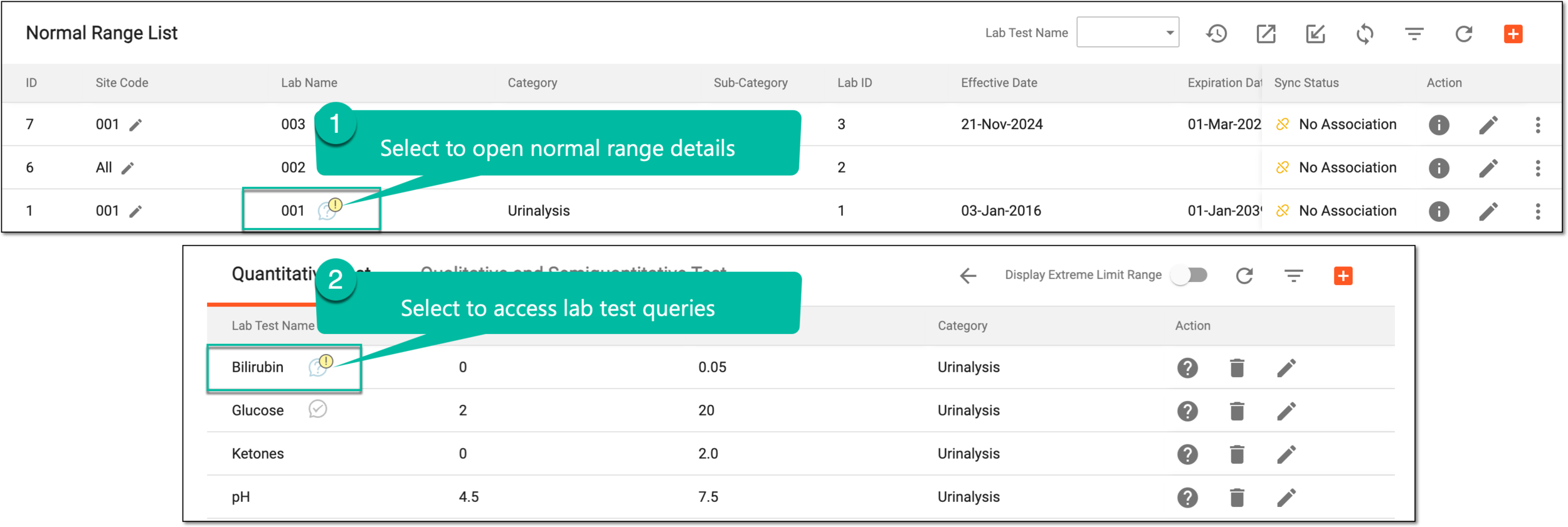 Figure 3. Accessing lab test queries
-
-
In the side panel that expands, next to the query of your interest, select Cancel
 .
.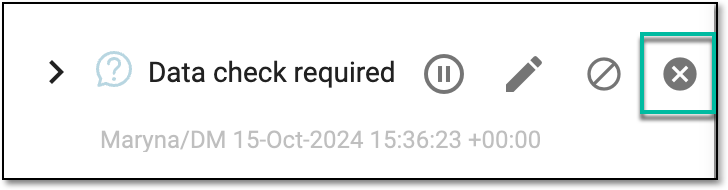 Figure 4. Cancelling open lab query
-
In the Cancel Lab Query dialog that opens, provide the mandatory reason for query cancellation and select
 .
.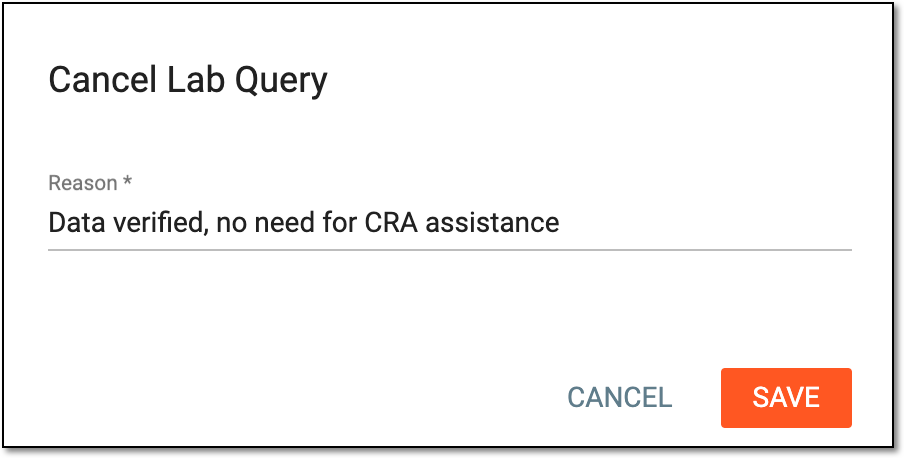 Figure 5. Providing reason for cancelling query
Once saved, the lab query is cancelled and disappears from the normal range list. However, the cancelled queries are traceable in EDC via the Cancelled Lab Query report.