Configure source document upload setting
Source documents are original records or certified copies of records that provide evidence of the existence, activities, and results of a clinical trial or study. Some of the source documents that can be related to data verification and documentation review are case report forms (CRFs), medical records, informed consent forms, pharmacy records, adverse event reports, regulatory documents, and so on.
In the EDC application, all source files are uploaded stored under the Source Document module in the hierarchical structure as follows:
-
Site-level directory
 : comprises source documents that belong to subjects—and their visits and forms—registered at a certain site. This directory is not intended for file
upload by default and this cannot be changed.
: comprises source documents that belong to subjects—and their visits and forms—registered at a certain site. This directory is not intended for file
upload by default and this cannot be changed. -
Subject-level directory
 : comprises the source documents that belong to a certain patient. For instance, it can be the informed consent form original copy.
 -
Visit-level directory
 : comprises the source documents that belong to a certain visit. For instance, it can be the approved work instruction or standard
operation procedure document.
: comprises the source documents that belong to a certain visit. For instance, it can be the approved work instruction or standard
operation procedure document. -
Form-level directory
 : comprises the source documents that belong to a certain CRF. For instance, it can be the original copy of the CRF completed by the
doctor conducting a visit for a subject.
: comprises the source documents that belong to a certain CRF. For instance, it can be the original copy of the CRF completed by the
doctor conducting a visit for a subject.
However, to better suit your business needs, you can customize the levels intended for file upload in your study. This helps you maintain organized storage and avoid file misplacement between different levels of directories, such as uploading CRF-related files to a visit folder.
For instance, if you only intend to store the original copies of subject CRFs in your EDC system, then you can configure file upload functionality to be available only for the form-level directories.
Important
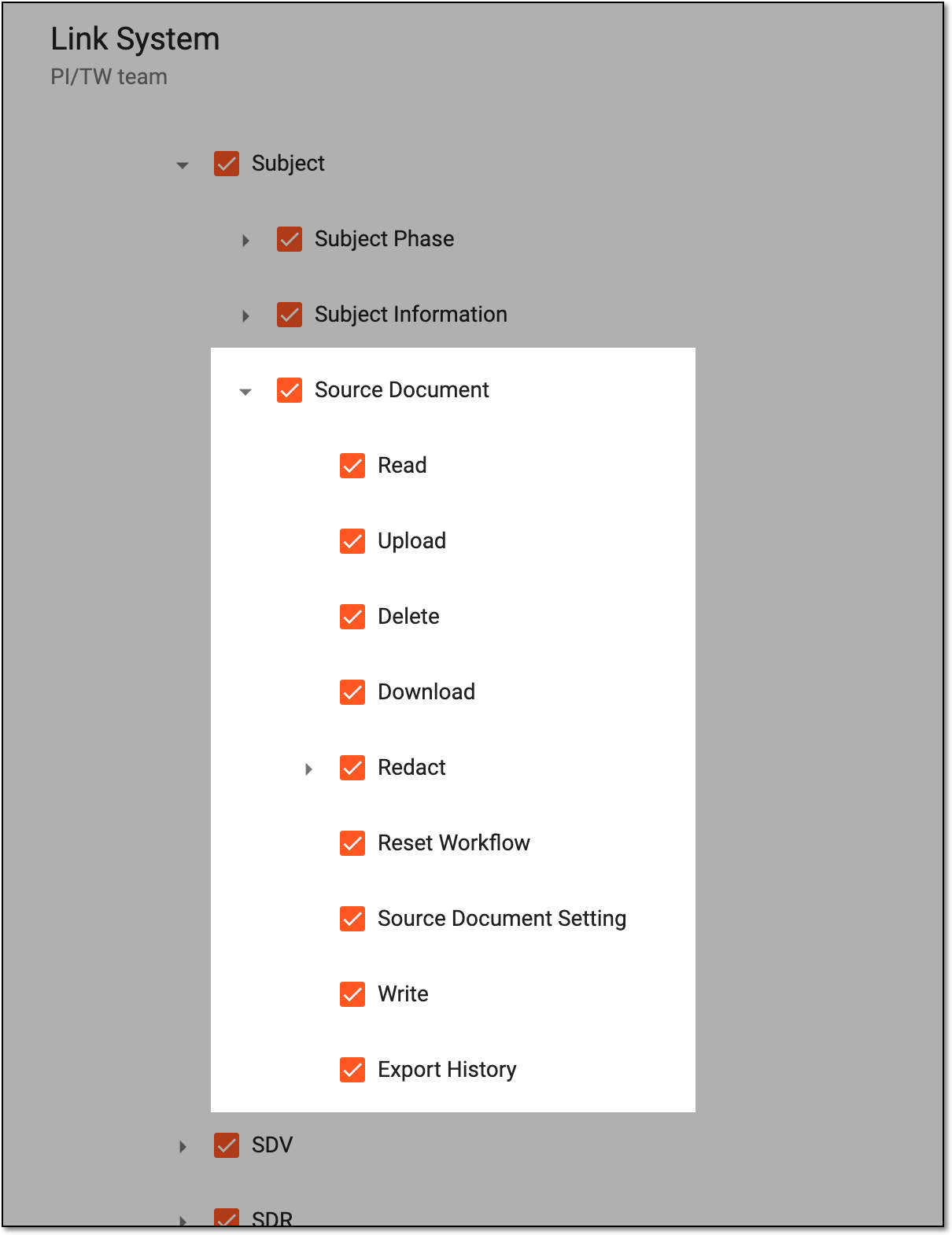
The ability to view and manage the Source Document page depends on the permission granted to your user role in ADMIN.
 |
-
In the EDC application header, select the STUDY INFO tab.
-
On the page that opens, from the workspace toolbar of the Hierarchy block, select Source Document Setting
 .
.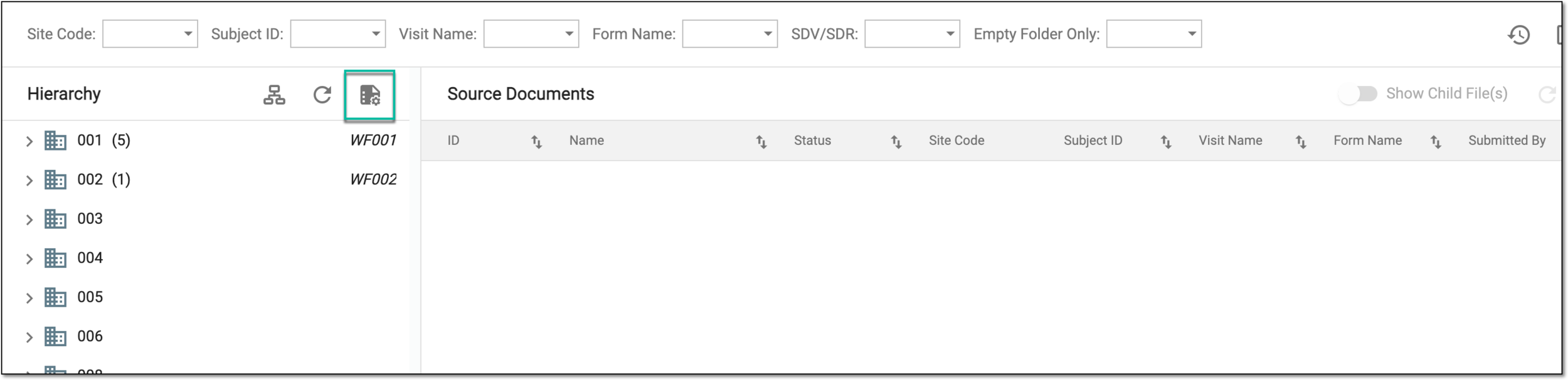 Figure 2. Accessing source document upload setting
-
In the Source Document Setting dialog that appears, configure the file upload setting as explained in the following table.
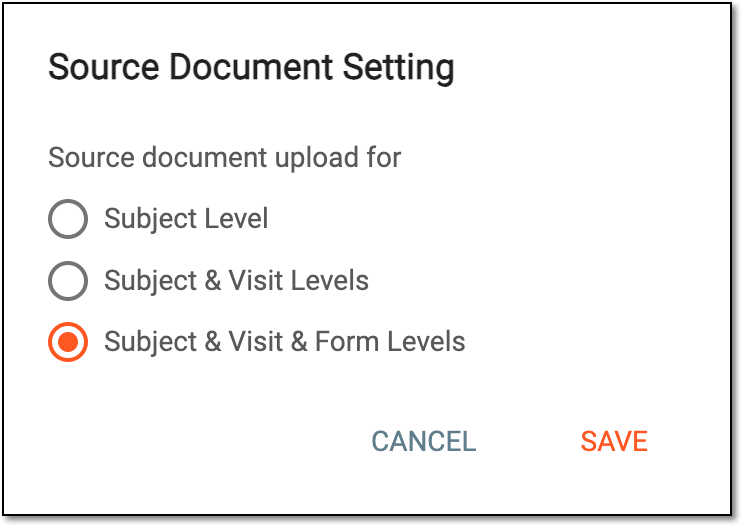 Figure 3. Configuring source document upload setting
Element
Details
Subject Level
Select this option if you want to allow for the source document file upload to be available in directories pertaining to a certain subject.
Subject & Visit Levels
Select this option if you want to allow for the source document file upload to be available in directories pertaining to a certain subject and visit.
Subject & Visit & Form Levels
Select this option if you want to allow for the source document file upload to be available in directories pertaining to a certain subject, visit, and form.
SAVE
Select
 to save the configuration.
CANCEL
Select
 to discard the changes without saving and close the dialog.
Once saved, the established file upload configuration is applied. The user can now upload source documents only to the set directories.