Export CRF version test case results
In EDC, you can generate and run testing cases for your configured CRF versions in the test—UAT—lifecycle before pushing the newest version and initiating actual data entry in the production—PROD—lifecycle. This helps you review and verify if the CRF logic is working correctly to prepare the fault-free version and avoid situations of broken logic only outing when the actual data entry starts.
You can also export the test case results in the form of an XLSX spreadsheet and use this data offline.
-
In the EDC application header, select the STUDY INFO tab.
-
On the page that opens, in the left pane, select CRF Version > Edit Check Testing Case.
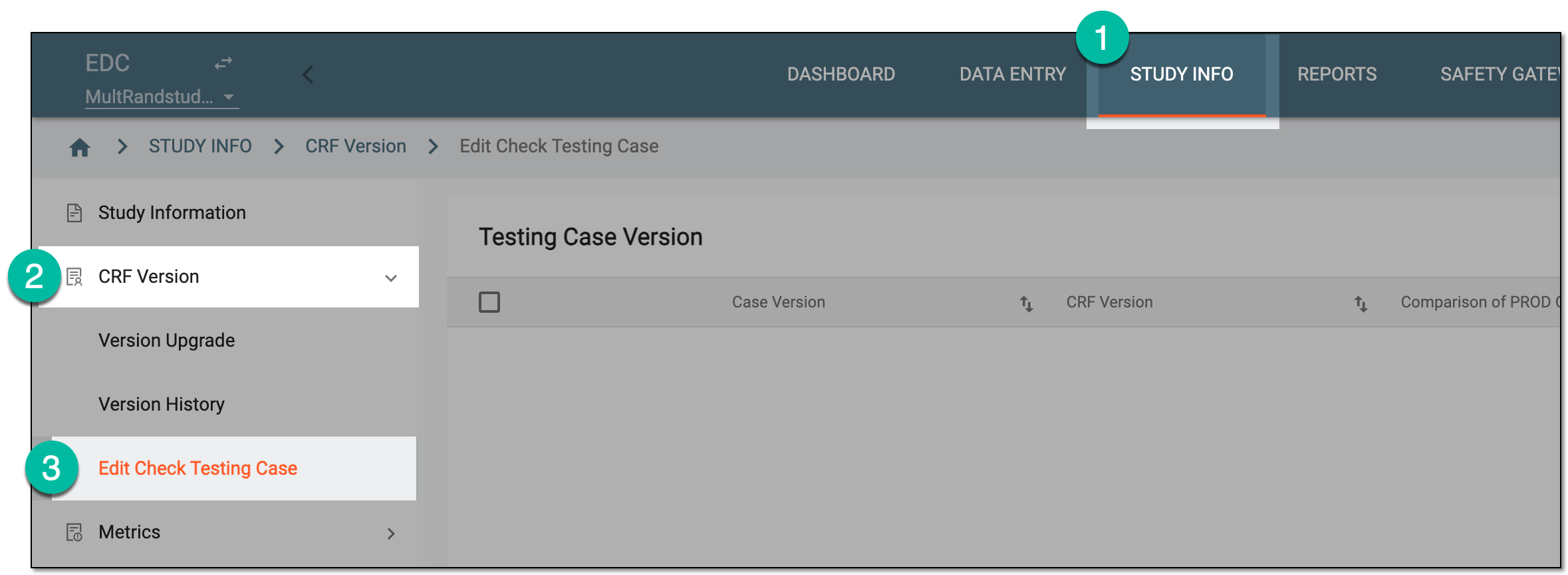 Figure 1. Accessing edit check testing
-
On the Testing Case Version page that opens, select the checkbox next to the test case version whose results you want to export. Then from the workspace toolbar, select Export
 .
. Figure 2. Exporting CRF version test case results
-
Select the downloads widget that appears showing the progress of your export.
 Figure 3. Downloads widget for CRF version test case results
-
In the My Downloads dialog that opens, once the file is ready, it appears under the Download is Ready tab. Select the download option
 next to your file to save it to your computer.
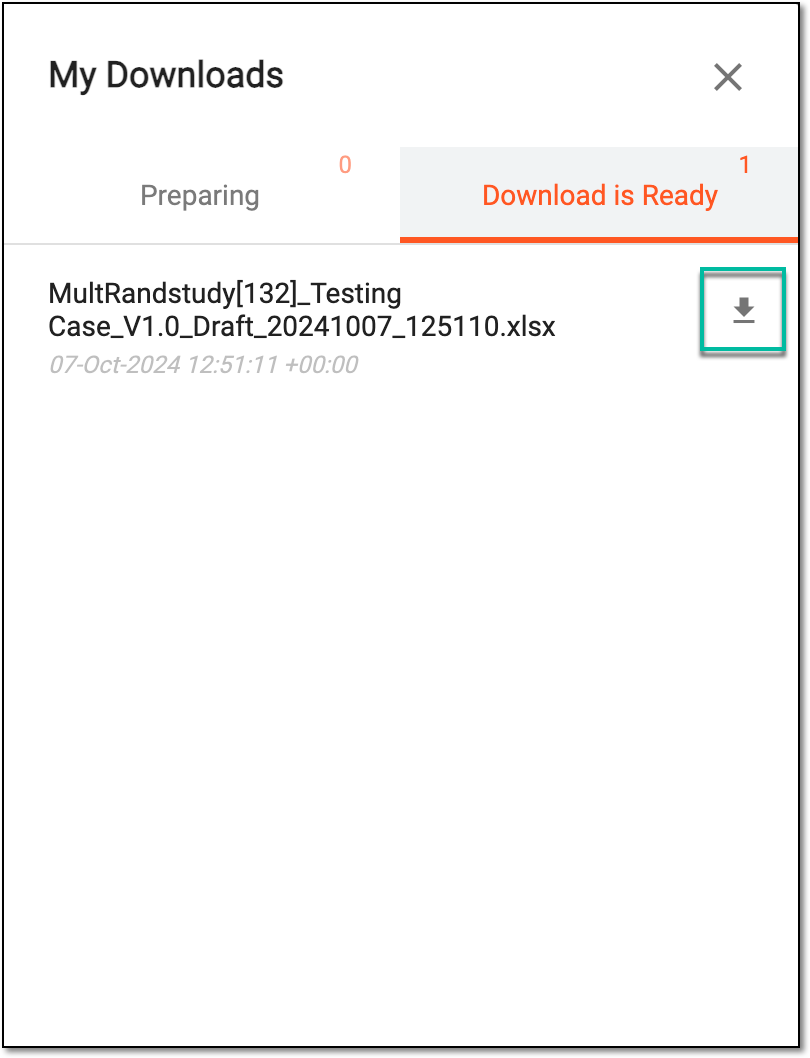 Figure 4. Downloads dialog for CRF version test case results
Once downloaded, the exported file becomes available on your computer. You can now use it according to your business needs.