Analyze toxicity grade counts
The toxicity grade counts chart represents the number of occurrences of various toxicity grades associated with treatment according to the clinical guidelines. This chart helps assess the safety profile of the treatment under investigation by categorizing the severity of observed adverse effects.
In EDC, the Toxicity Grade Counts chart is represented by a matrix chart or a heat map that displays the toxicity grades for different subjects with specific categorizations (Low and High). This chart consists of rows and columns, where each row represents different categories or groups—columns represent toxicity grades. Observing the distribution of toxicity across different grades helps identify patterns or discrepancies between the two populations or exposure groups and provides crucial insights into the safety profile of treatments being studied and the potential risk among different demographics.
-
In the EDC application header, select the DASHBOARD tab.
-
On the page that opens, select the Lab Test Analytics tab.
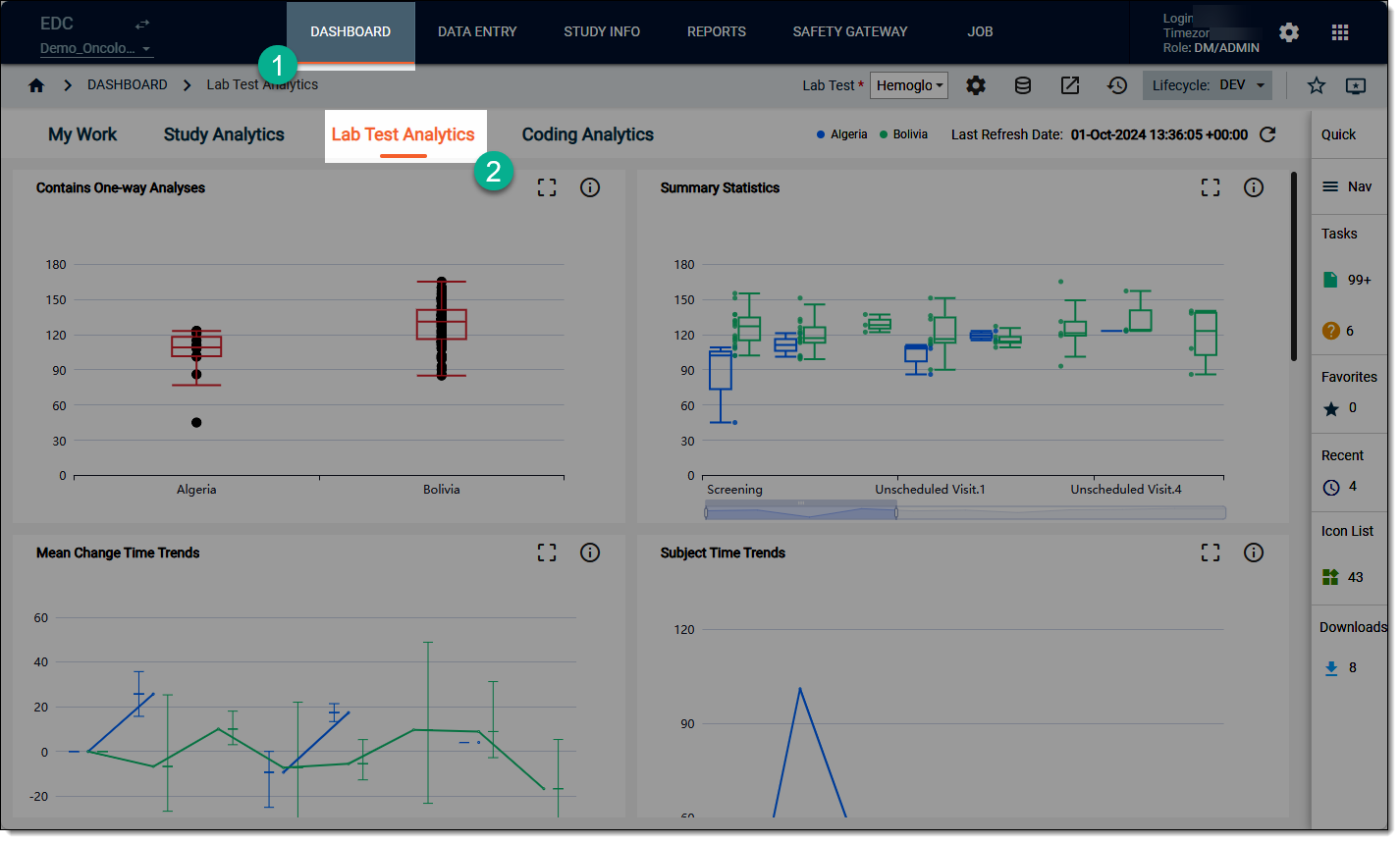 Figure 1. Accessing lab test analytics dashboard
-
On the workspace toolbar, from the Lab Test dropdown menu, select the lab test that you want to review.
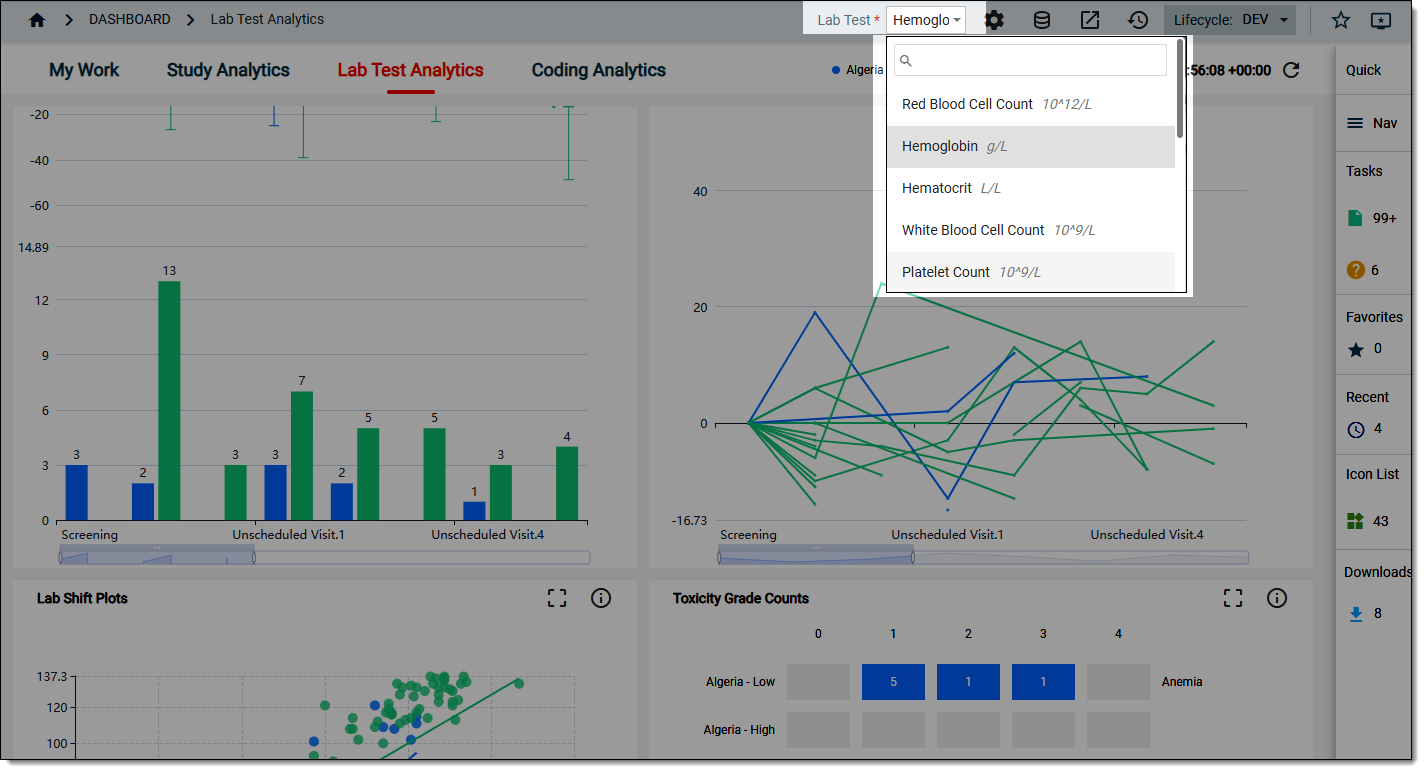 Figure 2. Selecting lab test to review
-
On the Lab Test Analytics dashboard that opens, start analyzing the Lab Shift Plots data by visualizing the color codes, their severity and comparing different values for different categories of data where relevant.
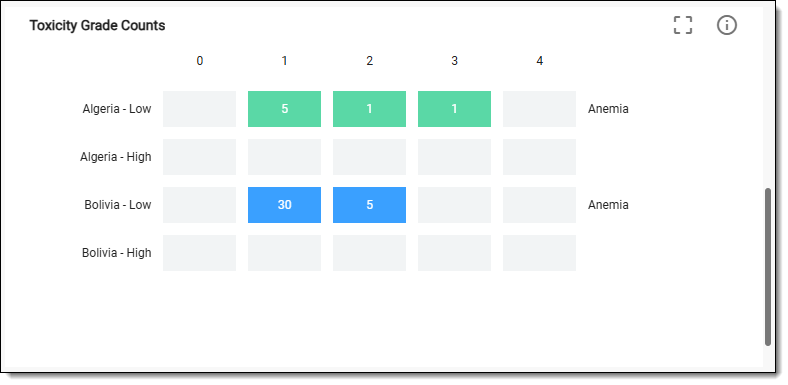 Figure 3. Reviewing toxicity grade counts chart data
-
Now from the chart, select Detail
 . In the table that opens, analyze the toxicity grade counts details as explained in the following table.
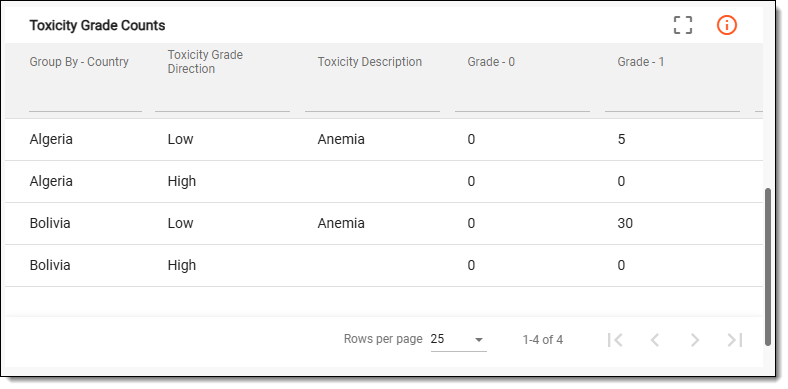 Figure 4. Reviewing toxicity grade counts chart details
Tip
To enlarge the table view, from the chart, switch to the Full Screen
 mode.
mode.Column
Details
Group By - Country
Represents the grouping variable for the analysis, which in this case, is country. This parameter categorizes the data based on different countries, allowing for comparative analysis of outcomes, behaviors, or characteristics across the geographic regions.
Toxicity Grade Direction
Represents whether the toxicity is increasing (worsening) or decreasing (improving) over time or with treatment.
Toxicity Description
Provides a detailed description of the type of toxicity being measured, for example, anemia, fatigue, and so on.
Grade - 0
Represents no toxicity or adverse effects observed. This is typically the baseline level of toxicity.
Grade - 1
Represents mild toxicity, which may require minimal intervention but does not significantly affect daily activities.
Grade - 2
Represents moderate toxicity that may require medical intervention or results in some limitations in daily activities.
Grade - 3
Represents severe toxicity that often requires significant medical intervention and may limit self-care activities.
Grade - 4
Represents life-threatening toxicity that requires urgent medical attention and may result in significant health risks.
Once you have analyzed the details of the Toxicity Grade Counts chart, select  to close the table and return to the
chart view.
to close the table and return to the
chart view.