Analyze lab shift plots data
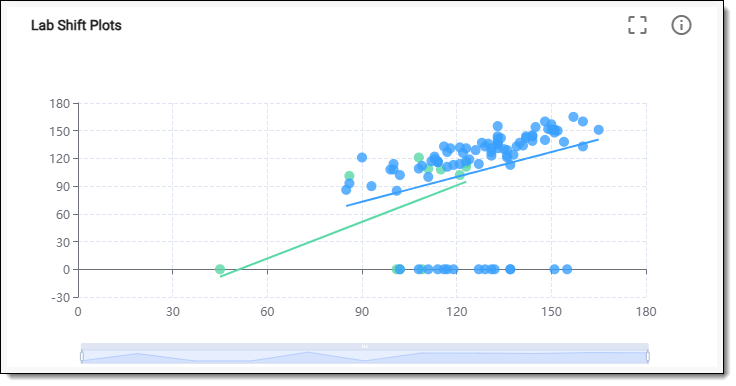
The lab shift plot visualizes shifts in lab test results against predetermined thresholds or normal ranges. By highlighting significant deviations, these plots assist in identifying potential health concerns or treatment effects that require attention, often focusing on outliers or abnormal results.
In EDC, the lab shift plots are represented by a cross plot (also known as a scatter plot). The cross plot is a visual representation used to analyze changes in lab test results over time between different conditions. The horizontal (x-axis) represents the initial baseline lab test results, whereas the vertical (y-axis) represents the follow-up or subsequent lab test results. It aids in comparing different treatment groups or populations, helping in visualizing how different factors may affect lab results.
-
In the EDC application header, select the DASHBOARD tab.
-
On the page that opens, select the Lab Test Analytics tab.
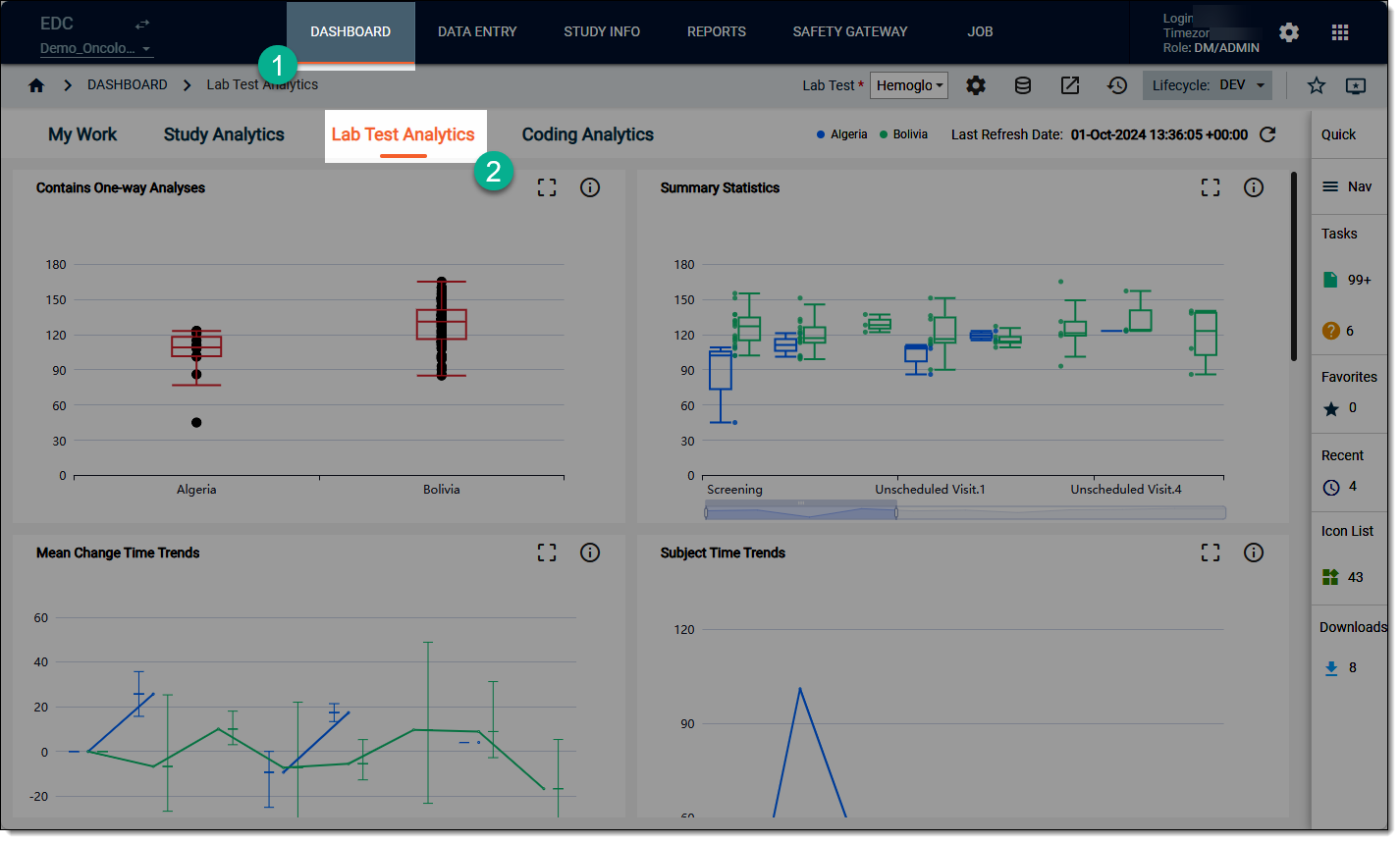 Figure 2. Accessing lab test analytics dashboard
-
On the workspace toolbar, from the Lab Test dropdown menu, select the lab test that you want to review.
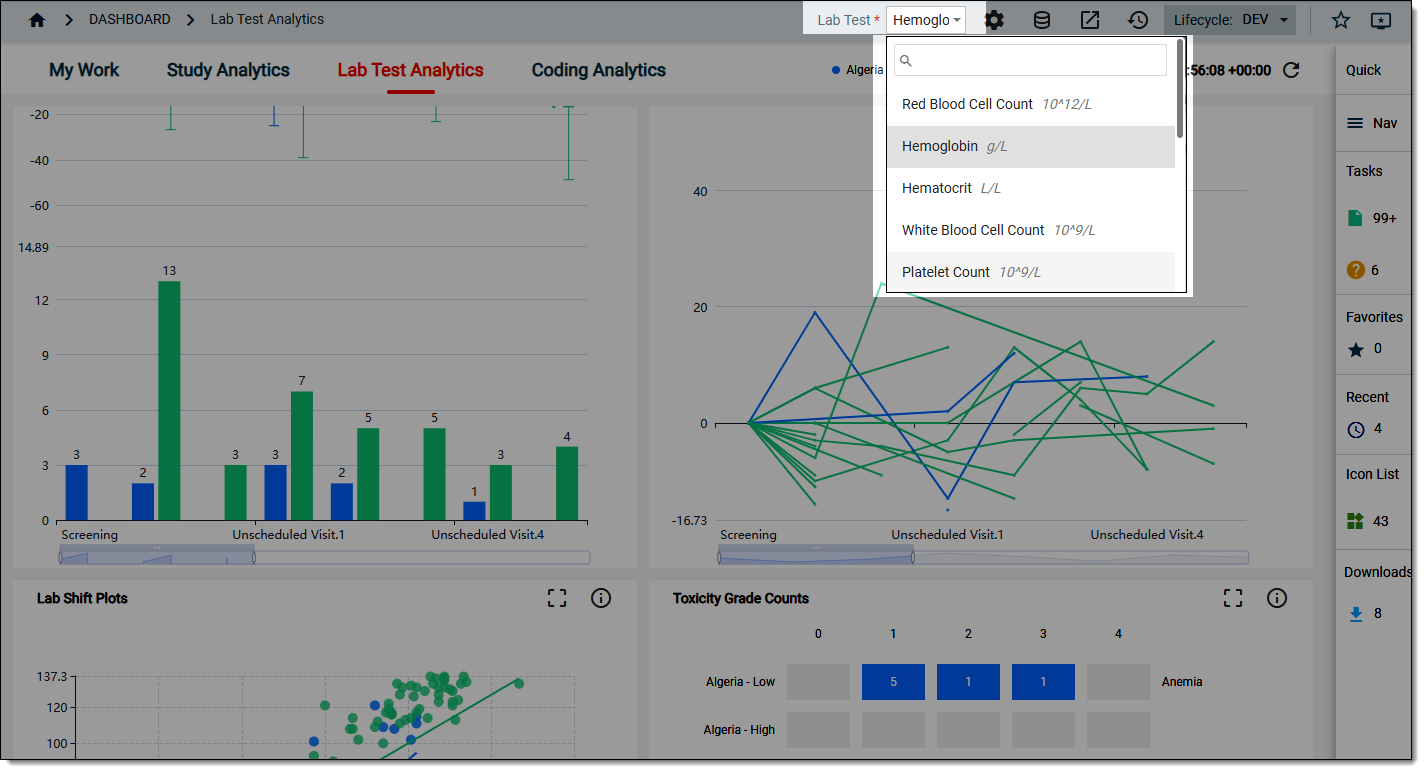 Figure 3. Selecting lab test to review
-
On the Lab Test Analytics dashboard that opens, start analyzing the Lab Shift Plots data. For this, hover over the data points to view the tooltips and comparing different values for different categories of data where relevant.
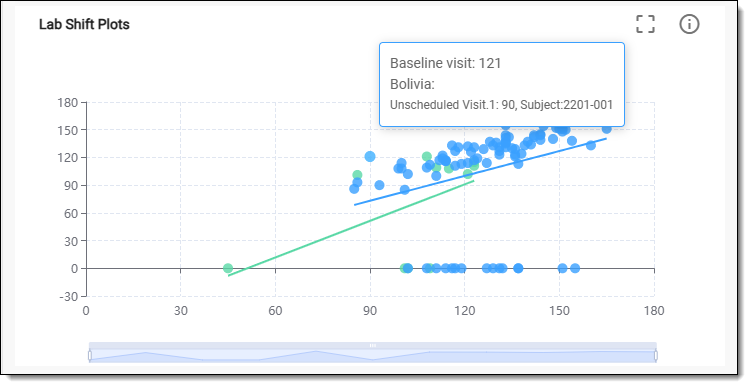 Figure 4. Reviewing lab shift plot data
-
Now from the chart, select Detail
 . In the table that opens, analyze the lab shift plot details as explained in the following table.
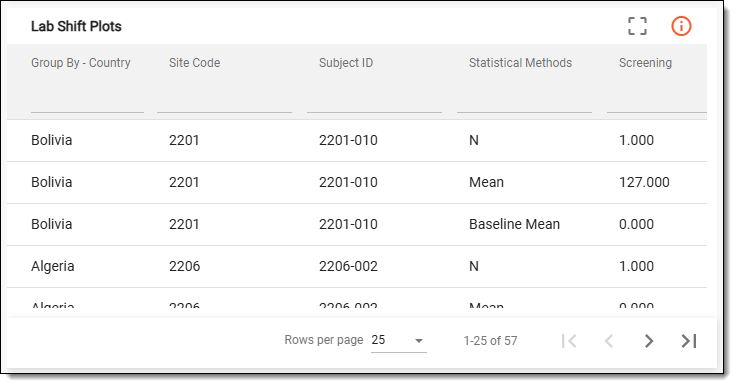 Figure 5. Reviewing lab shift plot details
Tip
To enlarge the table view, from the chart, switch to the Full Screen
 mode.
mode.Column
Details
Group By - Country
Represents the grouping variable for the analysis, which in this case, is country. This parameter categorizes the data based on different countries, allowing for comparative analysis of outcomes, behaviors, or characteristics across the geographic regions.
Site Code
Represents the unique identifier assigned to each participating site involved in the study.
Subject ID
Represents the unique identifier assigned to each participant involved in the study.
Statistical Methods
Represents the statistical techniques employed to analyze the data within each group. Common methods for the cross plot chart include the following:
-
Mean: represents the average value of the dataset, calculated by summing all the values and dividing by the number of observations. This value provides a measure of central tendency, which can complement the median.
-
N (sample size): represents the total number of observations or data points in the dataset. It is essential for understanding the statistical significance of the results presented in the box plot.
-
Baseline Mean: represents the average value of the lab test results collected at the beginning of the study before any treatment is administered. This static serves as a reference point for evaluating changes in lab results over time.
All Visit
Represents the total count of visits or observations included in the analysis for each group. This count is important for assessing the reliability and validity of the findings presented in the analysis.
Screening
Represents the statistics gathered during the screening phase of the study. It includes baseline lab test results collected before participants are enrolled in the trial.
This data is crucial for determining eligibility and establishing the initial health status of the subject.
C1D1 (Cycle 1, Day 1)
Represents the lab test results collected on the first day of the first treatment cycle. This column summarizes essential statistics, such as mean, median, and other measures, reflecting the subject's lab values immediately before or after the initiation of the treatment.
EOT (End of Treatment)
Represents the lab test results collected at the end of the treatment phase for the study participants. This static is essential for accessing the final health status of the subjects after completing the assigned treatment regime.
The EOT metrics are often compared to the baseline and interim values to evaluate the treatment's efficacy and to observe any lasting effects or improvement in the lab test results.
Unscheduled Visit.1 (n+1)
Represents the statistics from the first unscheduled visit, which occurs outside of the predefined study schedule. It includes the lab test results that may have been collected due to patient-reported issues or adverse events.
This chart may have more than one unscheduled visits. These visits reflect additional lab test results that are collected outside the regular visit schedule, aiding in the assessment of any changes in the subject's health status as the trial progresses.
-
Once you have analyzed the details of the Lab Shift Plots chart, select  to close the table and return to the chart
view.
to close the table and return to the chart
view.