Edit email template
Maintaining email templates facilitates user interaction with EDC for workflow setting, as instead of setting up the email configurations each time you create a workflow, you configure versatile email templates for different scenarios. Then, when configuring various workflow stages, you can select one of the preconfigured templates.
However, during your clinical trial, you might need to update the previously created email template to satisfy your changing business needs.
-
In the EDC application header, select the STUDY INFO tab.
-
On the page that opens, from the left pane, select Workflow > Email Template.
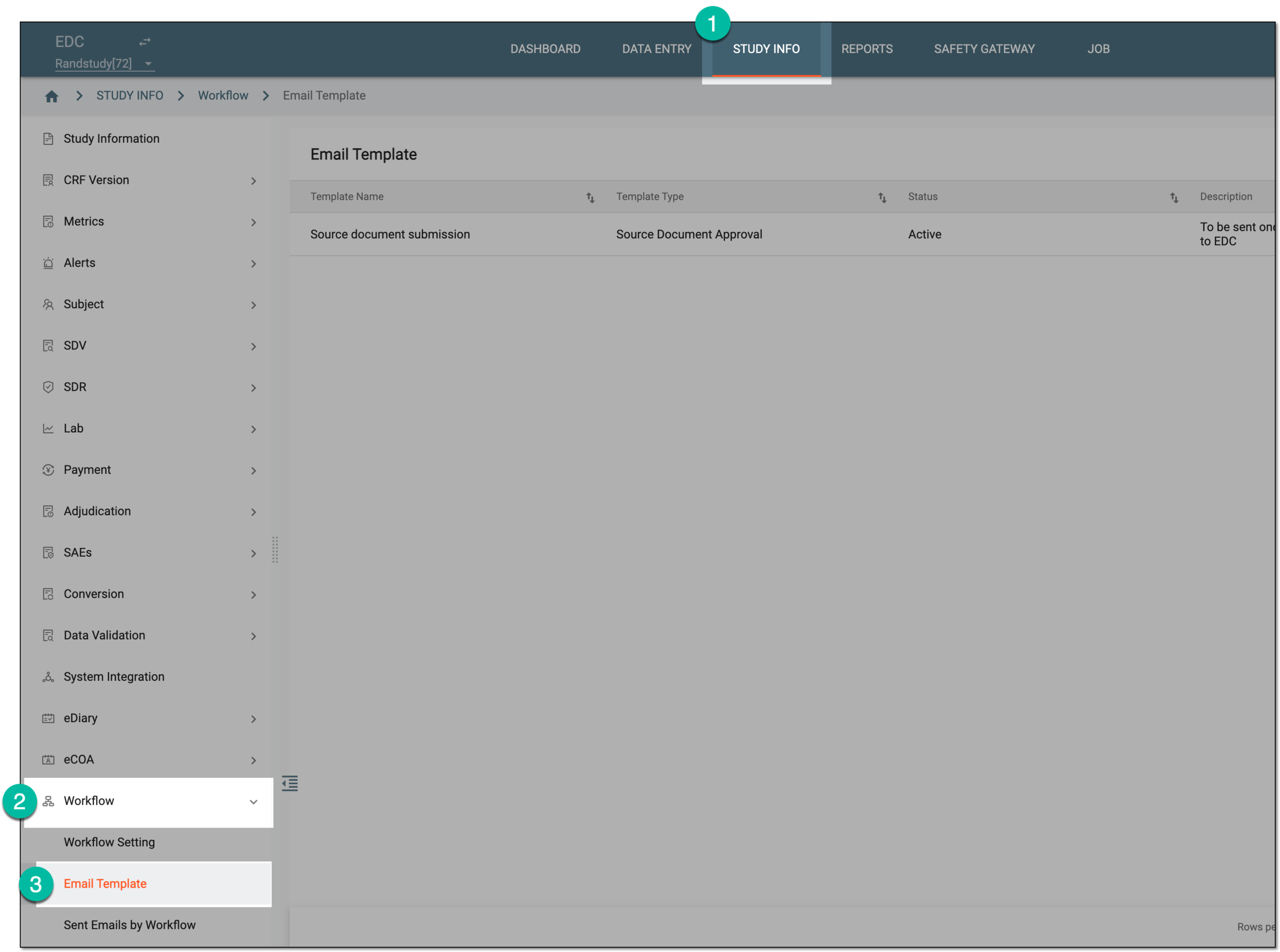 Figure 1. Accessing email template list
-
In the Email Template list that appears, locate the template that you want to update. Then in the Action(s) column, select More
 > Edit
  .
. Figure 2. Accessing email template edits
-
On the page that opens, update the email template details as needed. These details are identical to the ones explained in the table of the Create email template section.
Important
You cannot update the email template type—Source Document Approval or Payment—selected upon creation.
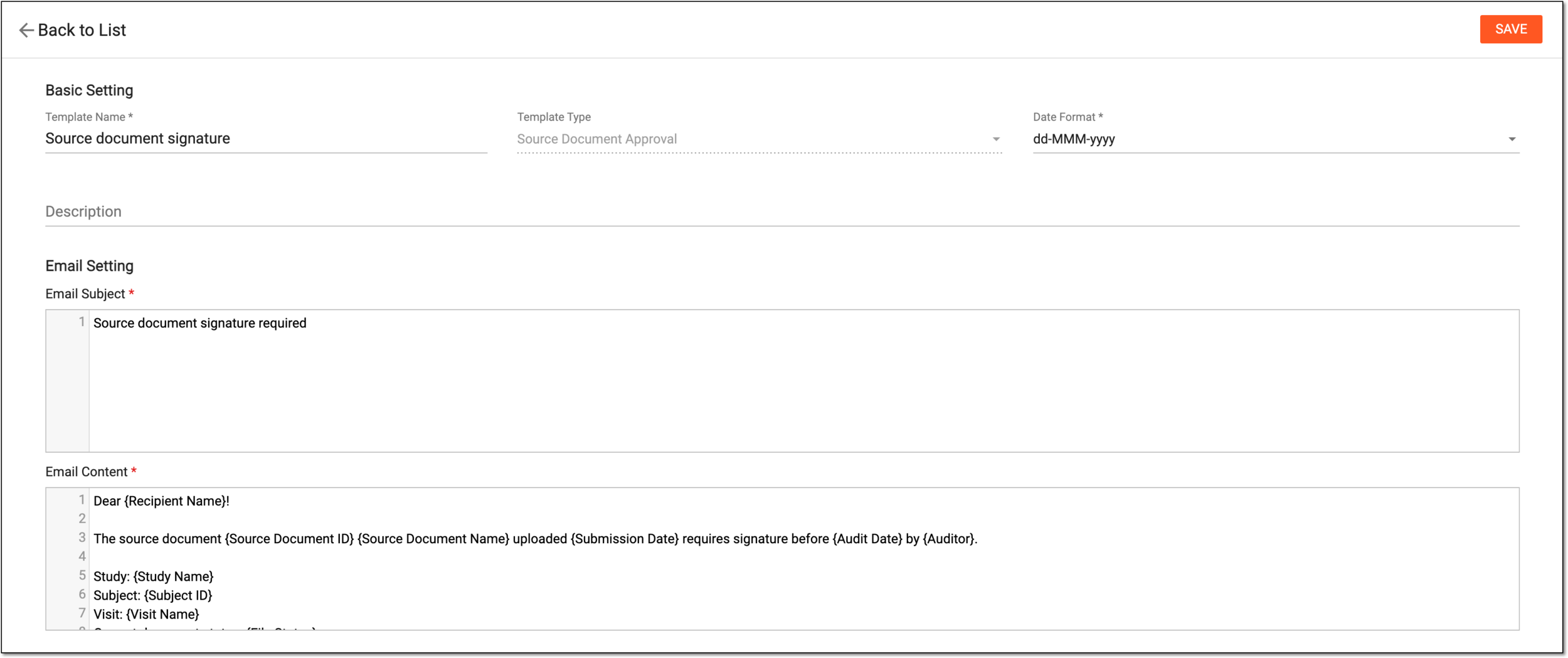 Figure 3. Editing email template
Once saved, the email template is updated.