Delete workflow
In EDC, workflows are intended to control the source document and payment request handling, introducing an additional tier of scrutiny and the approval or rejection mechanism to reduce the risk of unintended impact on sensitive resources and financial operations.
When a workflow is created for a certain site or a group of sites, the processes of source document and payment request auditing at those sites is controlled by the configured workflow logic. However, during the clinical trial, your requirements might change. Thus, if any workflow becomes irrelevant, you can remove it from the system.
Important
Note that deleting the workflow ceases the auditing procedure for source documents and payment requests. Thus, the procedure becomes uncontrolled and might cause mishandling.
-
In the EDC application header, select the STUDY INFO tab.
-
On the page that opens, from the left pane, select Workflow > Workflow Setting.
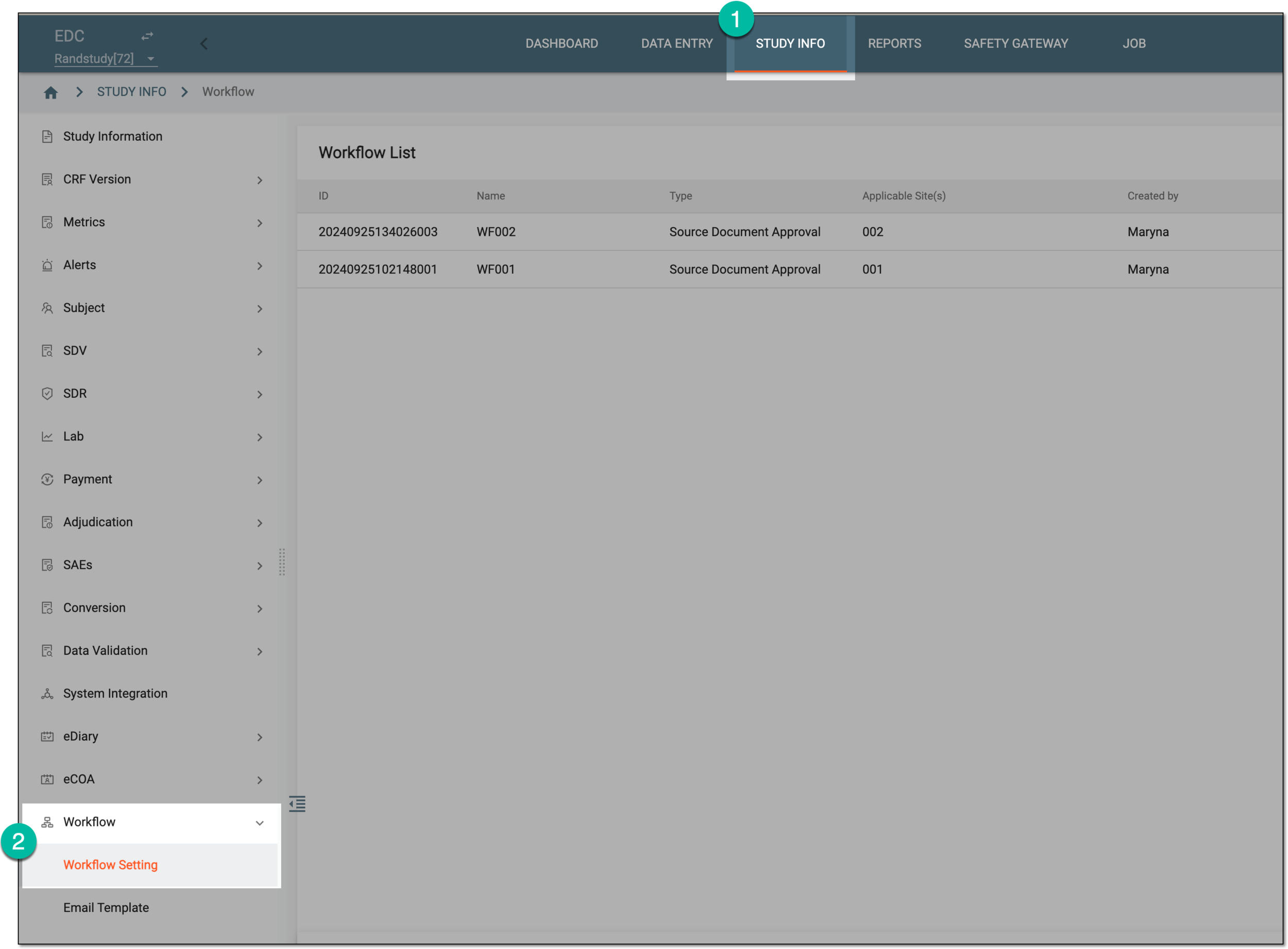 Figure 1. Accessing workflow setting
-
In the Workflow List table that appears, locate the workflow that you want to remove and in the Action(s) column, select Delete
 .
. Figure 2. Deleting workflow
-
In the Reason dialog that appears, provide the reason why the workflow is being deleted and select
 .
.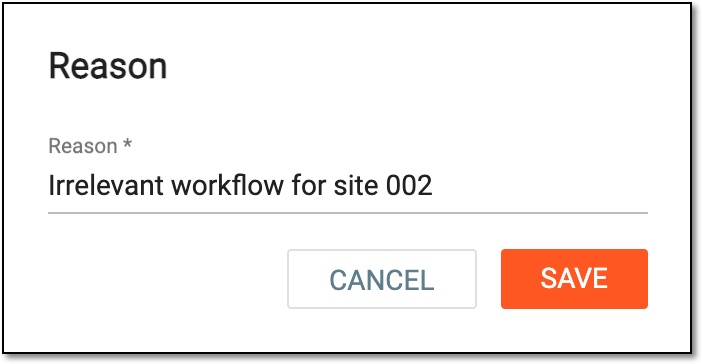 Figure 3. Providing reason for workflow deletion
Once done, the workflow is deleted from the system. The logic for sites handling the source documents according to this workflow no longer exists.
Important
To avoid source document mishandling at sites, consider creating a new workflow for the sites that have none.
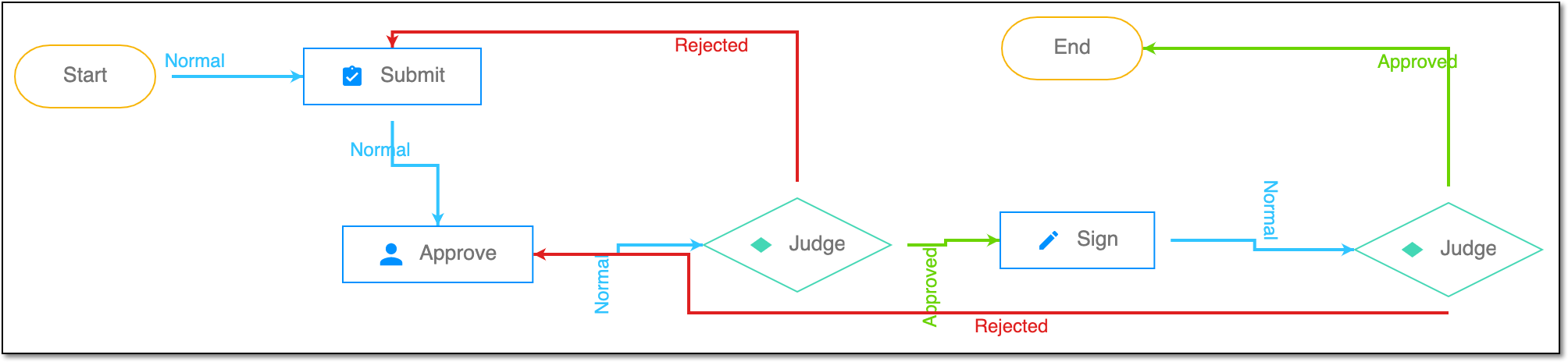
A schema, each step of which represents a stage of a specific entity lifecycle in the system.
A workflow can be considered an instrument to help control various actions on system entities for the sake of accountability, as it limits the actions that can be performed on the entity associated with a workflow. This provides an additional tier of scrutiny, and the approval/rejection mechanism reduces the risk of unintended impact on sensitive resources and important information.
 |
For instance, in eTMF, the workflow dictates the procedure of file and folder management from the moment of upload to the approval stage; in CTMS, the workflow controls the process of creation, completion, and approval of a trip report; in EDC, the workflow covers the process of source document handling.