Query aging summary
On the Study Analytics page, you can view various charts that display the current data of the ongoing EDC processes, such as sites with enrolled/not enrolled subjects, queries opened/answered, and so on. One of the charts displayed in the dashboard is the Query Aging Summary bar chart. In this chart, you can view the total number of queries existing in the EDC application, and check the number of opened, closed, or answered queries against a particular number of days.
For example, when you ask a question about some data item from the data manager (DM), then a query is added with the status Open. When the DM provides an answer, then the status of the query is changed to Answered. If you are satisfied with the answer, then you can close the query which changes the query's status to Closed.
You may require viewing data in this chart to analyze how many queries were opened in the last month, or how many queries were answered in the last three months, and so on.
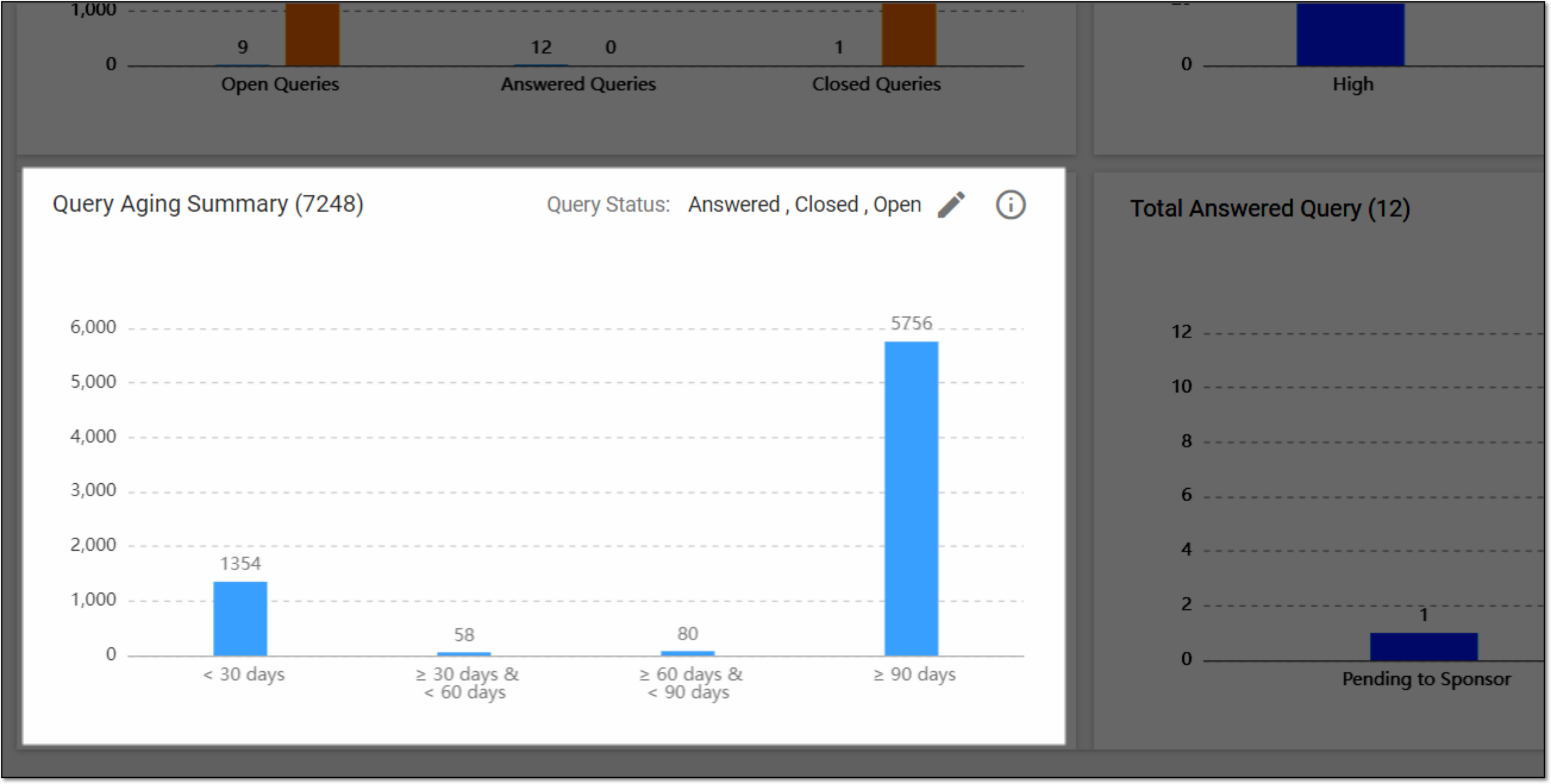
In the Query Aging Summary bar chart, you can perform the following actions:
-
Apply filters to view the opened, closed, or answered queries against the specific number of days
-
View an elaborative summary of the bar chart