AE/SAE summary
With the Study Analytics dashboard, you can view various kinds of charts that display the current data of the ongoing EDC processes, such as sites with enrolled/not enrolled subjects, opened/answered queries, and so on. One of the charts displayed in the dashboard is the AE/SAE Summary pie chart. This chart displays data about the total subjects identified with adverse events (AEs) and the count of subjects identified with serious adverse events (SAEs) and non-serious adverse events.
Whenever you record the adverse event information for a subject, then based on the data provided, the count for adverse event (AE) or serious adverse event (SAE) is updated in the AE/SAE Summary pie chart.
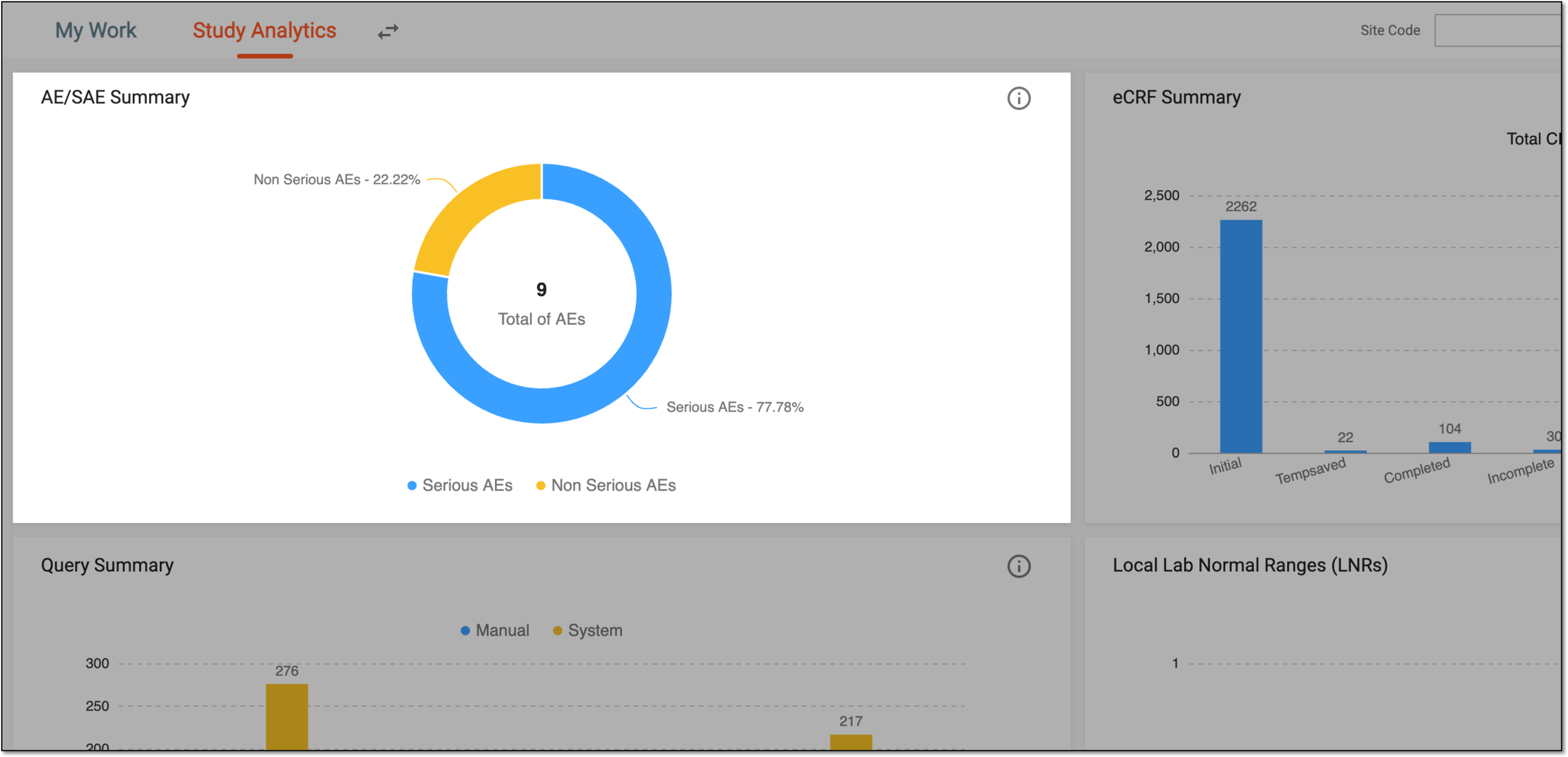
In the preceding figure, the blue color in the pie chart signifies the Serious AEs, and the yellow color signifies the Non Serious AEs.
Tip
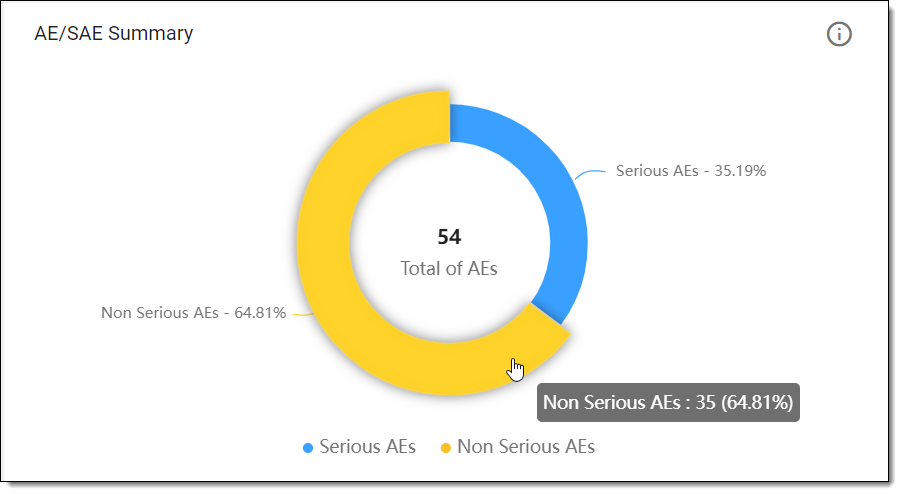
If you want to know the exact number of subjects identified with AE or SAE, hover over the required color in the pie chart to view the required information. For example, as shown in the following figure, out of a total of 54 reported adverse events, 35 are non-serious adverse events.
 |