Inactivate comment for data item
A comment in a case report forms (CRFs) is a useful tool for EDC users to have traceable and transparent communication on data elements in the form of notes.
If any comment becomes irrelevant, it can be inactivated so that other users can see it no longer requires attention.
-
In the EDC application header, select the DATA ENTRY tab.
-
On the site list page that opens, select the tile representing the site with which you want to work.
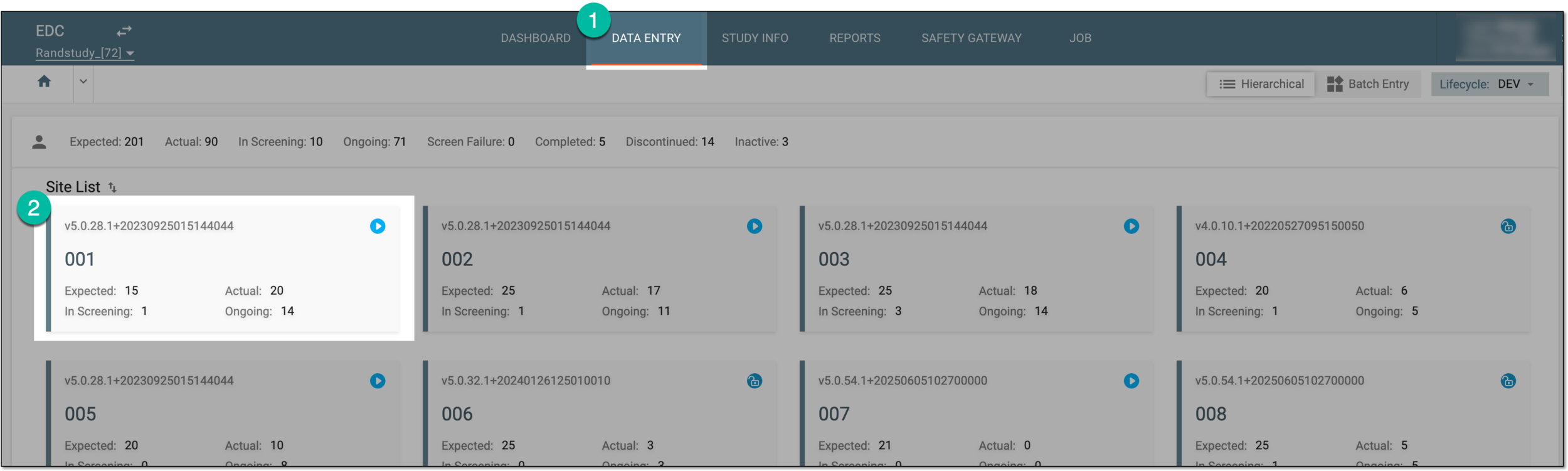 Figure 1. Accessing site tile
-
In the Subject ID column, next to the needed subject, select the link representing the subject for whose data you want to access comments.
 Figure 2. Locating your subject
-
On the Subject Visit Overview page that opens, on the left a panel with all subject visits is displayed. Expand the needed visit and locate and select the form of your interest in the resulting list.
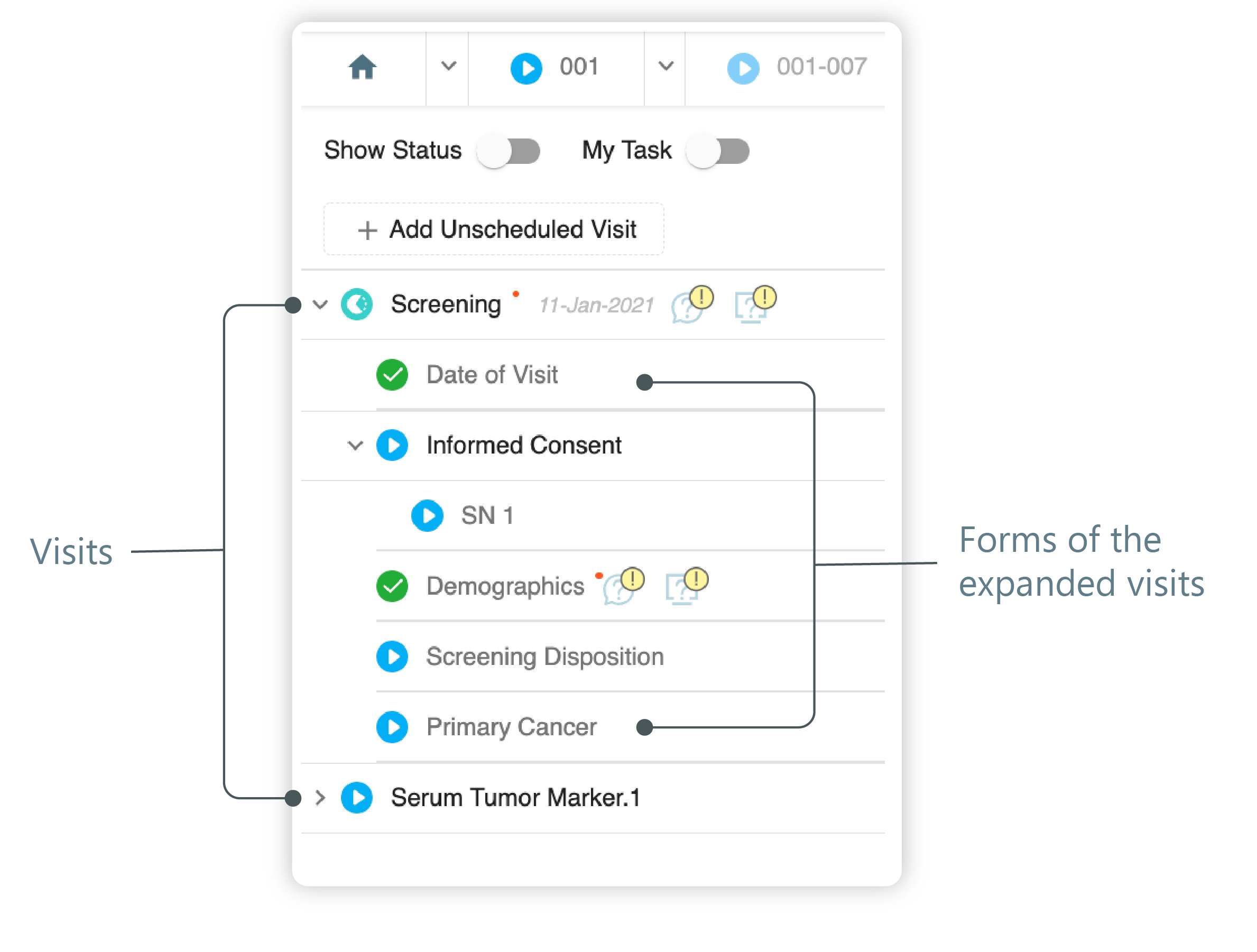 Figure 3. Left panel. Visits and their forms
-
On the form page that opens, next to the needed item, select Open Comment
 to access the comments list.
 -
In the Comments List panel that opens, next to the comment you want to inactivate, select Inactivate
 .
.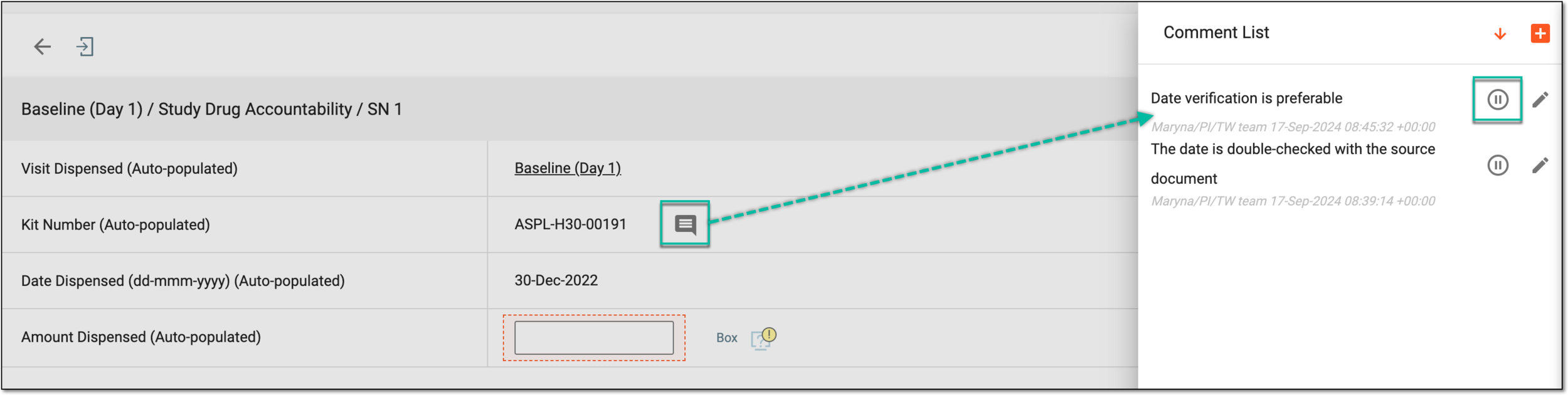 Figure 4. Accessing comment to inactivate
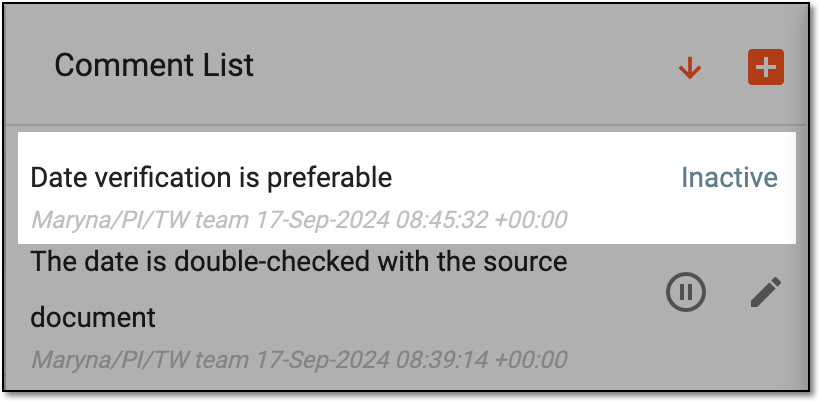
Once inactivated, the comment can no longer be interacted with and the Inactive marker appears next to it.
 |
Tip
If all comments are inactive for a data item, the Open Comment symbol disappears from it so as not
to distract users with no longer relevant details.