Edit data processing rule
By editing data processing rules, you can modify the specific conditions, logic, and parameters that govern how data is processed before the coding phase. This ensures that the rules remain accurate, relevant, and aligned with the current needs of your study.
-
In the Medical Coding application header, select the CONFIGURATION tab.
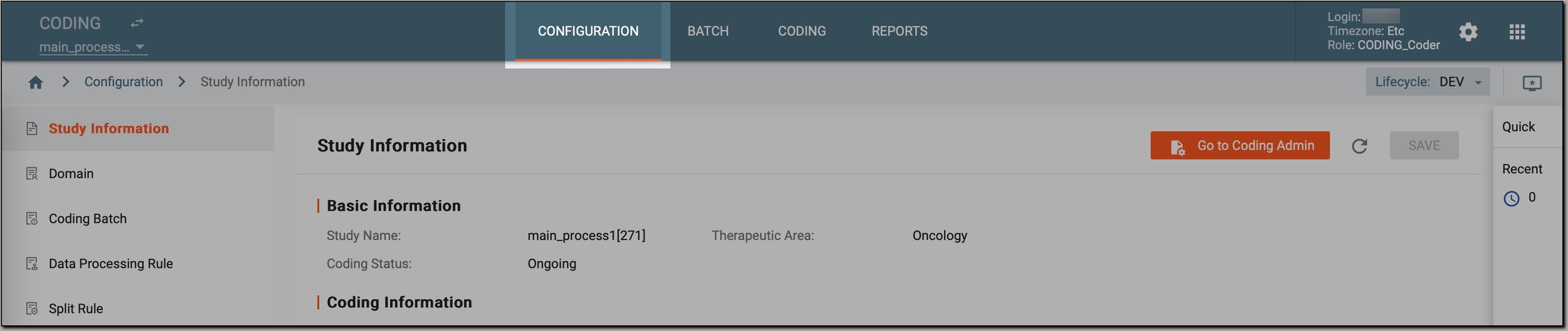 Figure 1. Accessing coding configurations
-
In the left pane, select Data Processing Rule.
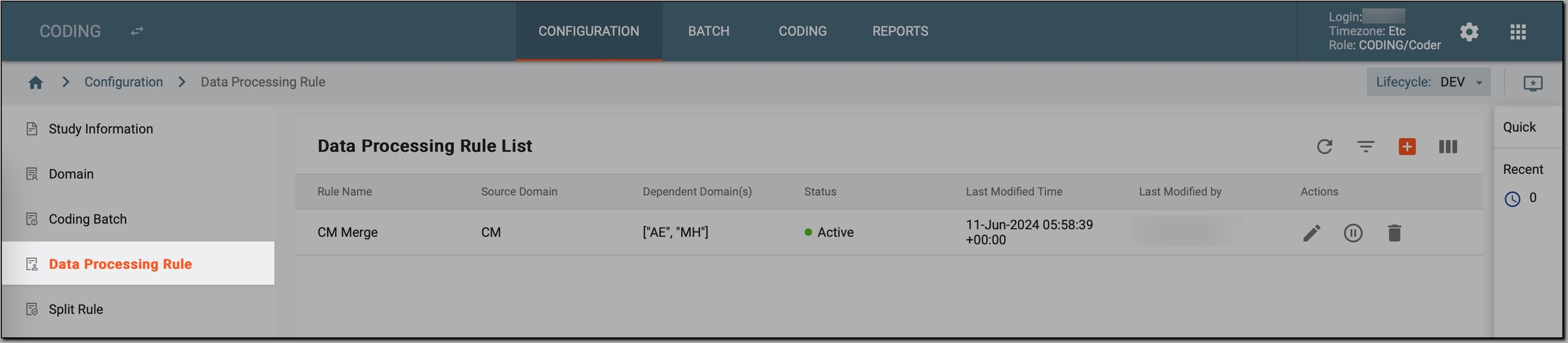 Figure 2. Accessing data processing rules
-
In the Data Processing Rule List table that appears, go to the data processing rule that you want to update and select Edit
 next to it.
 Figure 3. Initiating data processing rule editing
-
In the Edit dialog that opens, examine the existing code to understand its structure and logic. Then, if needed, update the rule name, conditions, logic, or parameters and select
 to save your changes.
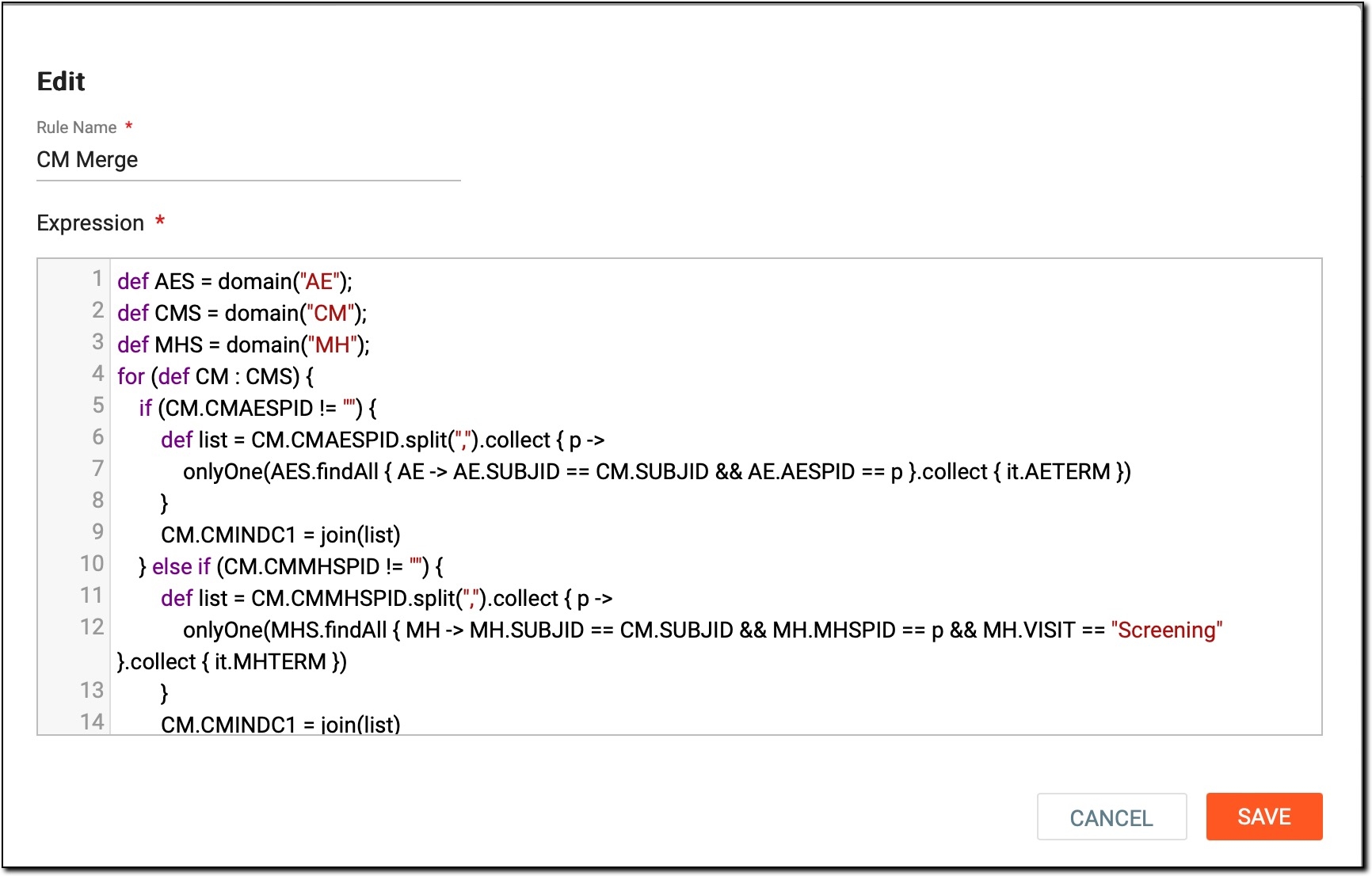 Figure 4. Modifying data processing rule
For example, let us review this code:
def AES = domain("AE");
def CMS = domain("CM");
def MHS = domain("MH");

for (def CM : CMS) {
    if (CM.CMAESPID != "") {
        def list = CM.CMAESPID.split(",").collect { p ->
            onlyOne(AES.findAll { AE -> AE.SUBJID == CM.SUBJID && AE.AESPID == p }.collect { it.AETERM })
        }
        CM.CMINDC1 = join(list)
    } else if (CM.CMMHSPID != "") {
        def list = CM.CMMHSPID.split(",").collect { p ->
            onlyOne(MHS.findAll { MH -> MH.SUBJID == CM.SUBJID && MH.MHSPID == p && MH.VISIT == "Screening" }.collect { it.MHTERM })
        }
        CM.CMINDC1 = join(list)
    } else if (CM.REMHSPID != "") {
        def list = CM.REMHSPID.split(",").collect { p ->
            onlyOne(MHS.findAll { MH -> MH.SUBJID == CM.SUBJID && MH.MHSPID == p && MH.VISIT == "Re-Screening" }.collect { it.MHTERM })
        }
        CM.CMINDC1 = join(list)
    } else if (CM.CMINDC == "OTH") {
        CM.CMINDC1 = CM.CMREASOTH
    } else if (CM.CMINDC == "PROPHYLAXIS") {
        CM.CMINDC1 = CM.CMINDC
    } else if (CM.CMINDC == "STUDY INDICATION") {
        CM.CMINDC1 = CM.CMINDC
    } else {
        CM.CMINDC1 = ""
    }
    if (CM.CMROUTE != "OTHER") {
        CM.CMROUTE1 = CM.CMROUTE
    } else if (CM.ROUTEOTH != "" && CM.CMROUTE == "OTHER") {
        CM.CMROUTE1 = CM.ROUTEOTH
    } else {
        CM.CMROUTE1 = ""
    }
}
return CMS;
Here, you can change, for instance, how CM.CMINDC1 is assigned based on the value of CM.CMAESPID. To do so:
-
Find the condition that checks if CM.CMAESPID is not empty:
if (CM.CMAESPID != "") { def list = CM.CMAESPID.split(",").collect { p -> onlyOne(AES.findAll { AE -> AE.SUBJID == CM.SUBJID && AE.AESPID == p }.collect { it.AETERM }) } CM.CMINDC1 = join(list) } -
Then, change the logic within this condition. For example, if you want to use a different method to split CMAESPID and assign a new value to CM.CMINDC1, update the code as follows:
if (CM.CMAESPID != "") { def list = CM.CMAESPID.split(";").collect { p -> onlyOne(AES.findAll { AE -> AE.SUBJID == CM.SUBJID && AE.AESPID == p }.collect { it.AETERM }) } CM.CMINDC1 = join(list, ", ") }-
In this example, CM.CMAESPID is now split by ; instead of ,.
-
The "join" function now uses ", " to concatenate the terms instead of the default separator.
-
As a result, after making this change, when CM.CMAESPID contains multiple IDs separated by ";", the new logic will correctly split these IDs and join the resulting terms with ", ".
-
Once the rule is updated, it remains effective and aligned with the evolving needs of your study, facilitating accurate and consistent data handling.