Activate/Inactivate data processing rule
Activating or inactivating data processing rules is a crucial part of managing your data processing workflows. This functionality helps you control whether specific rules are operational or temporarily inactive based on current needs. By activating a rule, you ensure it is applied during the data processing phase, directly influencing how data is transformed before coding. Conversely, inactivating a rule permits you to temporarily turn it off without removing it from the system, providing flexibility for testing or adapting to changing requirements.
-
In the Medical Coding application header, select the CONFIGURATION tab.
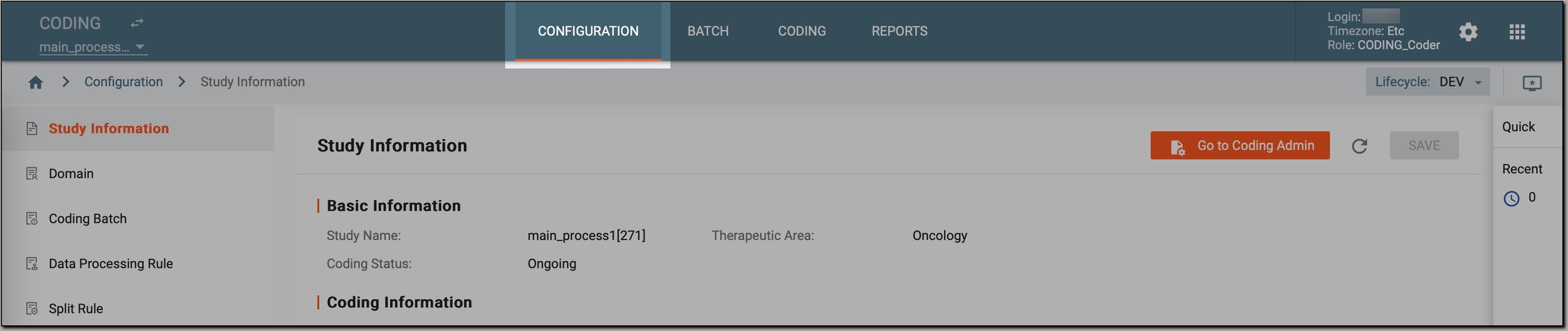 Figure 1. Accessing coding configurations
-
In the left pane, select Data Processing Rule.
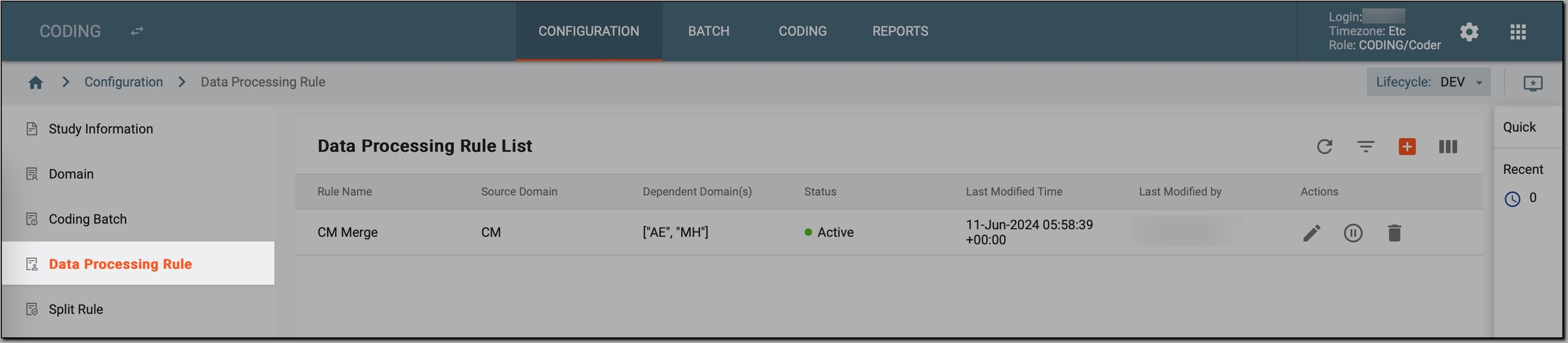 Figure 2. Accessing data processing rules
-
In the Data Processing Rule List table that appears, go to the data processing rule that you want to activate or deactivate and select Activate
 or Inactivate
  next to it.
 Figure 3. Activating or inactivating data processing rule
Once done, the data processing rule's status is updated to either Active or Inactive. If activated, the rule can be applied to data processing tasks, ensuring the specified transformations or validations are executed. If inactivated, the rule is temporarily disabled but remains in the system for future use.