Reassign query from exception creation role list
At times, certain queries cannot be accessed by the roles that are responsible for the resolution of the query due to various reasons, such as data restrictions. This happens when a certain data is included in the query that is restricted from the role, or due to filters applied in the system that prevent the role from accessing the query, and so on. These queries are automatically flagged by the system as issues and cannot be resolved, answered, or closed by the current assignees. It is important to reassign such queries to avoid the query resolution delaying.
From the Exception Creation Role subtab, you can reassign the query that currently cannot be accessed by the assigned role.
-
In the EDC application header, select the REPORTS tab.
-
On the page that opens, in the left pane, select Exception Query Report > Exception Creation Role.
-
On the page that appears, select query whose role you want updated. Then, from the workspace toolbar, select Edit
 .
. -
In the Edit dialog that appears, select the new role responsible for resolving the query and then select
 .
.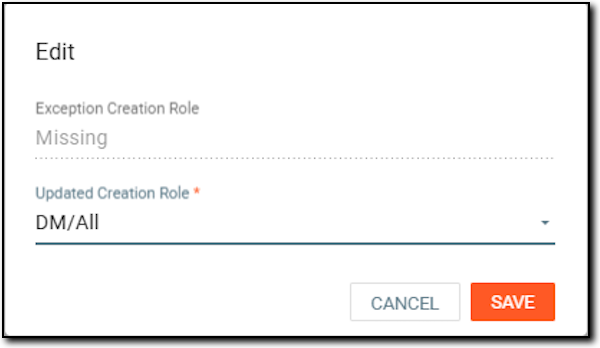 Figure 1. Updating query assignee
Once saved, the query is reassigned to another role and removed from the Exception Creation Role list; however, you can view the details of this operation from the Exception Query Operate History list.