Receive E2B R3 file via gateway
By implementing the E2B R3 standard, the PV system enhances the quality and accuracy of adverse event (AE) data by ensuring consistency, quality, and compliance with regulatory requirements.
In PV, you can receive E2B R3 XML files via a gateway to import your case data and create ICSRs based on them. This feature is used to automatically receive E2B R3 files directly from senders with no need for manual file upload.
Important
To receive files from a certain sender, you need to have the submission setting configured for them in PV. The details of the submission configuration you can request from the EDETEK administrator.
-
In the PV application header, select the INTAKE tab.
-
On the page that opens, from the left pane, select E2B R3 Import.
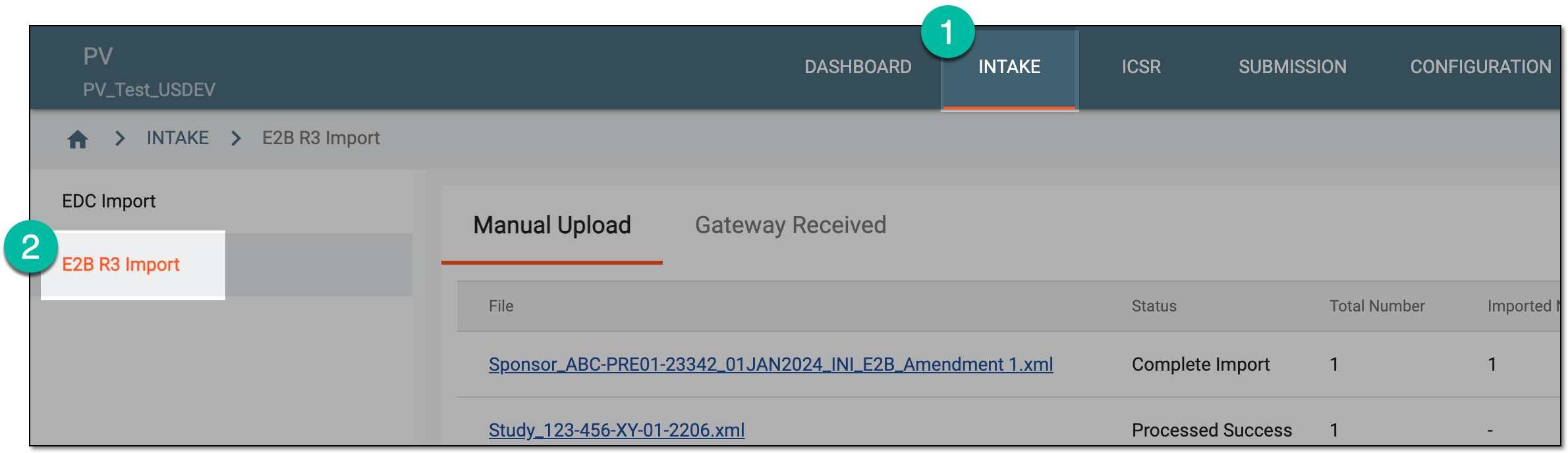 Figure 1. Accessing E2B R3 import
-
In the contents panel, select the Gateway Received tab.
-
From the workspace toolbar of the Gateway Received table, select Receive ICSR
 .
.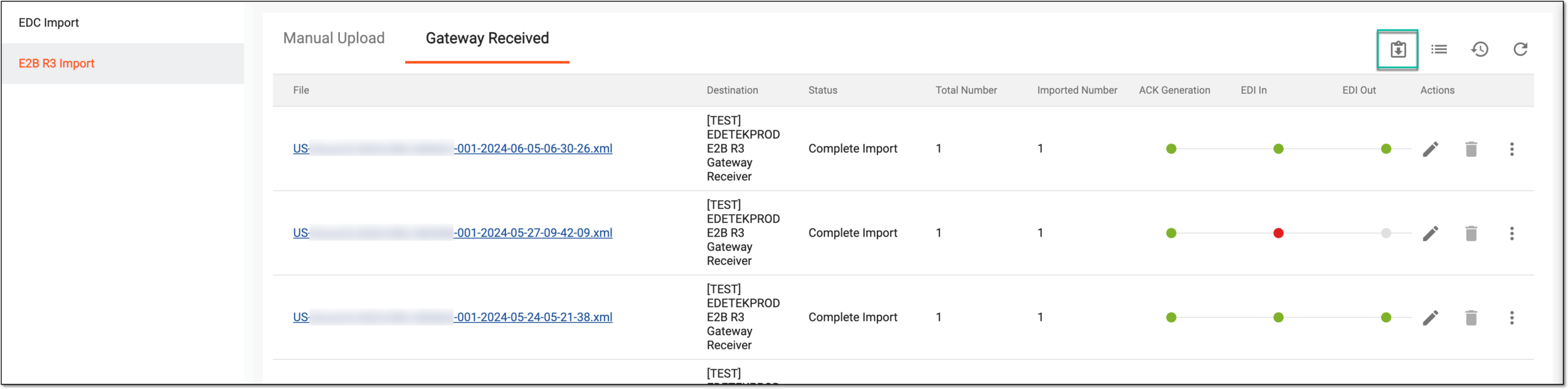 Figure 2. Receiving new E2B R3 files
Once selected, the system updates the list of import files and pulls new ones—if any—from the sender. The cases imported are based on your study access permissions granted via ADMIN. You can now process your imported files.