Visit windows in subject management
In a clinical trial, a visit window defines the allowable time span for a subject visit in case it is impossible to conduct that visit on the exact scheduled visit date.
The practice of visit windowing helps a data manager (DM) and the whole study team to correct the mistakes that might have occurred while entering the visit information for the site and configuring the study.
Another business case when visit windowing is proper is when the missed or out-of-window visits must be determined.
DMs define visit windows using different anchors assigned to the visits in the Study Designer (SD) app.
Tip
In eClinical, the anchor is a type of marker for a visit that is designated when a specific visit is expected. With a corresponding SD functionality, depending on the anchor assigned to the visit, the visit window with the prescribed activities is calculated.
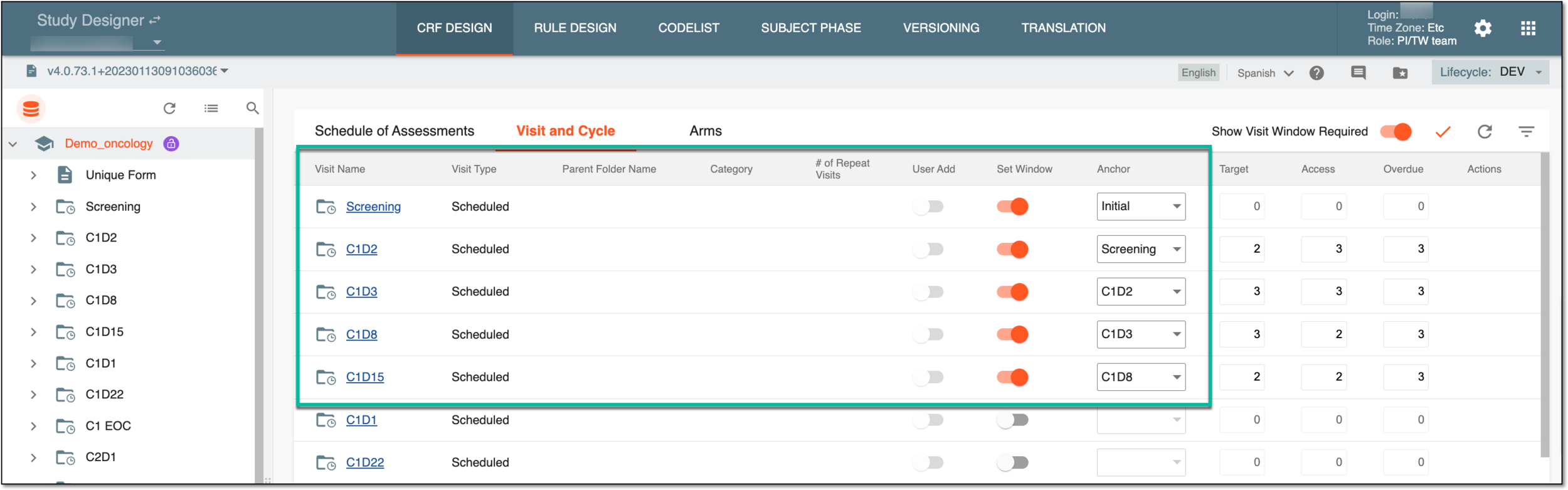
For example, considering the preceding figure, if the Initial anchor is assigned to the Screening visit, the visit is expected to be the first one (considering the Target, Access, and Overdue settings).
Then if the Screening anchor is assigned to the C1D2 visit, the visit happens after the Screening visit occurs, and so on.
Once the window settings are populated from SD, in EDC, from the STUDY INFO tab, the study designers and protocol managers can use the data for administrative purposes to plan and set up the clinical trial. It also reminds the subject about the next visit occurrence in advance. Also, the experts may need to check the visit windows for mistakes and whether the visit windows are in the permitted ranges.
In EDC, the visit window functionality is available from both DATA ENTRY and STUDY INFO modules. The DATA ENTRY module provides operational details to site personnel about the visit-specific data. In contrast, the visit window feature in the STUDY INFO module provides administrative information to individuals about the planning and protocol-specific data.
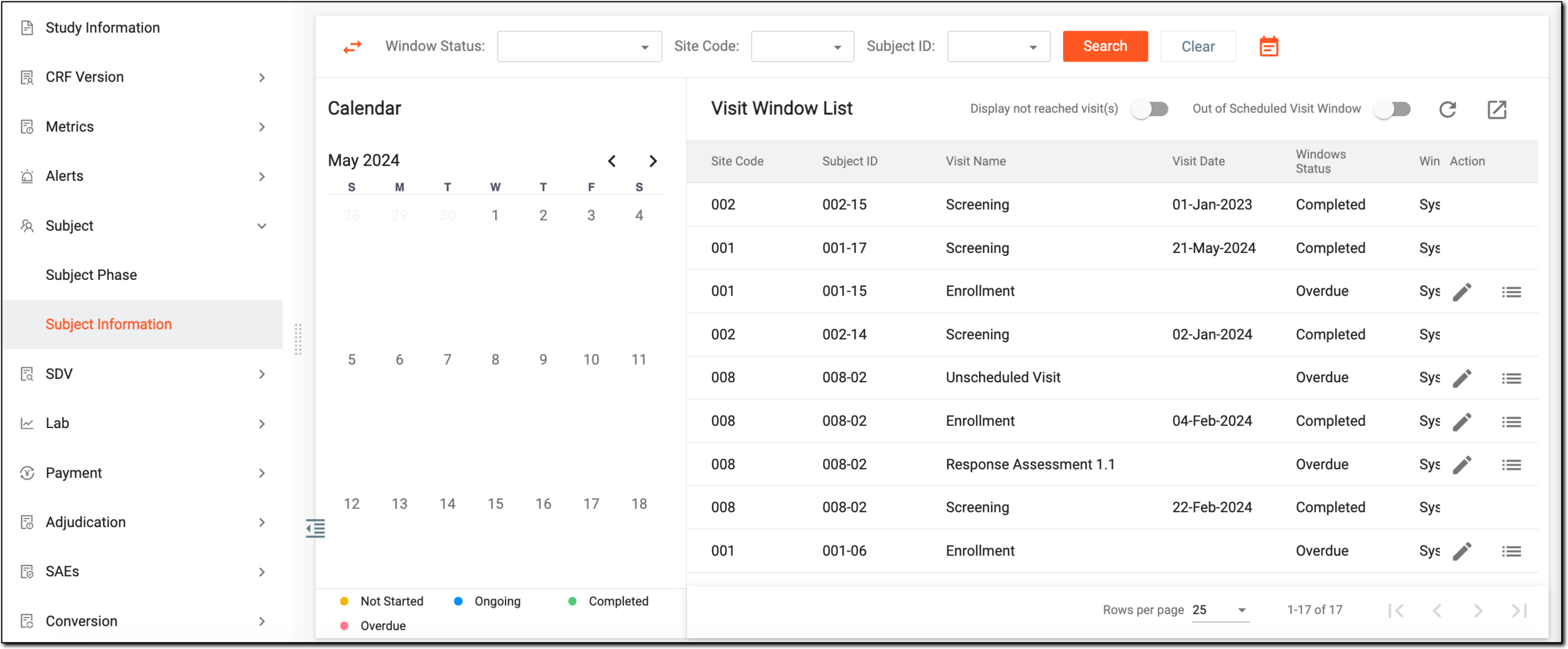
Thus, the Visit Window functionality in EDC is a management tool to supervise the visits of subjects within the visit cycle and act accordingly.