Edit SDR setting record
Source Data Review (SDR) refers to a comprehensive review of the collected data to evaluate its quality, consistency, and compliance with the study protocol, standard operating procedure, and regulatory requirements. During SDR, the CRA or data management team examines the data for completeness, accuracy, and compliance with the study protocol and regulatory requirements.
After adding various SDR setting records, it may occur that some configurations are incorrect or require updating due to new sponsor requirements. In this case, the needed SDR setting records can be edited. Once edited, make sure to execute the SDR setting to apply the modified configuration to the corresponding visits and subjects.
-
In the EDC application header, select the STUDY INFO tab.
-
In the left pane of the page that opens, expand SDR and select the SDR Setting tab.
-
On the SDR Setting page that opens, select one of the following tabs:
-
By Visit: to edit the number of subjects related to a certain visit that needs to undergo SDR.
-
By Subject: to edit the number of visits related to a certain subject that needs to undergo SDR.
-
-
In the table that appears, next to the needed SDR setting record, select Edit
 .
.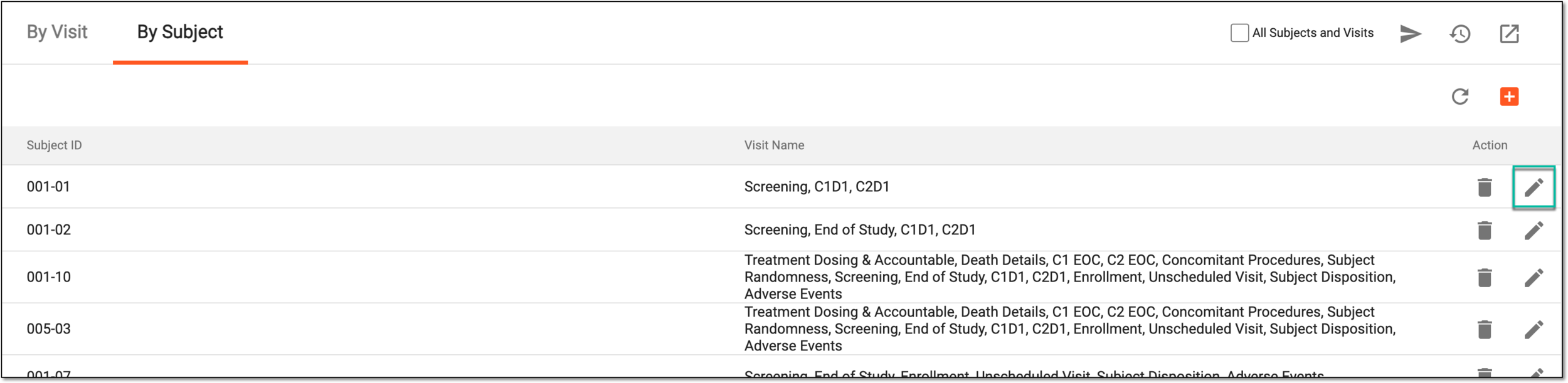 Figure 1. Selecting to edit SDR setting record
-
In the Edit dialog that appears, the first field is read-only as it shows the visit or subject name. You can only update the list of subjects or visits that need to undergo SDR.
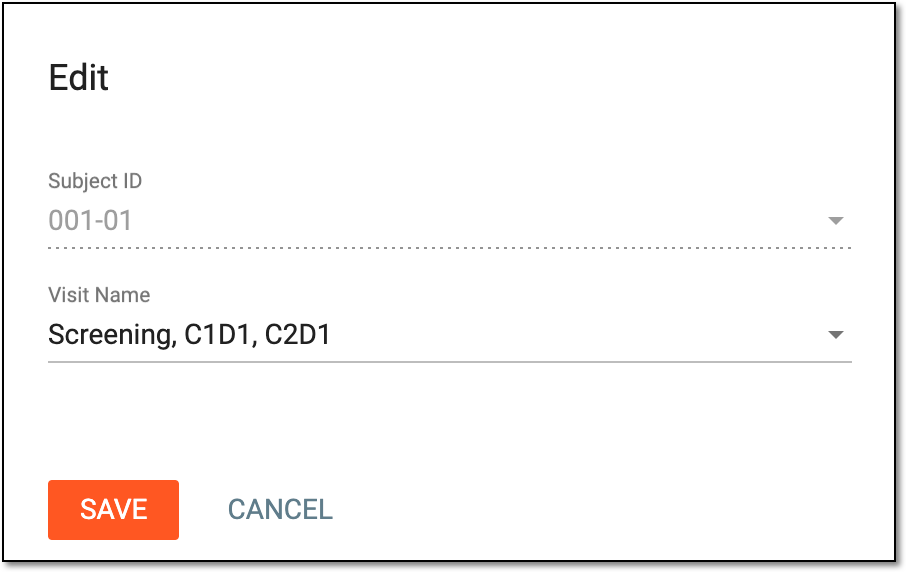 Figure 2. Editing SDR setting record
-
Select
 to save the implemented changes.
Once saved, the SDR setting record is updated.