Close lab query
In the EDC application, you can close an open lab query once it is resolved.
Important
A closed lab query cannot be resolved or replied to. It is recommended to close only the resolved queries since you cannot reply to or resolve a closed query.
-
In the EDC application header, select the STUDY INFO tab.
-
In the left pane, select Lab > Site Normal Range.
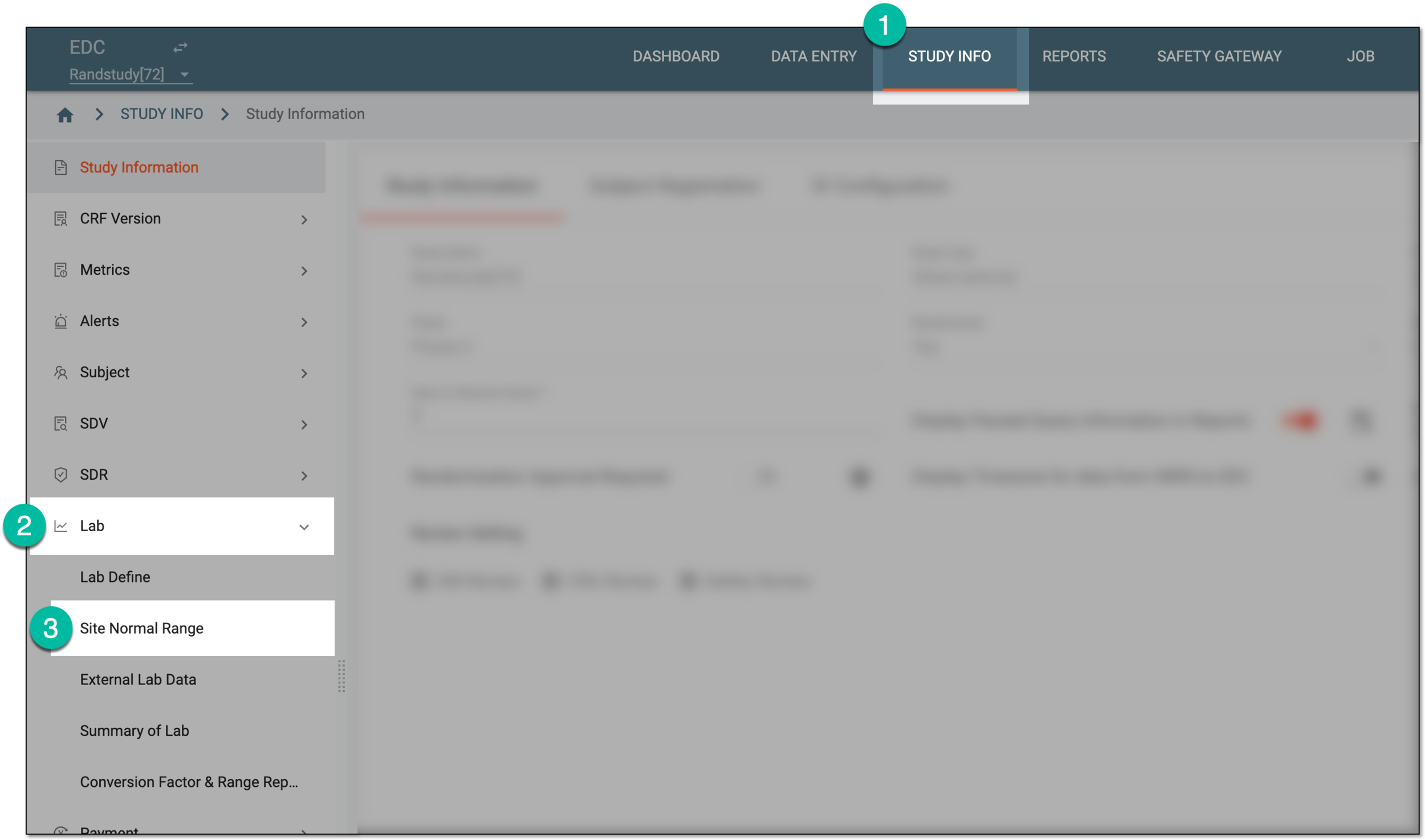 Figure 1. Accessing normal range list
-
On the Normal Range List page that appears, do one of the following:
-
To access the lab query opened for a category, in the Normal Range List table, next to the category name, select the query icon
 .
. Figure 2. Accessing category queries
-
To access the lab query opened for a specific test, in the Normal Range List table, select the query symbol
next
to the lab name. Then on the Lab Data page that opens, locate the test of your interest and select the query symbol
next to its name.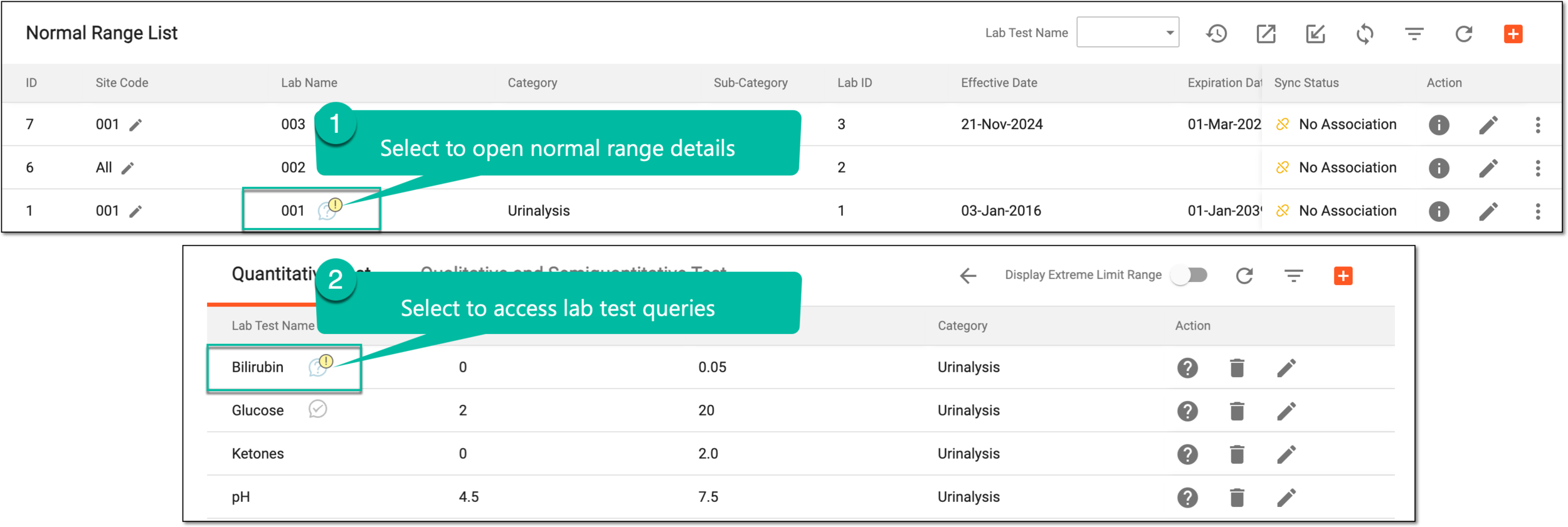 Figure 3. Accessing lab test queries
Tip
Depending on the query status, the query symbol differs—My Open Manual Query
 , My Paused Manual Query
  , Overdue Open Manual
Query
, Overdue Open Manual
Query  , and so on.
 -
-
In the side panel that expands, next to the query of your interest, select Close
 .
.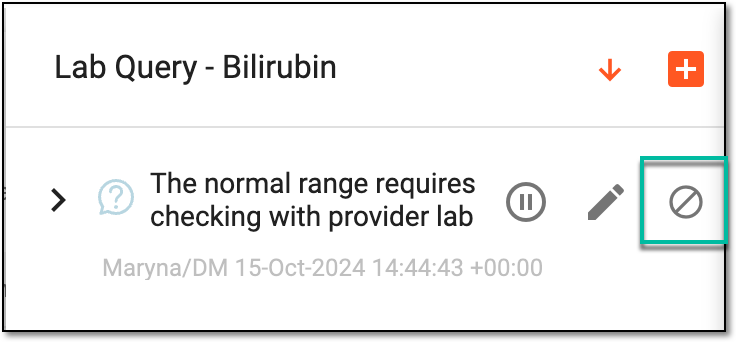 Figure 4. Closing lab query
-
In the confirmation dialog that appears, select
 .
.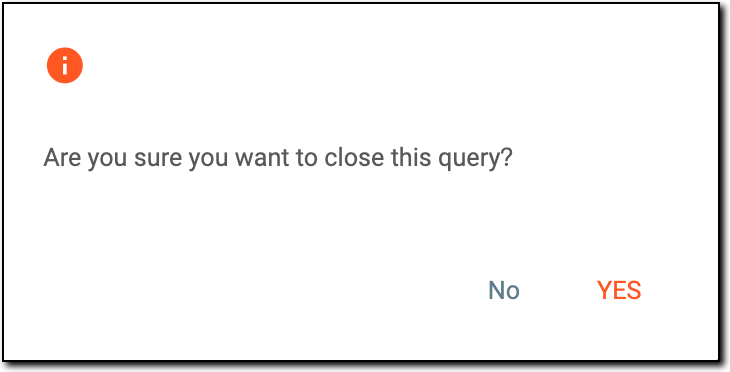 Figure 5. Viewing confirmation dialog
Once confirmed, the lab query is closed.