Delete identity provider
An identity provider centralizes the SSO authentication, moreover, it manages the user authentication.An identity provider can be deleted if the client no longer requires the SSO authentication. Deleting an identity provider restricts the users from using the eClinical system through the provided SSO.
To delete an identity provider
-
In the ADMIN application header, select the CONFIGURATION tab.
-
In the left pane of the page that appears, select Single Sign-On > IDPs.
-
On the Identity Provider table that appears, next to the needed identity provider, select, Delete
 .
.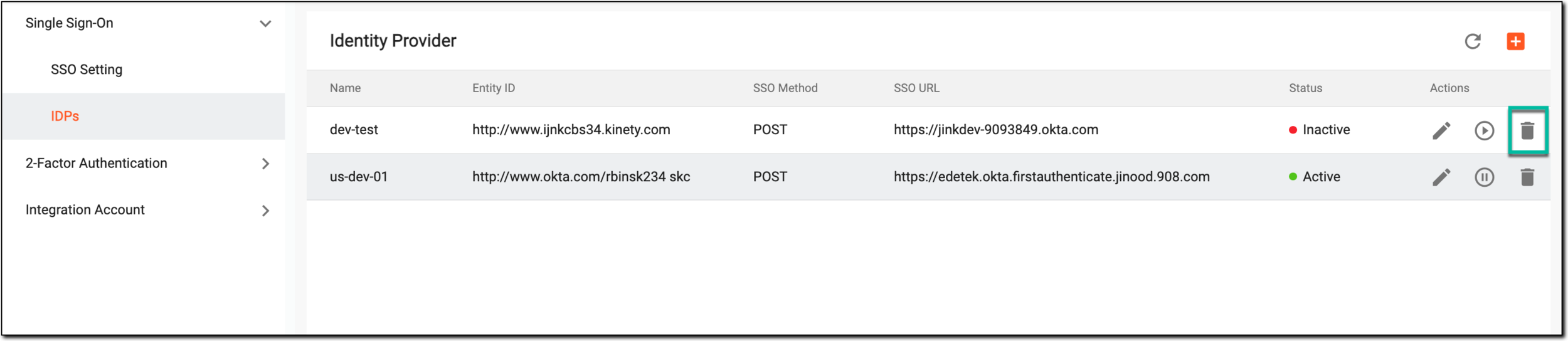 Figure 1. Selecting to delete identity provider
-
In the Delete Item confirmation dialog that appears, select
 to delete the identity provider.
 Figure 2. Confirming identity provider deletion
Once completed, the identity provider is deleted.