Add user to 2FA white list
The white list displays the information of all users who have two-factor authentication enabled but are not able to authenticate via this method. This list assists the managers in viewing the users who are facing issues and resolving their problems.
You can add a new user to the 2FA white list. A user who is not able to authenticate via the 2FA method can be added to the 2FA white list.
-
In the ADMIN application header, select the CONFIGURATION tab.
-
On the page that appears, from the left pane, select 2-Factor Authentication > 2FA White List.
-
On the 2FA White List page that appears, select New Item
 .
.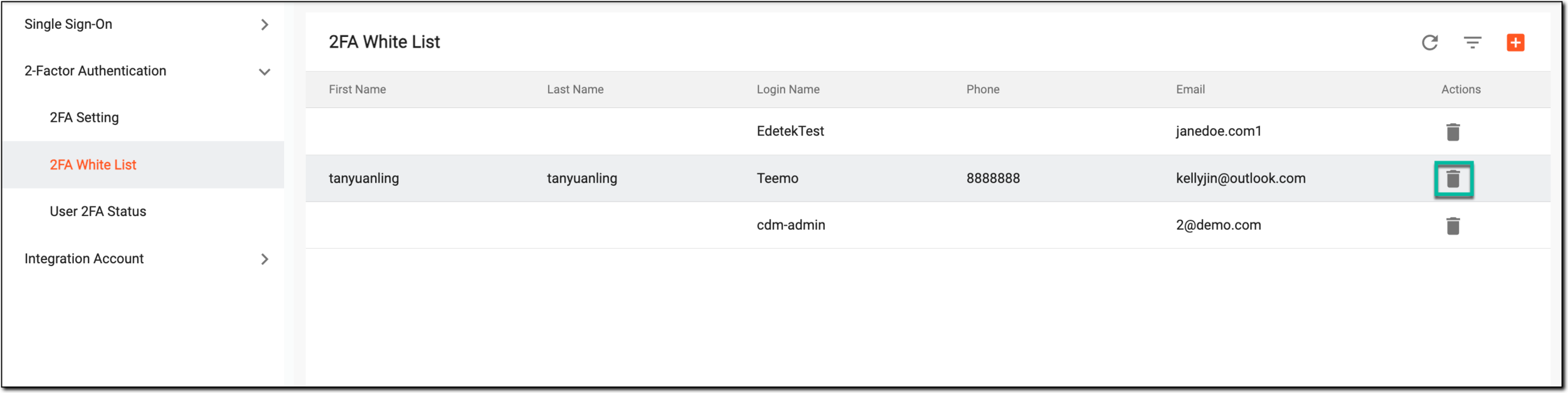 Figure 1. Selecting to add users to 2FA white list
-
In the Import users dialog that appears, select the checkbox next to the user you want to add to the white list and then select
 .
.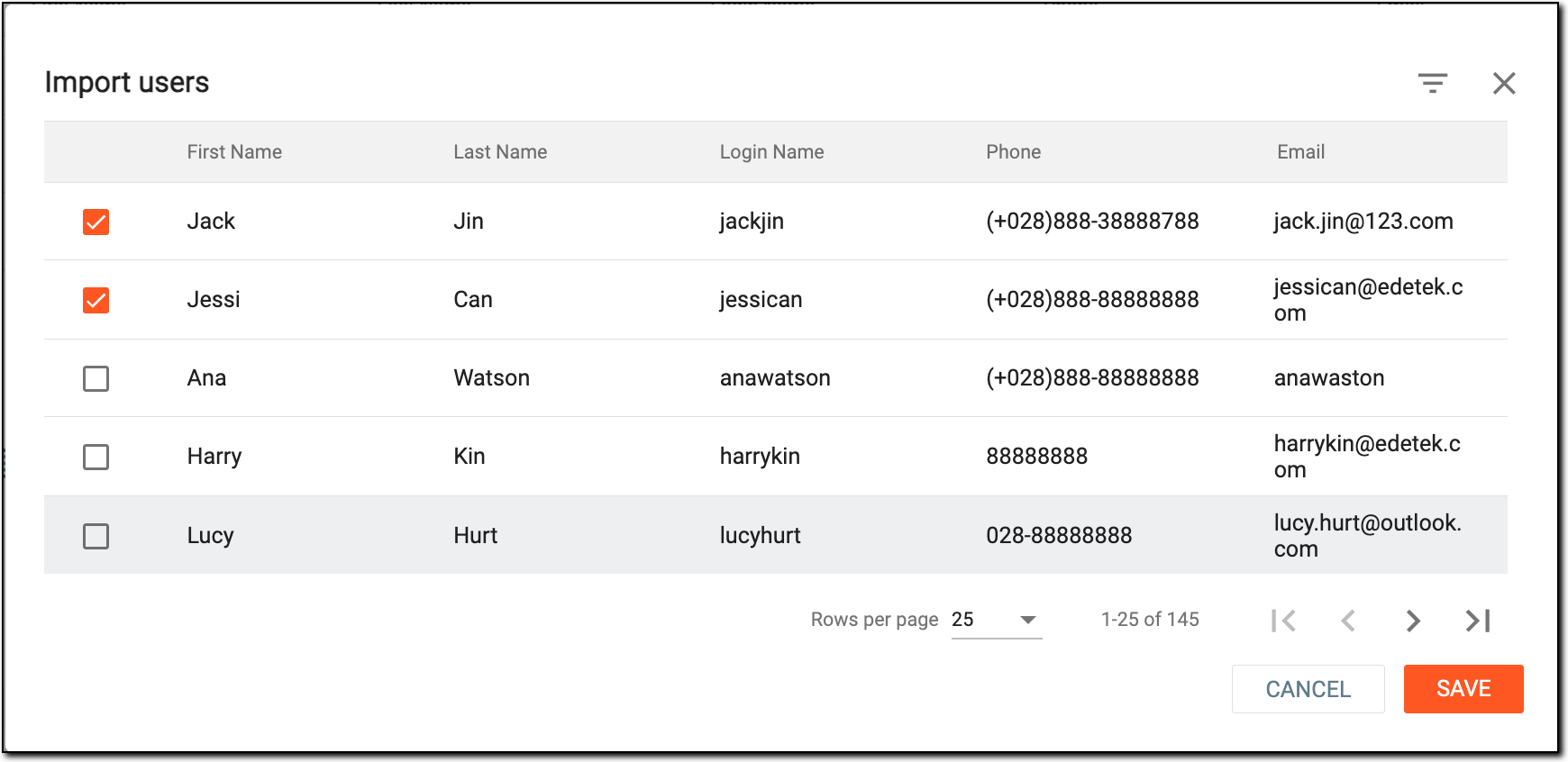 Figure 2. Importing users to 2FA white list
Once completed, the users are imported to the 2FA white list.