Edit arm details
In the eClinical system, arms are configured and associated with specific treatments in the Study Designer (SD) application and then populated to IWRS for further subject allocation resulting from randomization activities.
Once populated into IWRS, you can manage your study arms by editing their details.
-
In the IWRS application header, select the TREATMENT DESIGN tab.
-
On the page that opens, from the left pane, select the Arm subtab.
-
In the Arm list that opens, locate the arm you want to edit. Then from the Actions columns next to it, select Edit
 .
. Figure 1. Selecting to edit arm details
-
In the Edit dialog that opens, update the fields as explained in the following table.
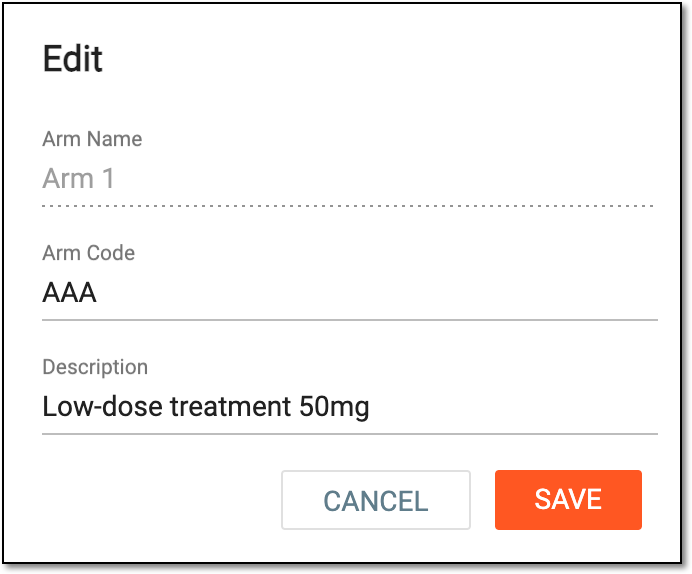 Figure 2. Editing arm details
Element
Details
Arm Name
Represents the name of an arm that usually is a descriptive label or identifier that helps to understand the nature of the interventions per arm, for example, Low Dose and High Dose. The arm name is configured via SD and cannot be edited in IWRS.
Arm Code
Update the code—unique identifier—assigned to an arm to facilitate data management, analysis, and reporting.
This field is only available if the arm code functionality is enabled for your study.Description
Update the free-text arm description.
SAVE
Select
 to save the implemented changes.
CANCEL
Select
 to discard the changes without saving.
Once saved, the arm details are updated.