View safety data audit trail
All the operations performed with the safety data are of vital importance as they reflect the complete process of data report creation and management. In PV, the operations with safety data are trackable via the Audit Trail feature.
-
In the PV application header, select the INTAKE tab.
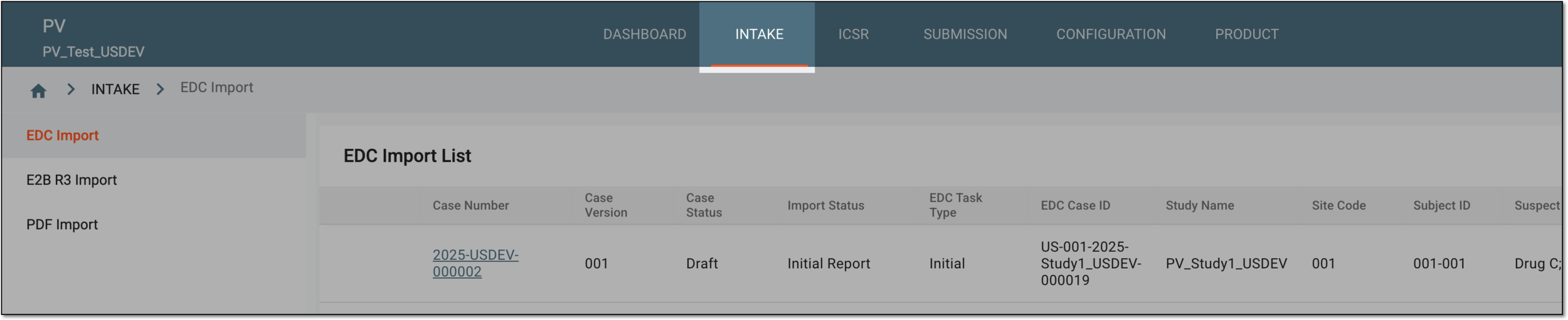 Figure 1. Accessing intake management
-
On the page that opens, in the left pane, select the EDC Import subtab.
-
In the EDC Import List that appears, locate the safety data for which you need to view the audit trail. Then in the Actions column next to it, select More
 > Audit Trail
  .
.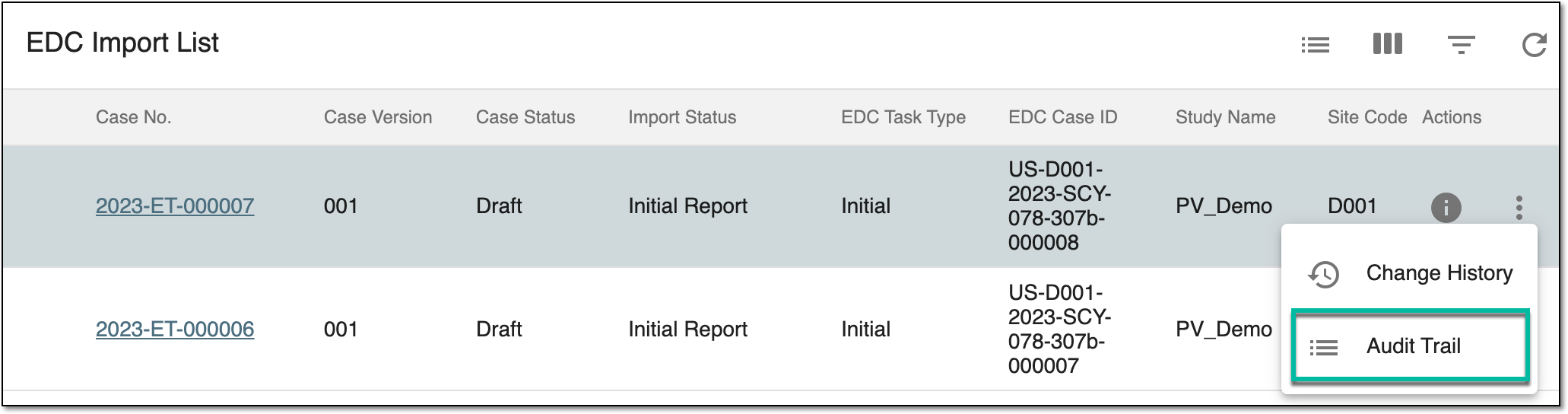 Figure 2. Selecting to view safety data audit trail
-
In the Audit Trail dialog that opens, you can find the log of all the operations performed with the safety data, who operated, and when.
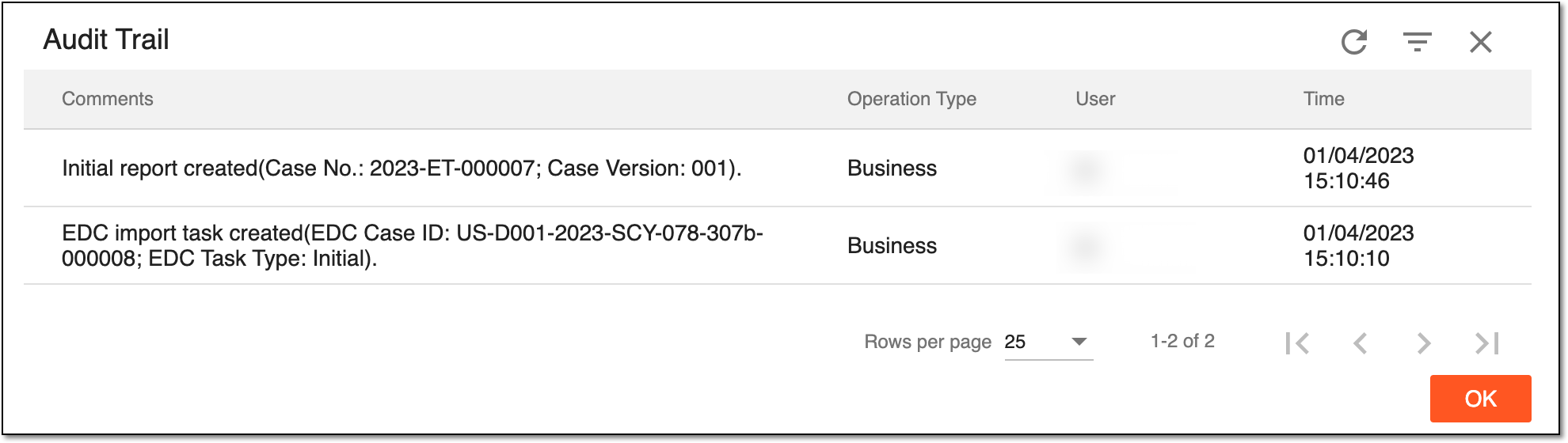 Figure 3. Safety data audit trail
-
Select
 to close the dialog.
You have viewed the safety data audit trail. Upon closing the dialog, you return to the EDC Import List table. You can also select to view the safety data change history.