Export supply for site details
As a rule, a supply relationship is a process of the product units or container units provision from a depot to a site. Sometimes you might need to export the list of all the sites with which you have a supply relationship for sharing with stakeholders or other business purposes.
-
In the IWRS application header, select the DEPOT tab.
-
In the Depot List table that appears, select the depot for which you want to export the supply relationship details.
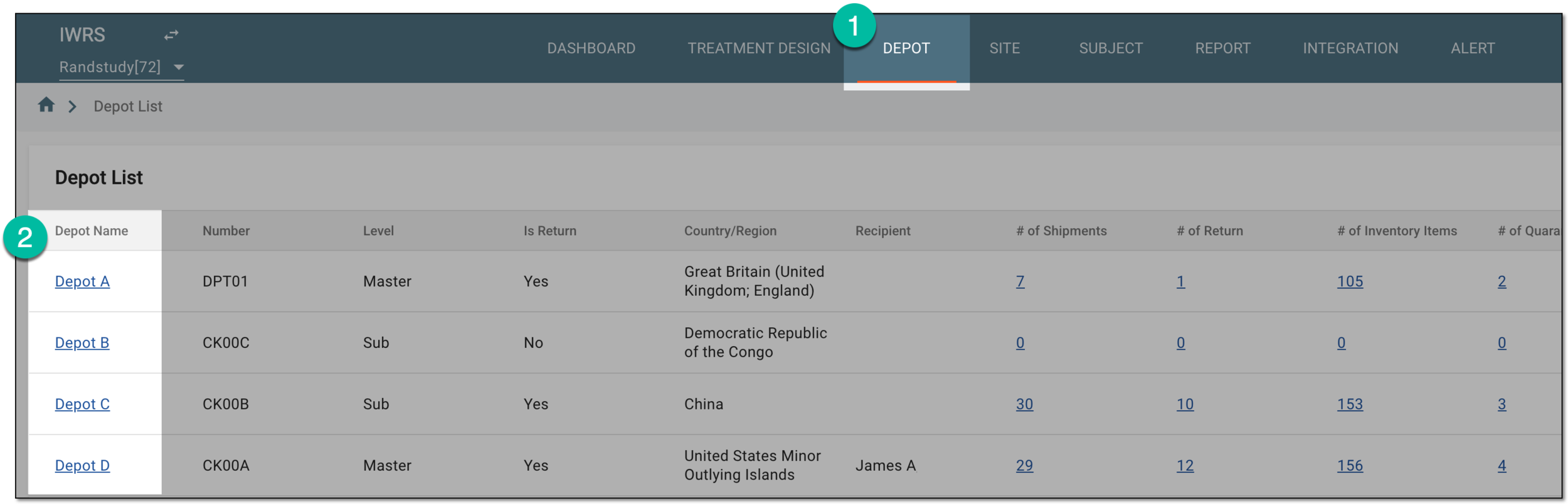 Figure 1. Selecting depot to open its details
-
On the page that opens, in the left pane, select the Supply For Site subtab.
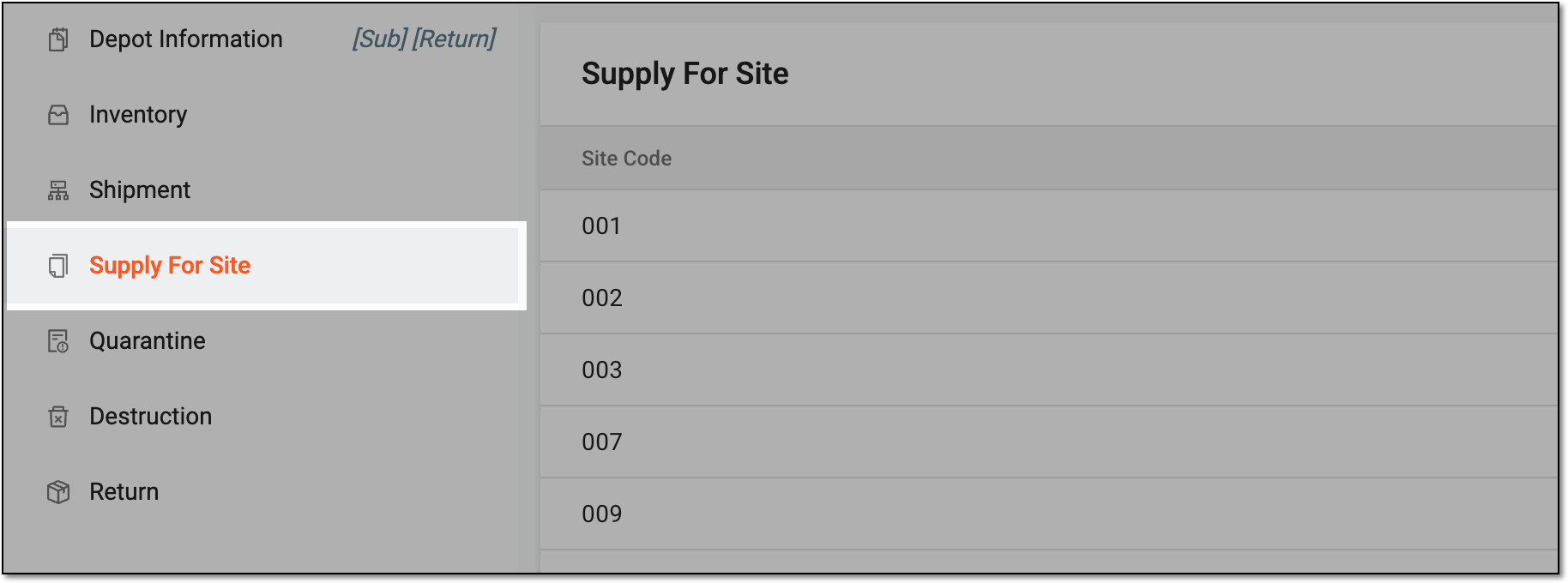 Figure 2. Accessing supply for site settings
-
On the Supply For Site page that opens, from the workspace toolbar, select Export
 .
. Figure 3. Exporting supply for site details
-
Once selected, the widget appears displaying your download progress. Select the widget to open the My Downloads dialog.
 Figure 4. Downloads widget for supply for site
-
In the My Downloads dialog that opens, you can find the following tabs:
-
Preparing: lists all the files whose export is in progress, and they are not yet ready for download. Wait until the needed file moves to the Download is Ready tab.
-
Download is Ready: lists the files whose export is complete, and they can be downloaded to your computer by selecting
 .
.
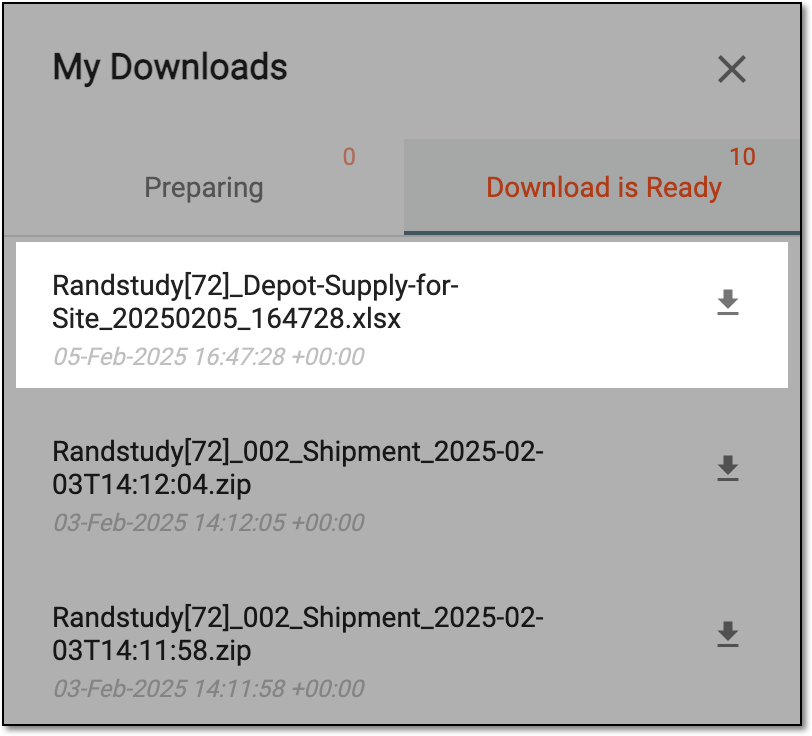 Figure 5. Downloading exported file
-
Once downloaded and saved, the supply for site details XLSX file is available on your computer.