View downloads list
In the eTMF application, you can download objects from the system to your computer. Due to vast amounts of data in some of the exported objects, their preparation for download runs in the background. Once the file is ready, you can download it from the Downloads List page. Here, the complete history of downloads is available for tracking purposes.
Important
You cannot download files once they expire.
-
In the eTMF application header, select the REPORTS tab.
-
On the page that opens, from the left pane, select Downloads List.
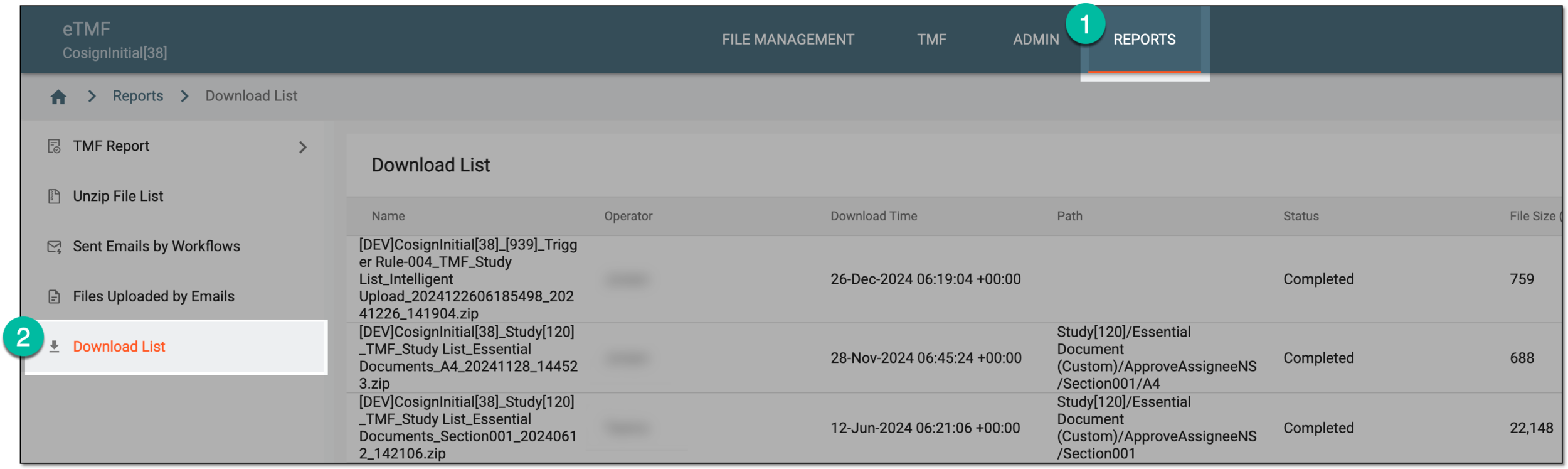 Figure 1. Accessing downloads list
-
In the table that appears, view the history of downloads as explained in the following table.
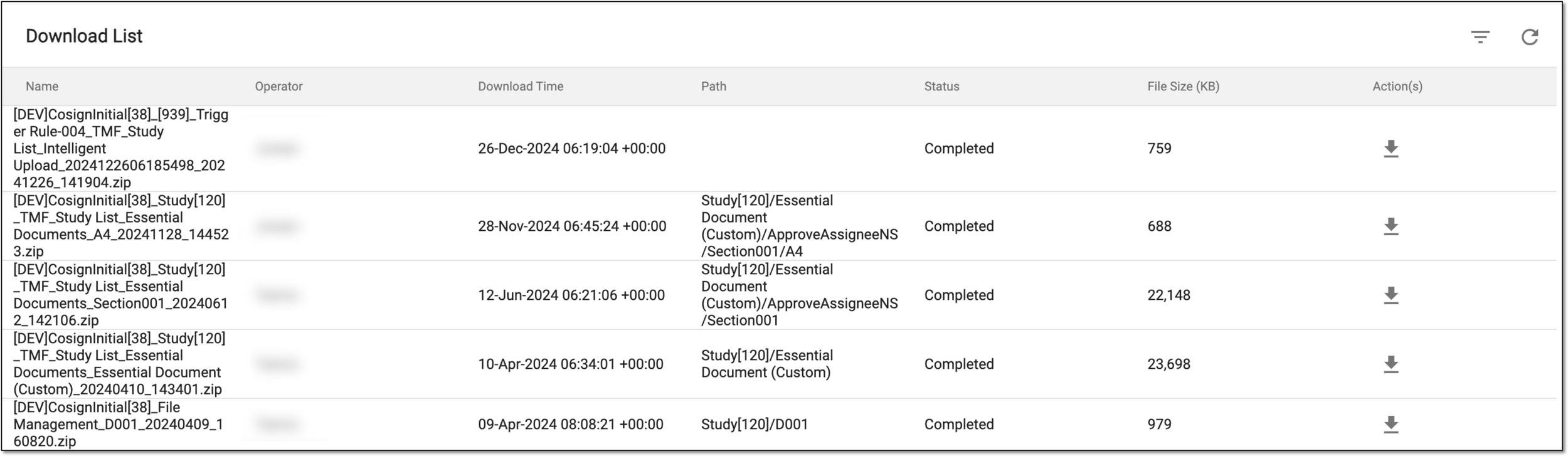 Figure 2. Viewing downloads list
Column
Details
Name
Represents the file name.
Operator
Represents the name of the user who downloaded the file.
Download Time
Represents the date and time when the file was downloaded.
Path
Represents the path to the file in the eTMF system.
Status
Represents the current file status:
-
Started: the file is being prepared by the system for download.
-
Completed: the file is ready for download.
-
Aborted: the file preparation for download is interrupted.
-
Expired: the file has expired and is no longer available for download.
File Size (KB)
Represents the size of the file in KB.
-
You have viewed the downloads list.