Download file from downloads list
In the eTMF application, you can download objects from the system to your computer. Due to vast amounts of data in some of the exported objects, their preparation for download runs in the background. Once the file is ready, you can download it from the Downloads List page.
To download a file from the downloads list
-
In the eTMF application header, select the REPORTS tab.
-
On the page that opens, from the left pane, select Downloads List.
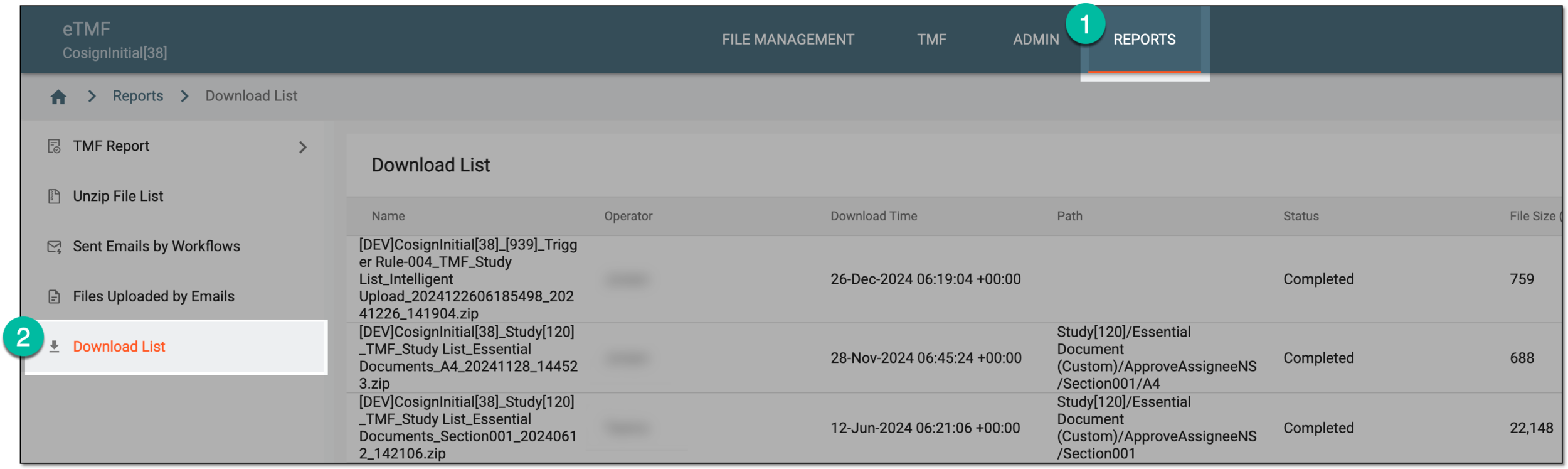 Figure 1. Accessing downloads list
-
In the table that appears, locate the file that you want to download. Then next to it, from the Action(s) column, select Download
 .
.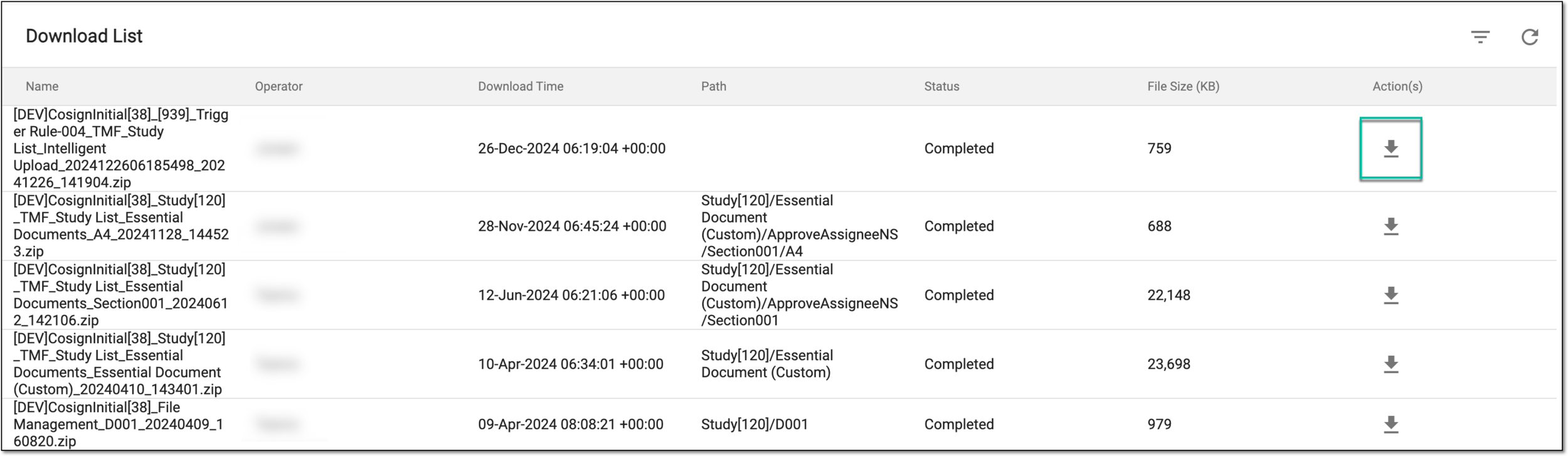 Figure 2. Downloading file
Once saved on your computer, you can now work with your downloaded file.