Export lab grading script
Lab grading is the categorization of lab results into predefined levels to simplify the interpretation of laboratory data. It consolidates the landscape of numerical values into actionable insights that can guide study decision-making and research analyses. Grading the severity of abnormal lab values is typically guided by the protocol or other scientific criteria relevant to the study. Biostatisticians develop an R script to implement the grading scheme where they define criteria for abnormality levels based on the range of collected lab values as recorded in different CRFs.
A default R script is built into the EDC system for grading lab results, offering a foundational baseline for lab grading requirements. You can upload as many custom scripts as needed. If you wish to use the default script as a starting point, you can export it to serve as a template for your custom grading configurations. Similarly, custom scripts can also be exported, allowing you to adapt to the evolving study protocol or data collection processes.
-
In the EDC application header, select the STUDY INFO tab.
-
In the left pane of the page that opens, select Conversion > Conversion Define.
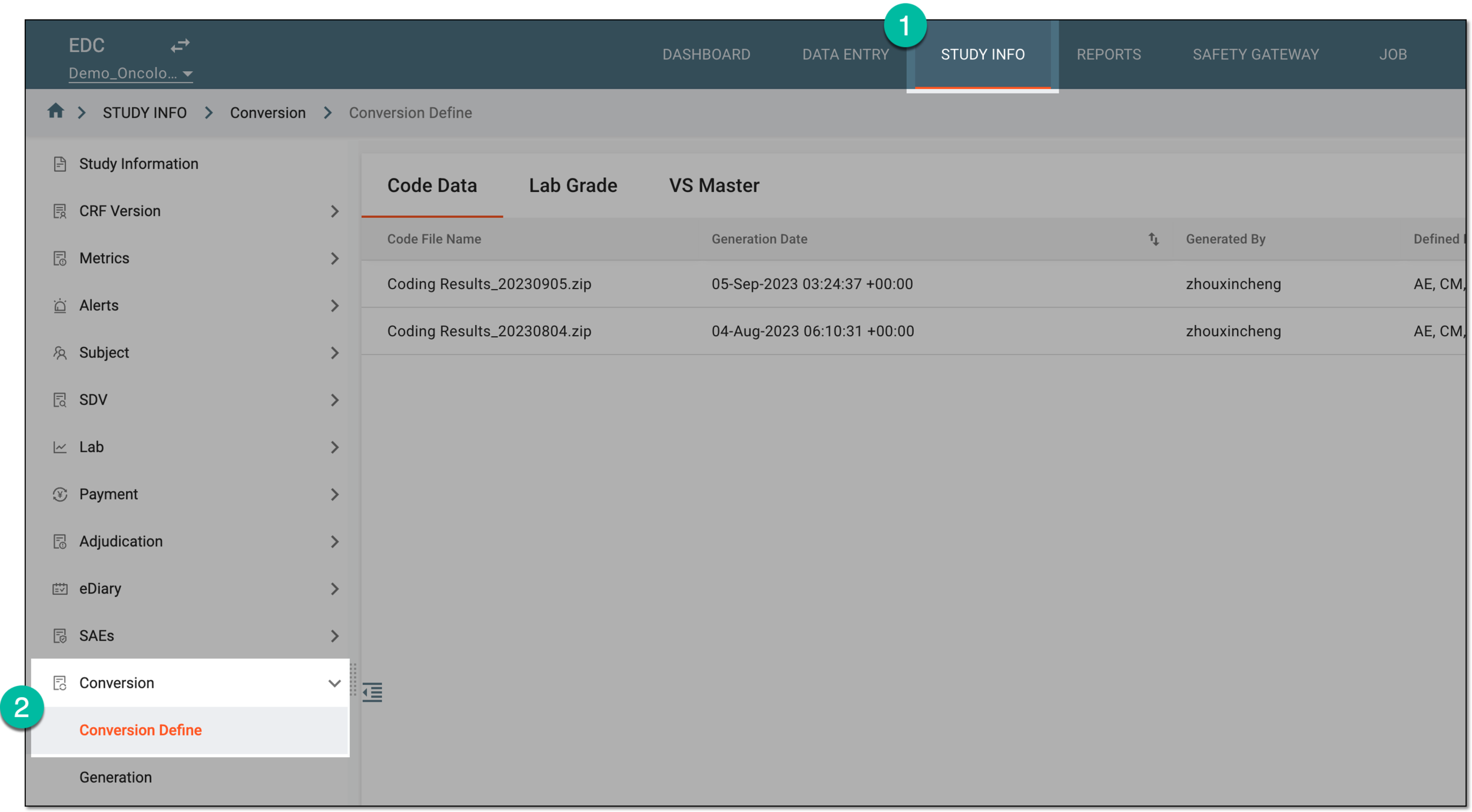 Figure 1. Accessing conversion definitions
-
In the contents panel that appears, select the Lab Grade tab.
-
In the table that opens, select Export
 next to the lab grading script you want to export.
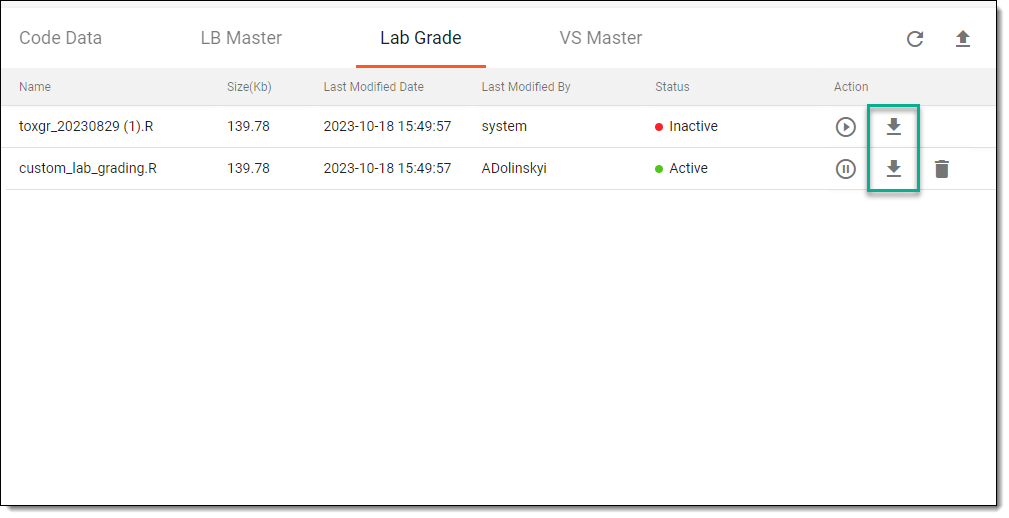 Figure 2. Exporting lab grading script
Once selected, the lab grading script is exported to your computer. You can now update it locally if needed.