Edit shipment alert
A shipment refers to an action of transporting items (drugs) between depots and sites. A shipment alert is a customizable notification mechanism that generates an email to inform relevant parties about the details requested for a shipment when a certain shipment transaction is processed.
The purpose of a shipment alert is to notify the responsible IWRS users about shipment-related transactions promptly. You can update the details of the previously created shipment alert when you need to change the basic information or its mail settings.
-
In the IWRS application header, select the ALERT tab.
-
In the left pane of the page that appears, select Shipment Alert.
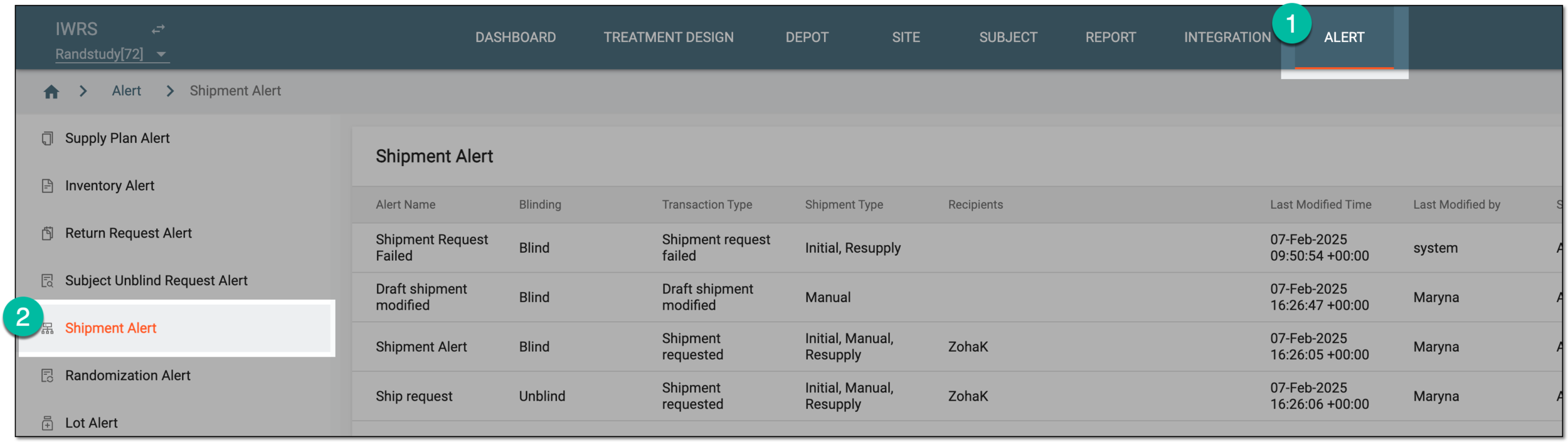 Figure 1. Accessing shipment alert setting
-
In the Shipment Alert table that appears, next to the needed shipment alert, select More
 > Edit
  .
. Figure 2. Selecting to edit shipment alert
-
On the page that appears, update the alert details as needed. These fields are identical to the ones explained in the table of the Create shipment alert section.
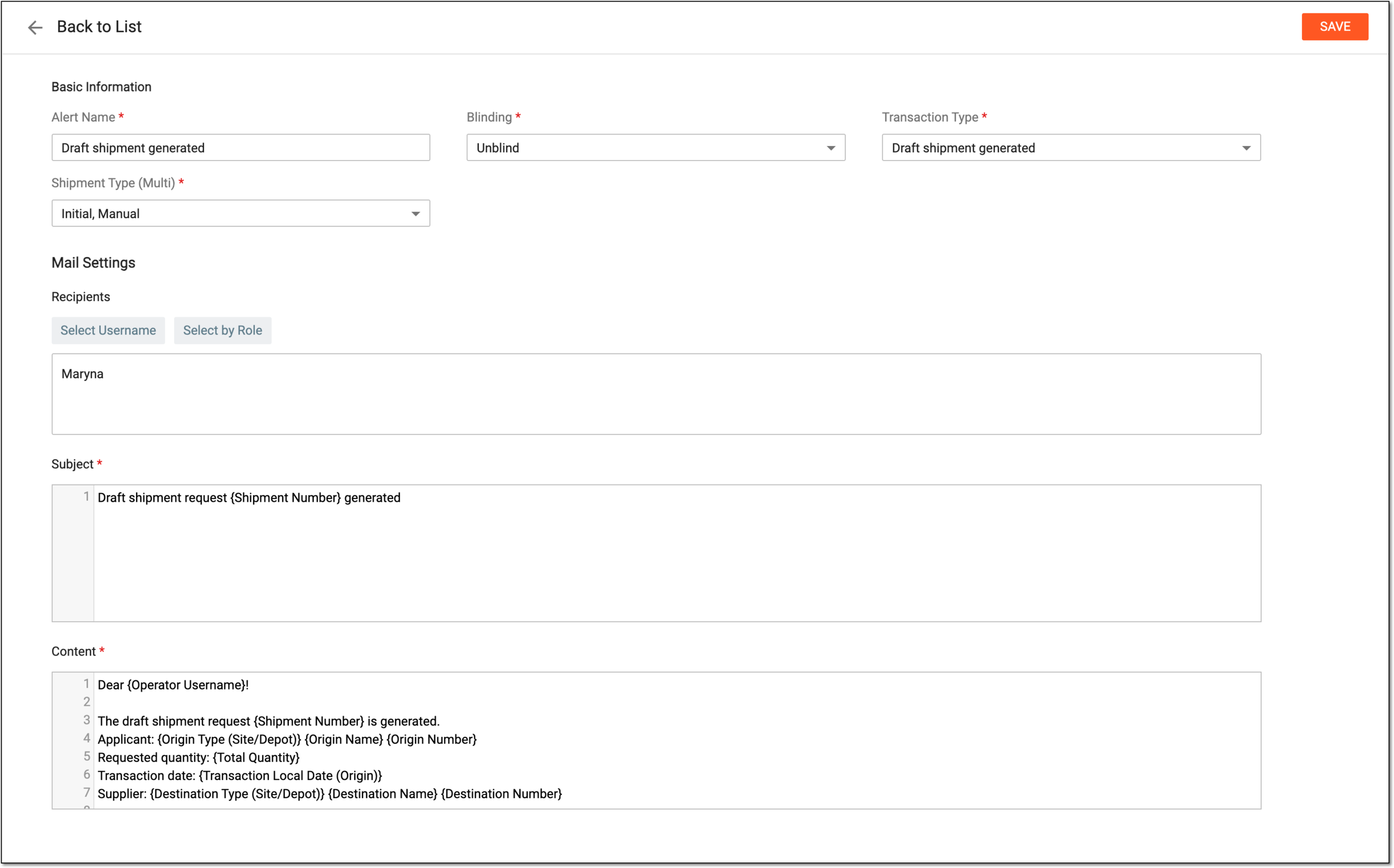 Figure 3. Editing shipment alert
-
Select
 to apply new settings of the shipment alert.
Once saved, the shipment alert is updated. Now the system generates emails based on the new settings of the shipment alert.