Preview shipment alert
A shipment refers to an action of transporting items (drugs) between depots and sites. A shipment alert is a customizable notification mechanism that generates an email to inform relevant parties about the details requested for a shipment when a certain shipment transaction is processed.
The purpose of a shipment alert is to notify the responsible IWRS users about shipment-related transactions promptly. The created shipment alerts include settings that define how email subject and content need to be populated. You can preview these settings in a separate dialog to see how the alert generates the email.
-
In the IWRS application header, select the ALERT tab.
-
In the left pane of the page that appears, select Shipment Alert.
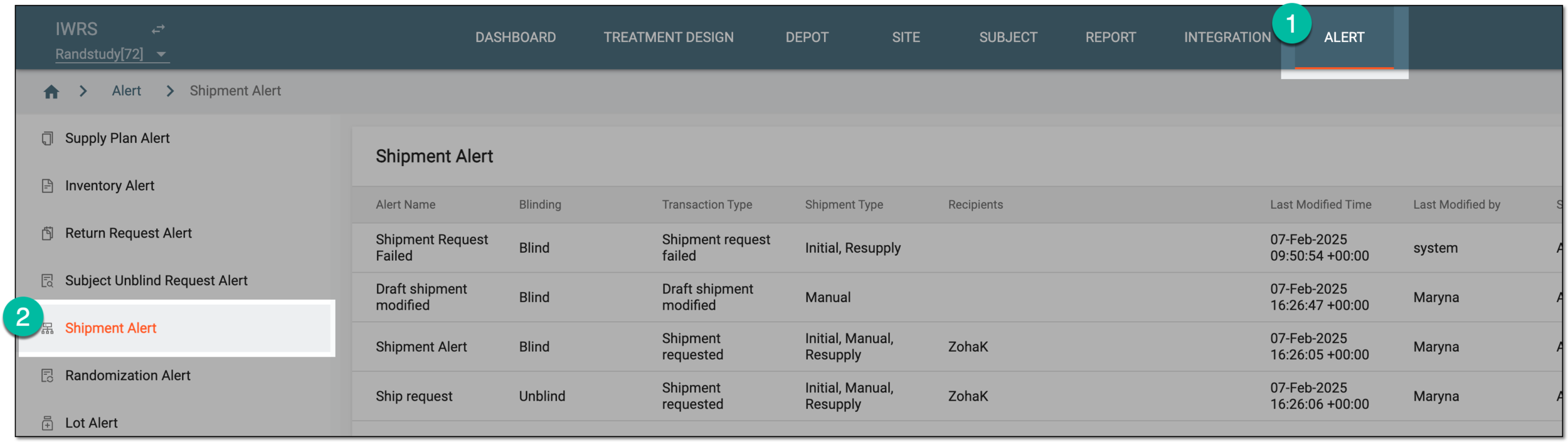 Figure 1. Accessing shipment alert setting
-
In the Shipment Alert table that appears, next to the needed shipment alert, select Info
 .
. Figure 2. Accessing shipment alert email preview
-
In the Mail dialog that appears, preview the content of the shipment alert email.
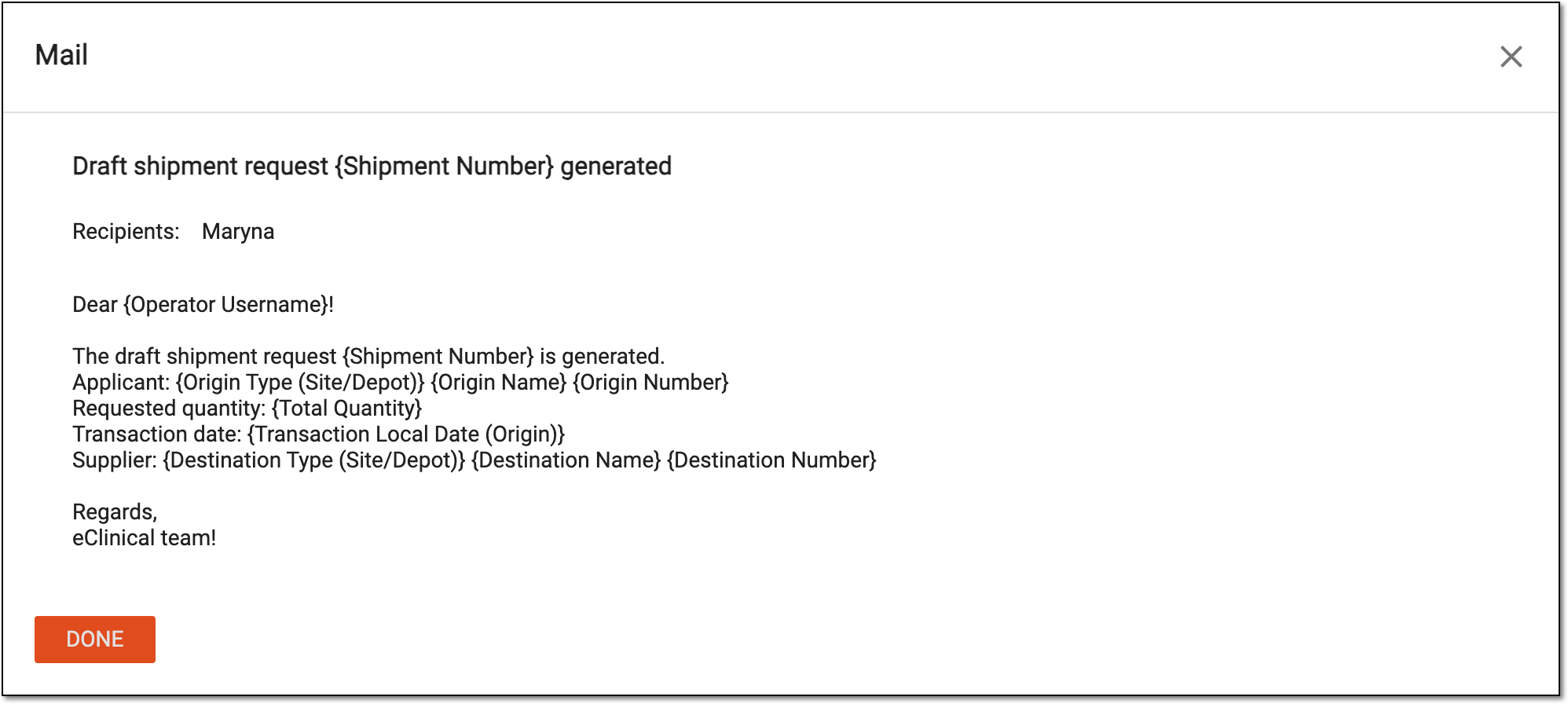 Figure 3. Previewing shipment alert email
-
Once previewed, select
 or
or  to close the Mail dialog.
You have viewed the currently configured shipment alert email content.