Delete normal range
For the EDC application to know how to assess the entered lab data against the normal ranges, you need to add the respective ranges received from the site or laboratory. Sometimes you might need to delete the previously set normal ranges to keep the list up-to-date.
To delete a normal range
-
In the EDC application header, select the STUDY INFO tab.
-
In the left pane, select Lab > Site Normal Range.
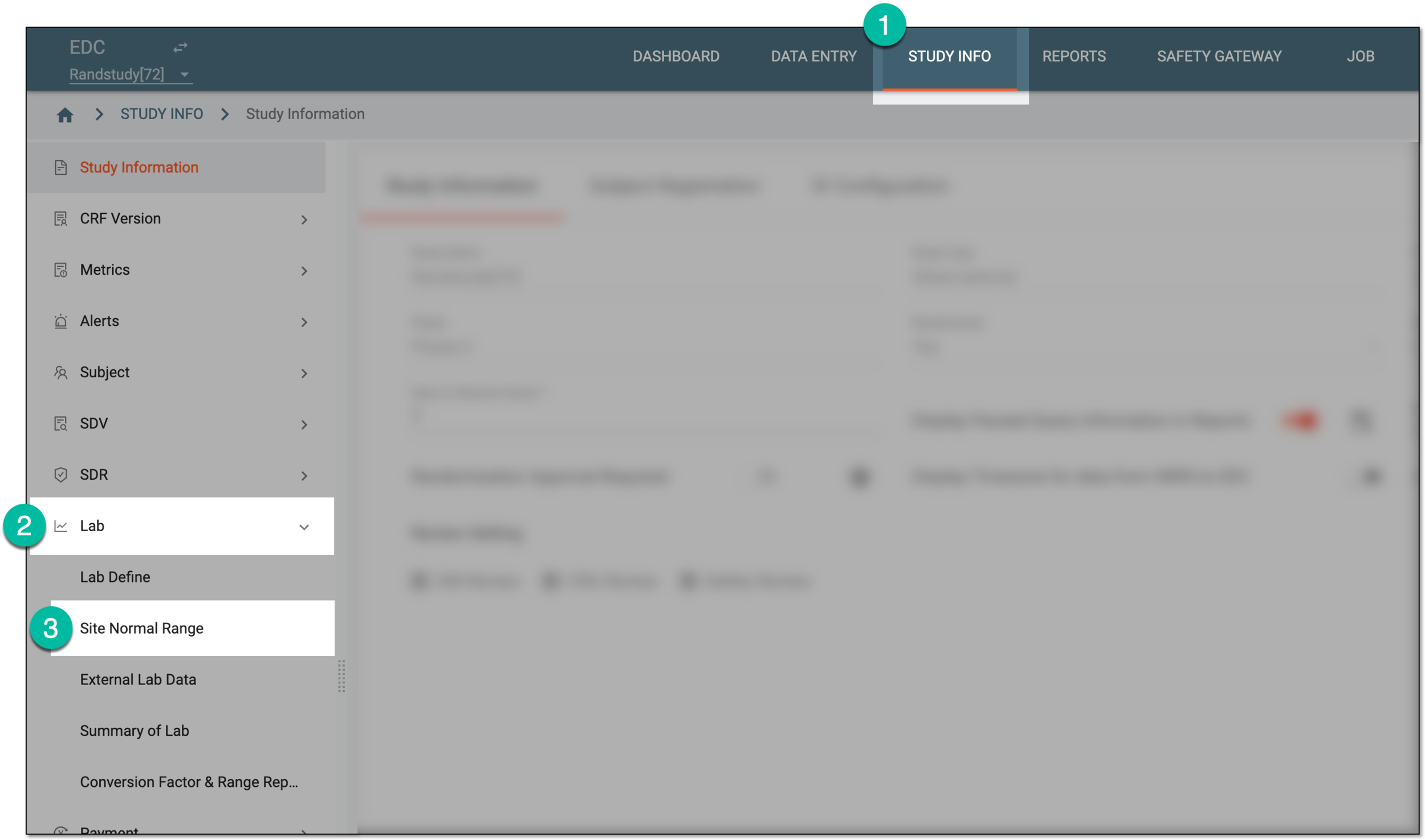 Figure 1. Accessing normal range list
-
In the Normal Range List table that appears, next to the normal range of your interest, select More
 > Delete
  .
.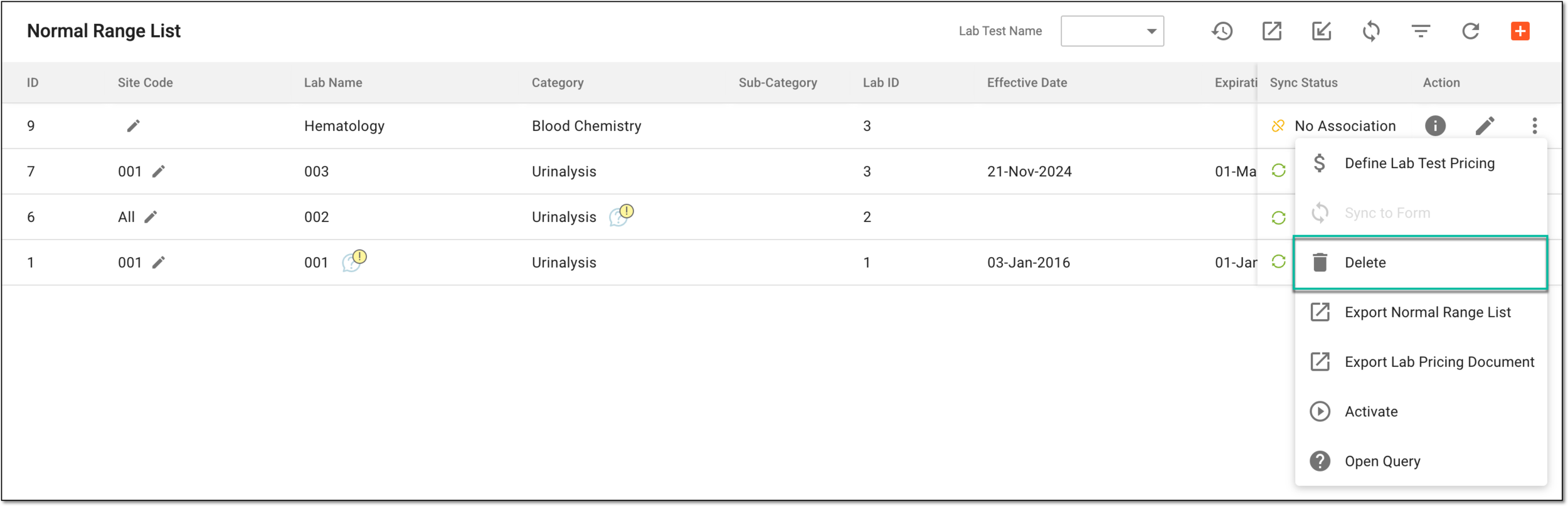 Figure 2. Deleting normal range
-
In the Delete Item confirmation dialog that appears, select
 to delete the normal range.
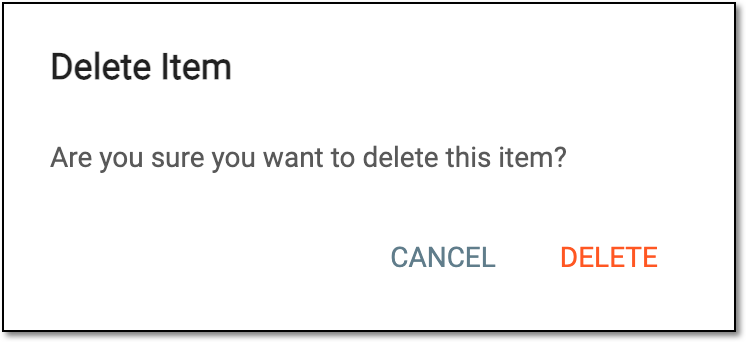 Figure 3. Confirming normal range deletion
Once confirmed, the normal range is deleted from the Normal Range List table.
See also