Edit query reminder
A query reminder is a type of CTMS alert that can be customized to generate an email intended for the notification of dedicated users about pending queries in the application. These reminders can be used to update users on requests in monitoring visit trip reports, protocol deviation records, or ICF tracking log records.
The purpose of a query reminder is to streamline communication with specific CTMS users so they can promptly resolve existing issues. You may need to modify query reminders over time to adapt to changing study requirements, thus ensuring that email notifications remain aligned with query updates in CTMS.
-
Access the study management page in one of the following ways:
-
In the CTMS application header, select the DASHBOARD tab and then select the study dashboard of your interest.
 Figure 1. Accessing study management from dashboard
-
In the CTMS application header, select the STUDY MANAGEMENT tab. Then from the Study Data List table, select the study name of your interest.
 Figure 2. Accessing study management from study data list
-
-
On the study page that opens, in the left pane, select Alerts > Query Reminder.
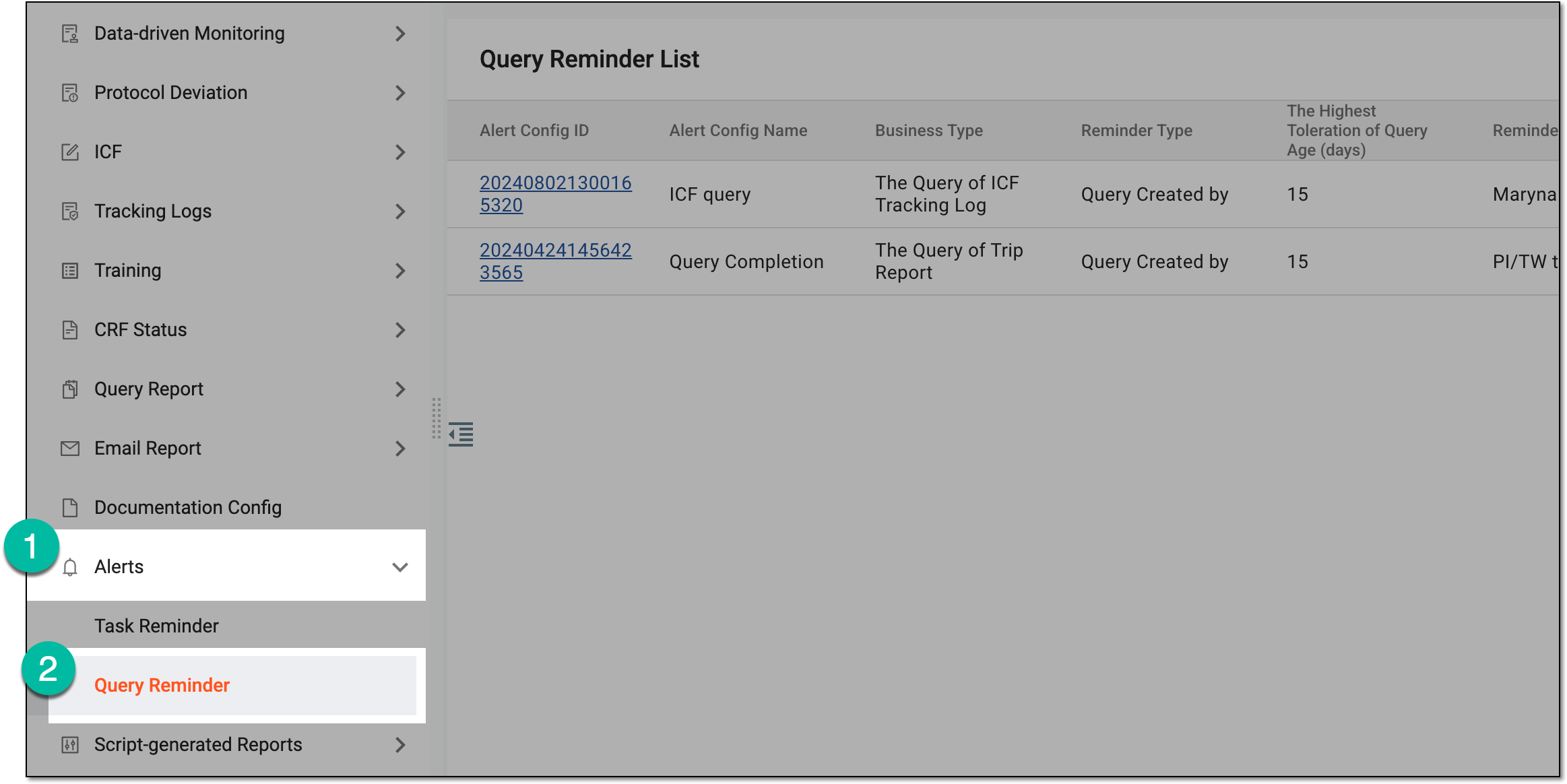 Figure 3. Accessing query reminders
-
In the Query Reminder List table that appears, next to the needed query reminder, select More
 > Edit
  .
. Figure 4. Selecting option to edit query reminder
-
On the page that opens, update the necessary settings of the query reminder as needed. These details are the same as explained in the table of the Create query reminder section.
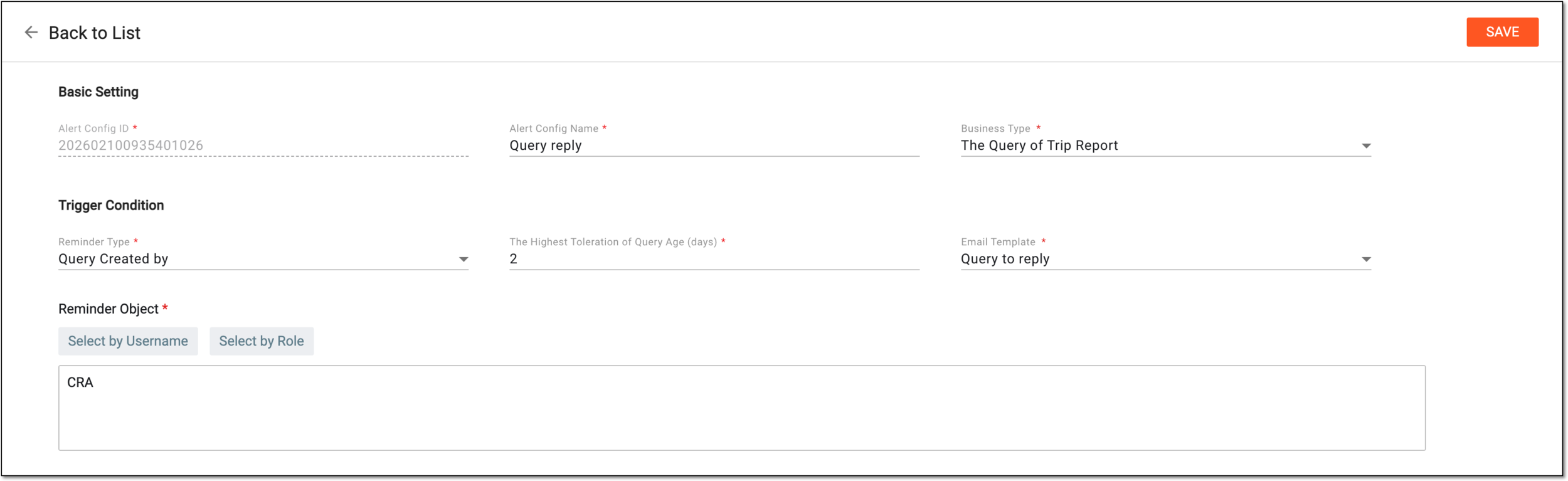 Figure 5. Updating query reminder
-
Select
 to create a query reminder.
Once saved, the query reminder is updated. Now the system generates emails based on the new settings of the query reminder.