View human resource calendar
A human resource refers to the monitoring staff that is responsible for the execution of activities during site monitoring visits. These activities are scheduled in CTMS according to the created monitoring plans and staff that are added to the system as they are responsible for performing monitoring visits at sites associated with the monitoring plan.
Usually, the monitoring is performed by clinical research associates (CRA). You can view the schedule of monitoring visits for all the CRAs on the calendar.
-
Access the study management page in one of the following ways:
-
In the CTMS application header, select the DASHBOARD tab and then select the study dashboard of your interest.
 Figure 1. Accessing study management from dashboard
-
In the CTMS application header, select the STUDY MANAGEMENT tab. Then from the Study Data List table, select the study name of your interest.
 Figure 2. Accessing study management from study data list
-
-
On the study page that opens, in the left pane, expand Monitoring and select Monitoring Plan. Then in the contents panel, select the Human Resource subtab.
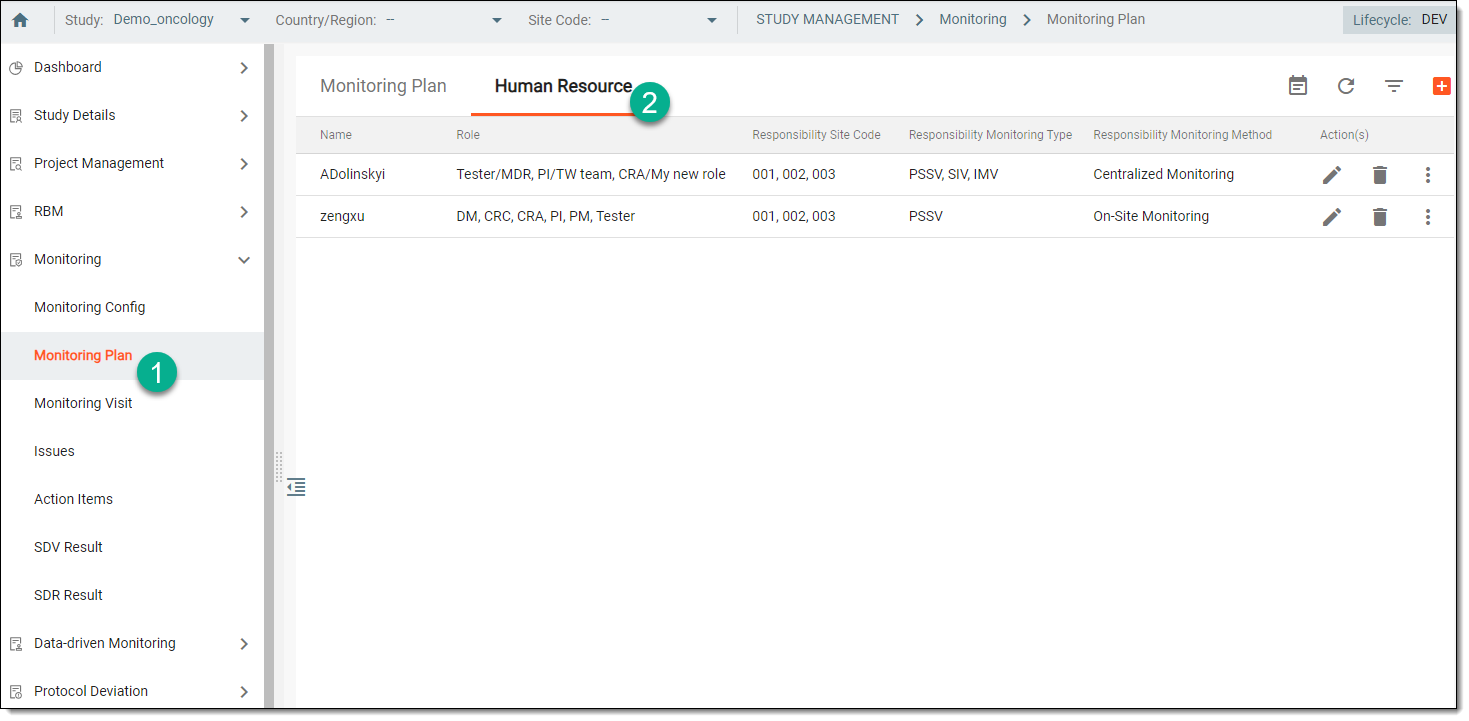 Figure 3. Accessing Human Resource subtab
-
From the workspace toolbar of the Human Resource table, select Calendar
 .
. -
On the Calendar page that opens, view the list of all scheduled monitoring visits for all the CRAs. From the workspace toolbar, navigate between different months to see previous or future monitoring visits.
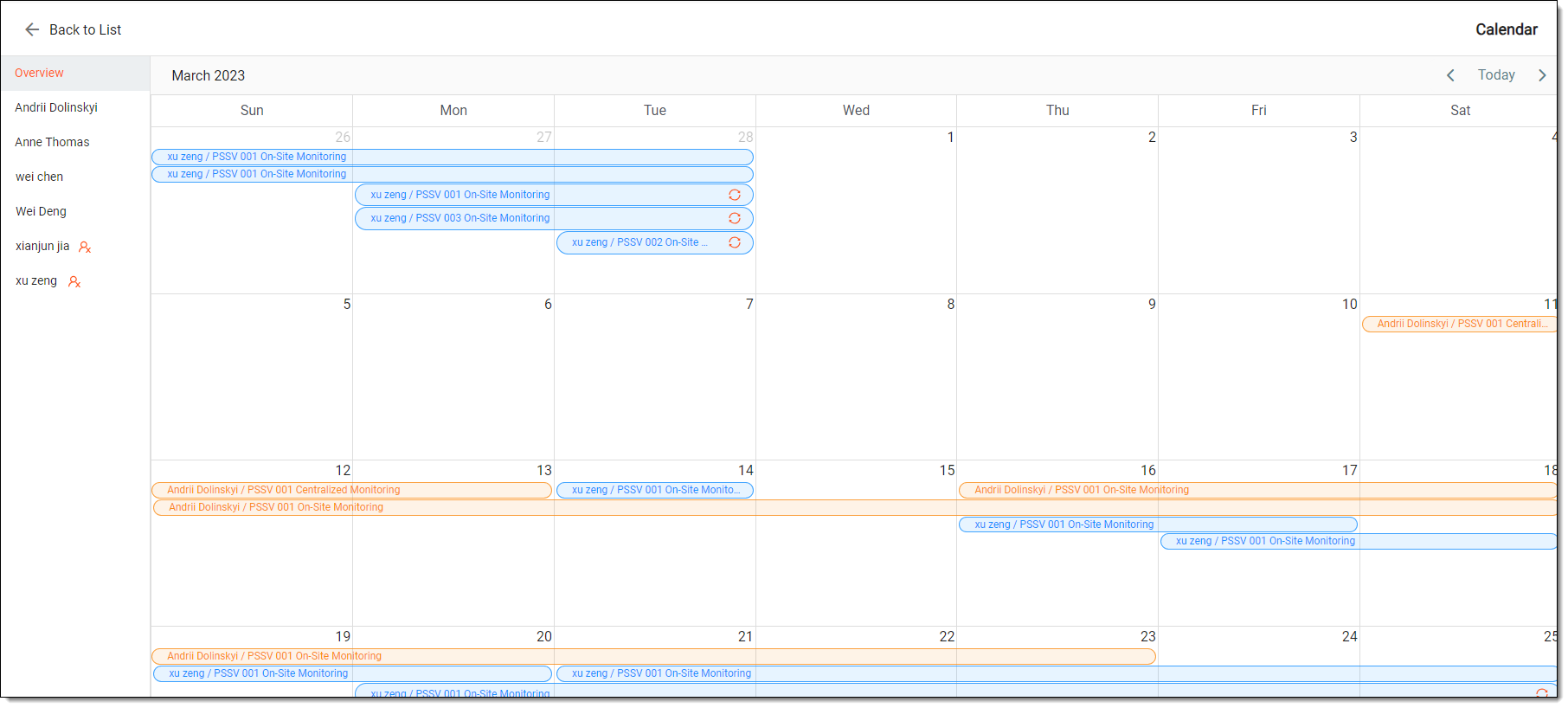 Figure 4. Viewing human resource calendar
Important
The icon
 next to user names indicates that they no longer have access to the system and thus cannot perform assigned monitoring
tasks. Consider this during human resource planning and tasking management.
next to user names indicates that they no longer have access to the system and thus cannot perform assigned monitoring
tasks. Consider this during human resource planning and tasking management.
Once viewed, you can go back to the Human Resource page by selecting Back to List  .
.