View operation history of human resource
A human resource refers to the monitoring staff that is responsible for the execution of activities during site monitoring visits. Each human resource entity has a history of actions done by CTMS users with it. It also shows the time pertinent to all operations and the type of operations that have been performed with each history record.
-
Access the study management page in one of the following ways:
-
In the CTMS application header, select the DASHBOARD tab and then select the study dashboard of your interest.
 Figure 1. Accessing study management from dashboard
-
In the CTMS application header, select the STUDY MANAGEMENT tab. Then from the Study Data List table, select the study name of your interest.
 Figure 2. Accessing study management from study data list
-
-
On the study page that opens, in the left pane, expand Monitoring and select Monitoring Plan.
-
On the page that opens, select the Human Resource tab.
-
In the Human Resource table that appears, next to the needed human resource entity, select More
 > Operation History
  .
.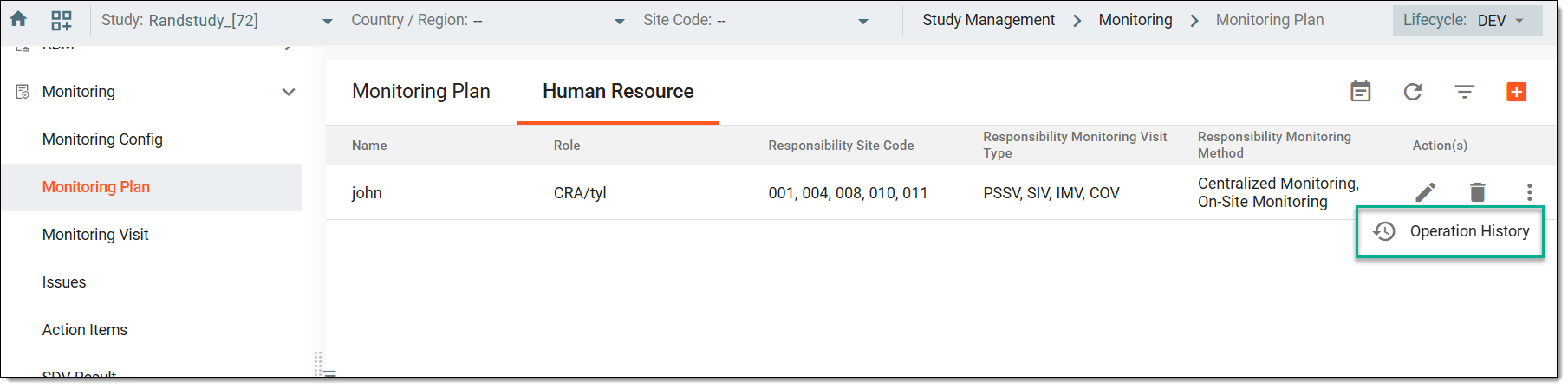 Figure 3. Accessing operation history of human resource
-
In the Operation History dialog that opens, view the operation history of the selected human resource entity.
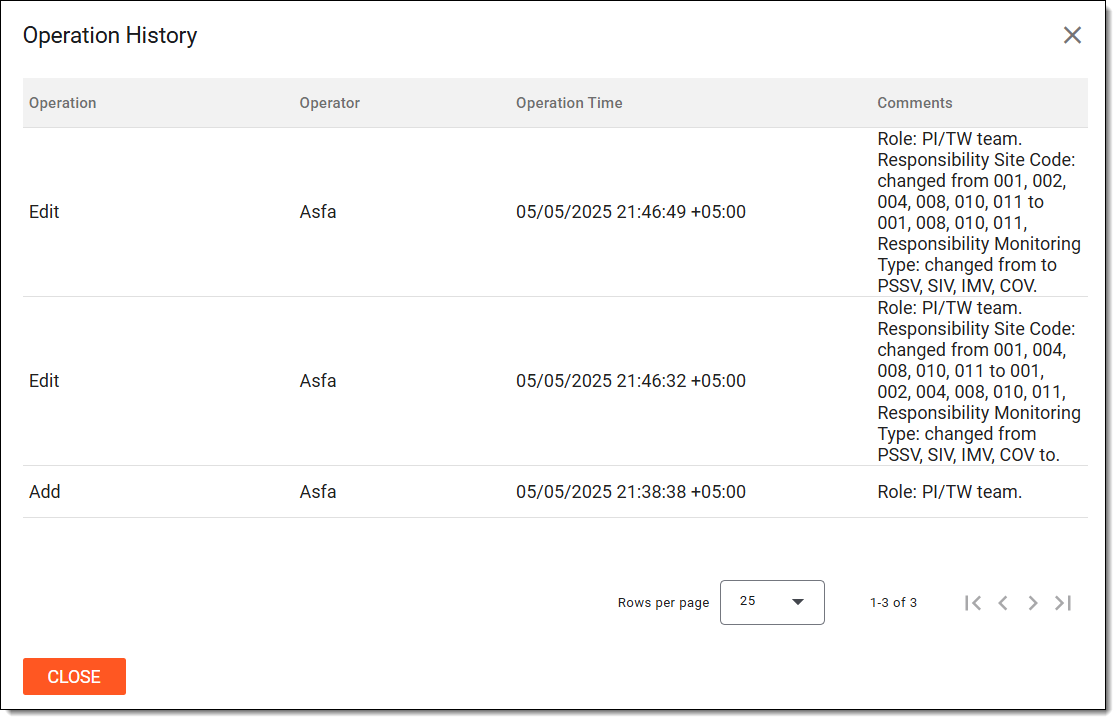 Figure 4. Viewing operation history of human resource
Once viewed, select  to close the Operation History dialog.