Open new query
In the context of CRF design, a query refers to a formal request or notification raised by the study team regarding a specific data-related concern or discrepancy. In the Study Designer application, while the study team configures the forms, if they encounter inconsistencies or data-related questions, they can create queries to draw attention to these issues and seek clarification or resolution from fellow team members or a sponsor.
-
In the Study Designer application header, select the CRF DESIGN tab.
-
In the toolbar, select the needed CRF version.
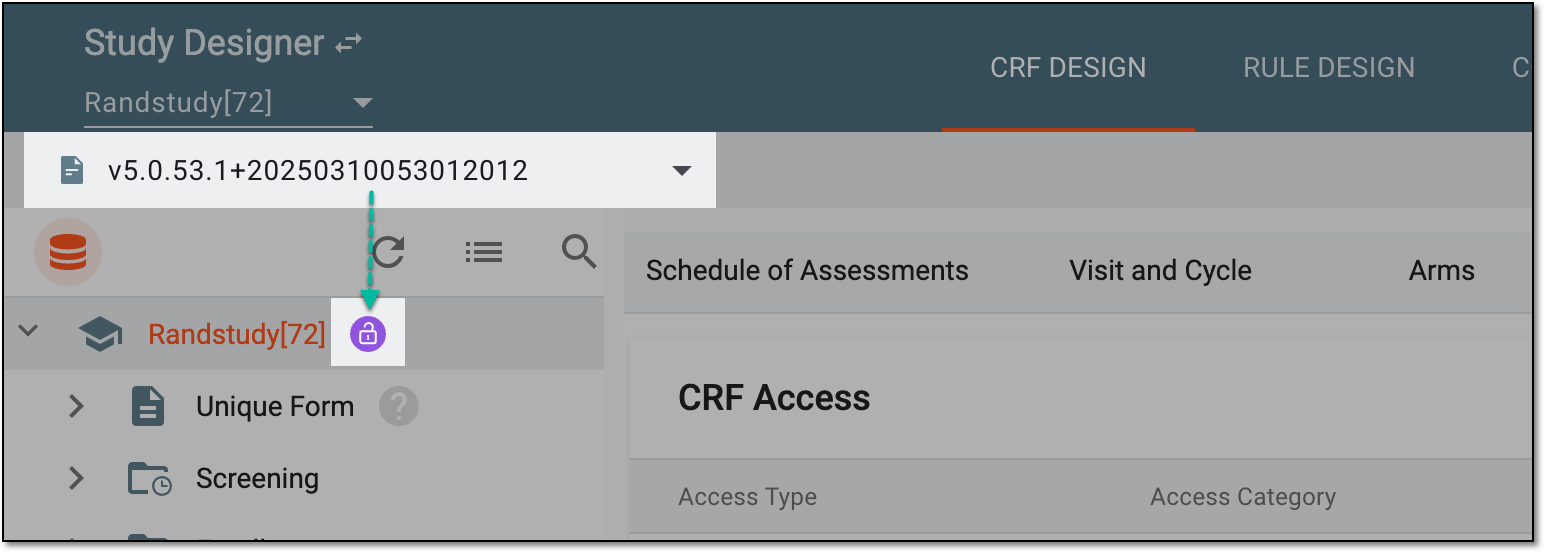 Figure 1. Selecting CRF version
-
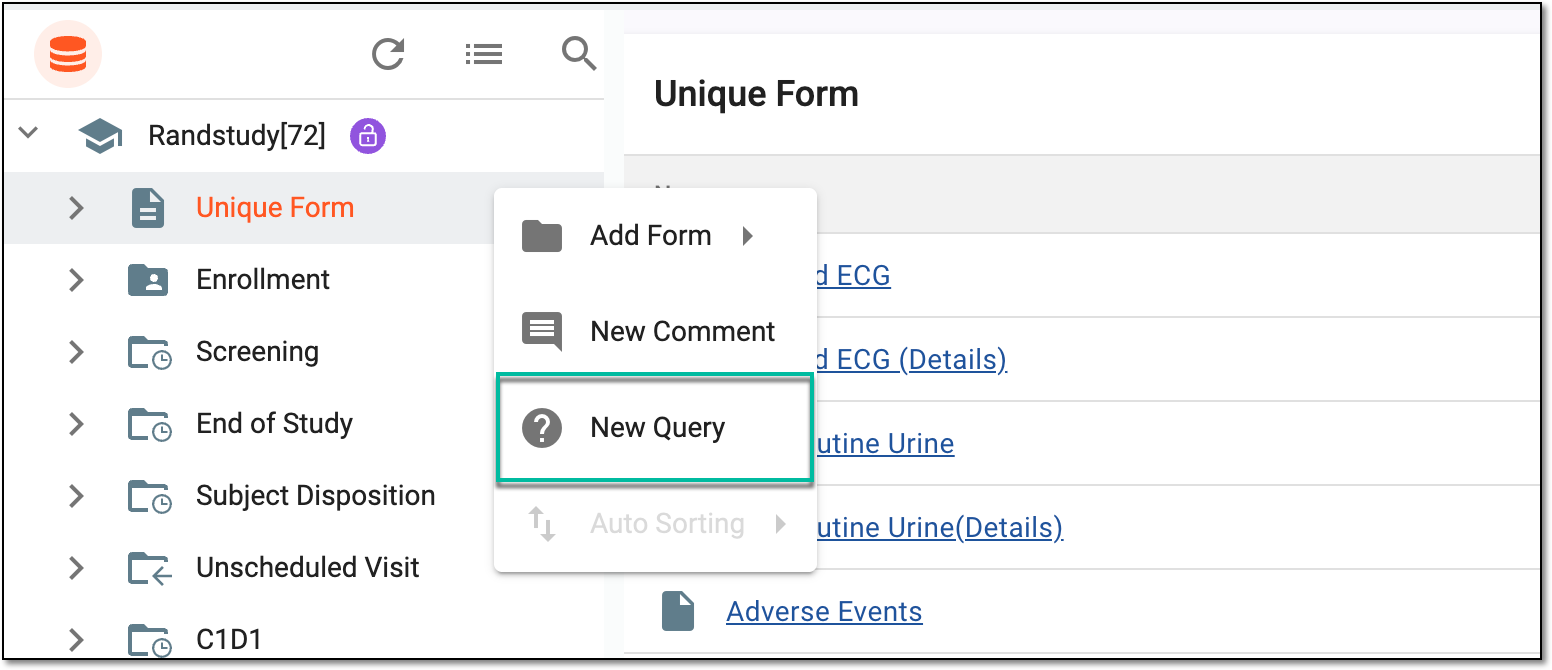
On the page that opens, open a query for any of the available objects as follows.
Important
You cannot open queries for the study node, cycle folders, and custom folders.
-
In the Add Query dialog that appears, open a new query by providing the following details.
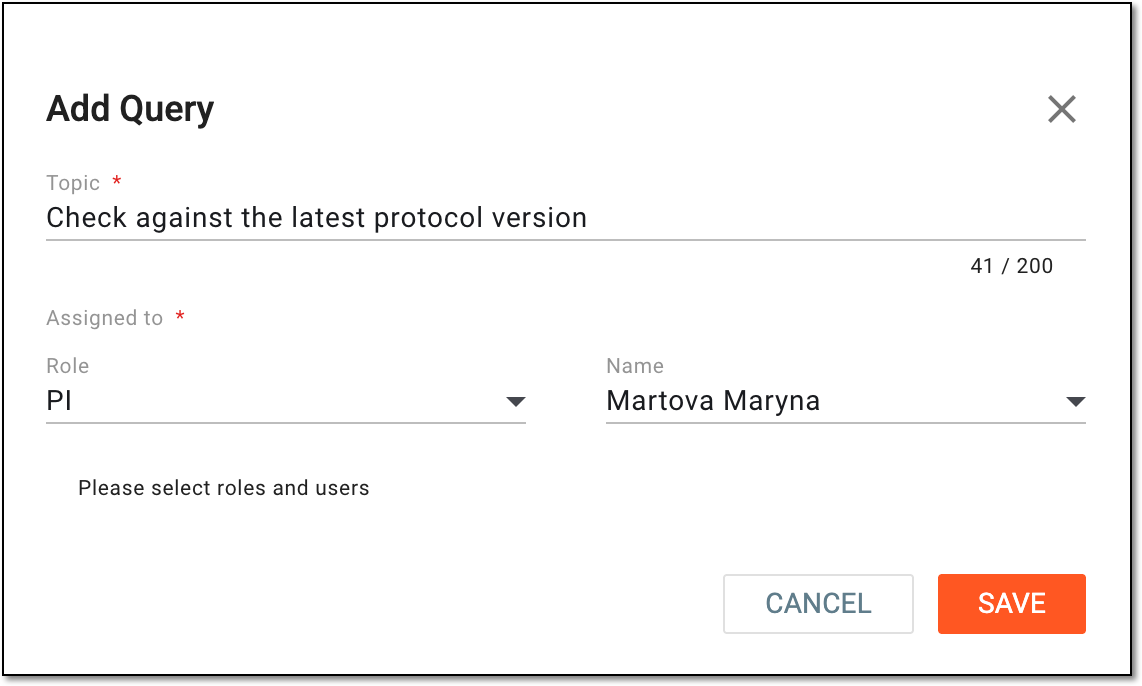 Figure 8. Adding new query
Tip
In the following table, mandatory elements are marked with an asterisk (*).
Element
Details
Topic*
Enter a text describing the data-related issue that pertains to the selected object (form, question item, and so on).
Assigned to*
Role
Select the role to which belongs the user to whom you want to assign the query.
Name*
After selecting the role, select the user who needs to address the query.
SAVE
Select
 to confirm the query creation.
CANCEL
Select
 to discard the query creation.

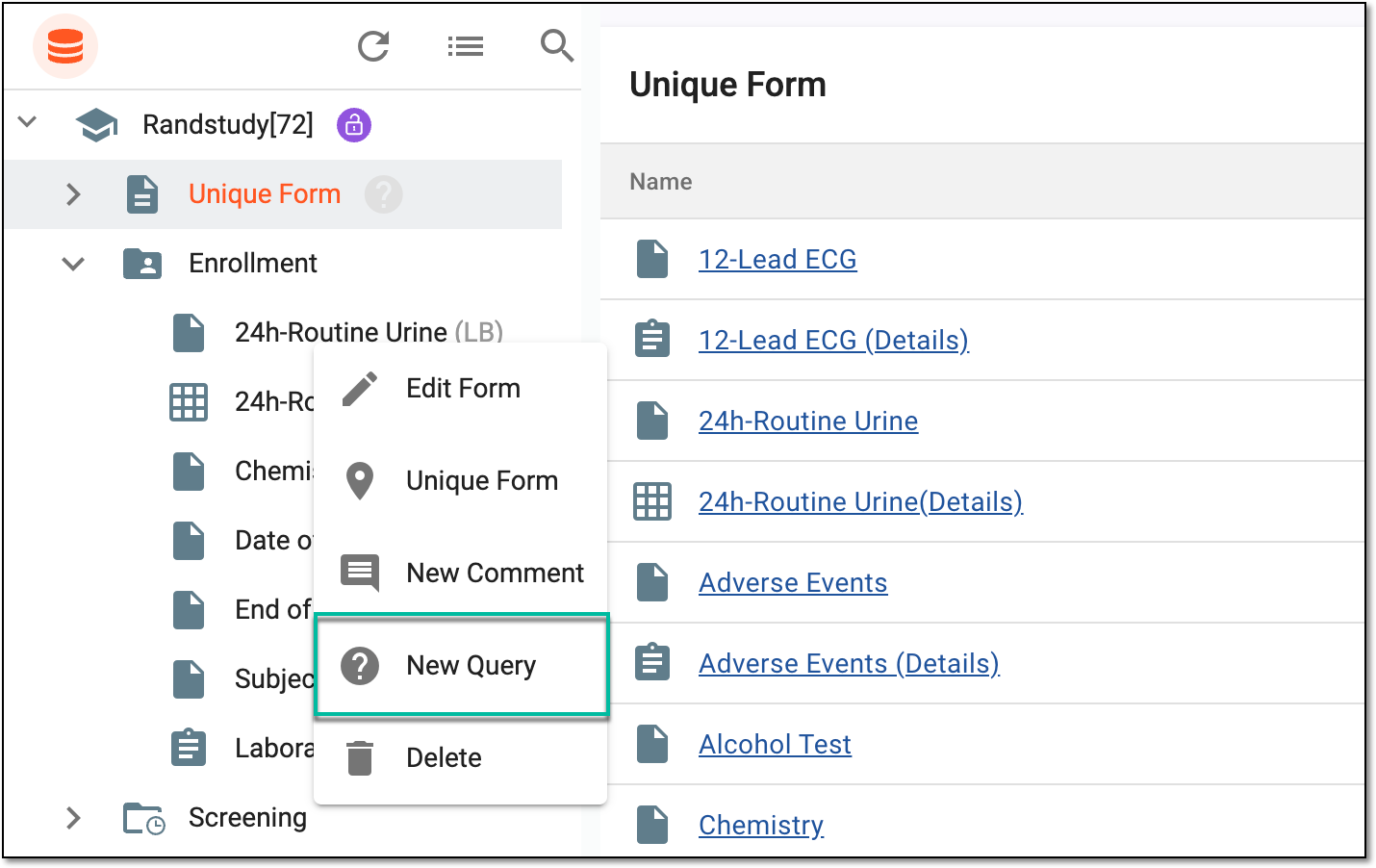
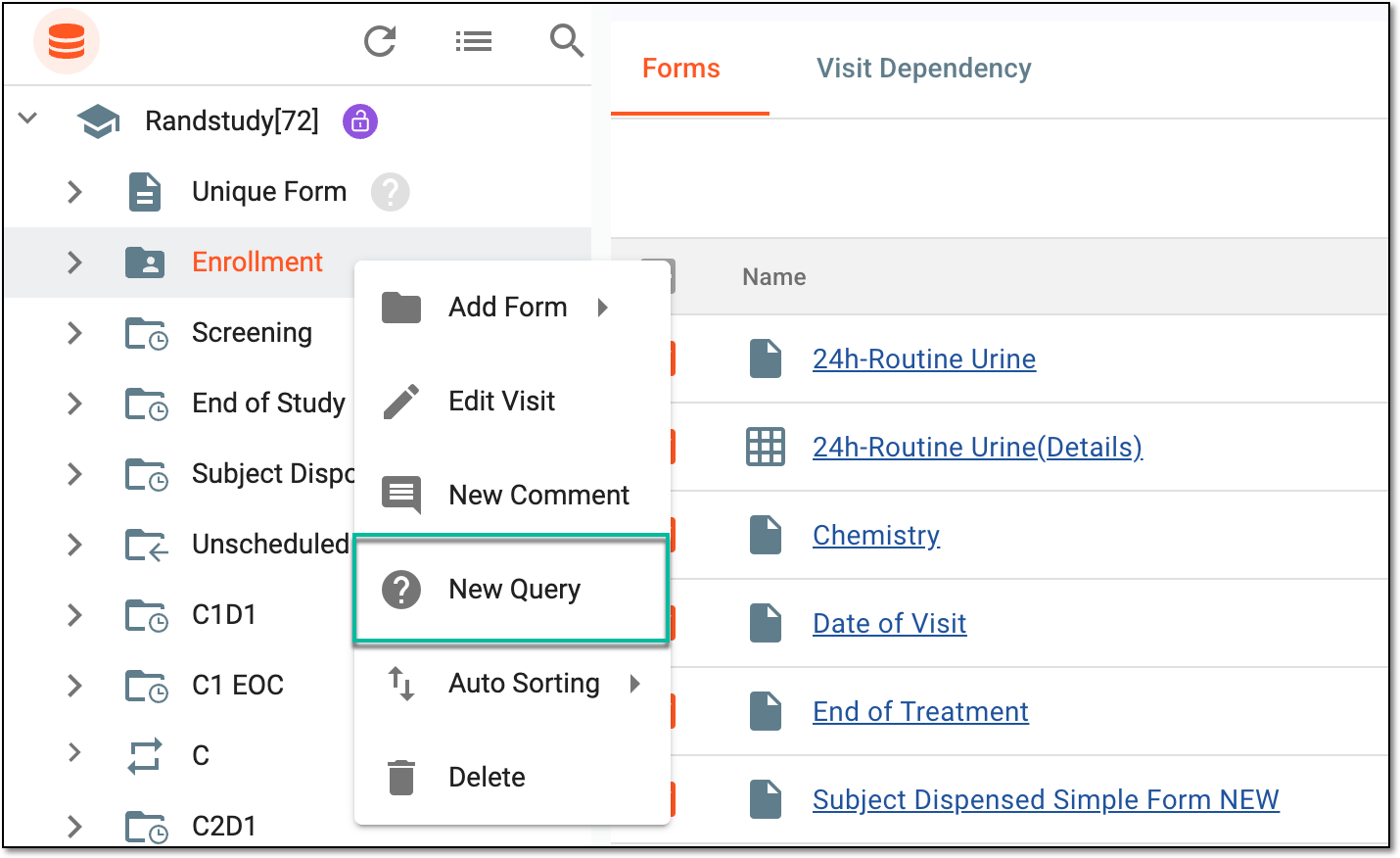

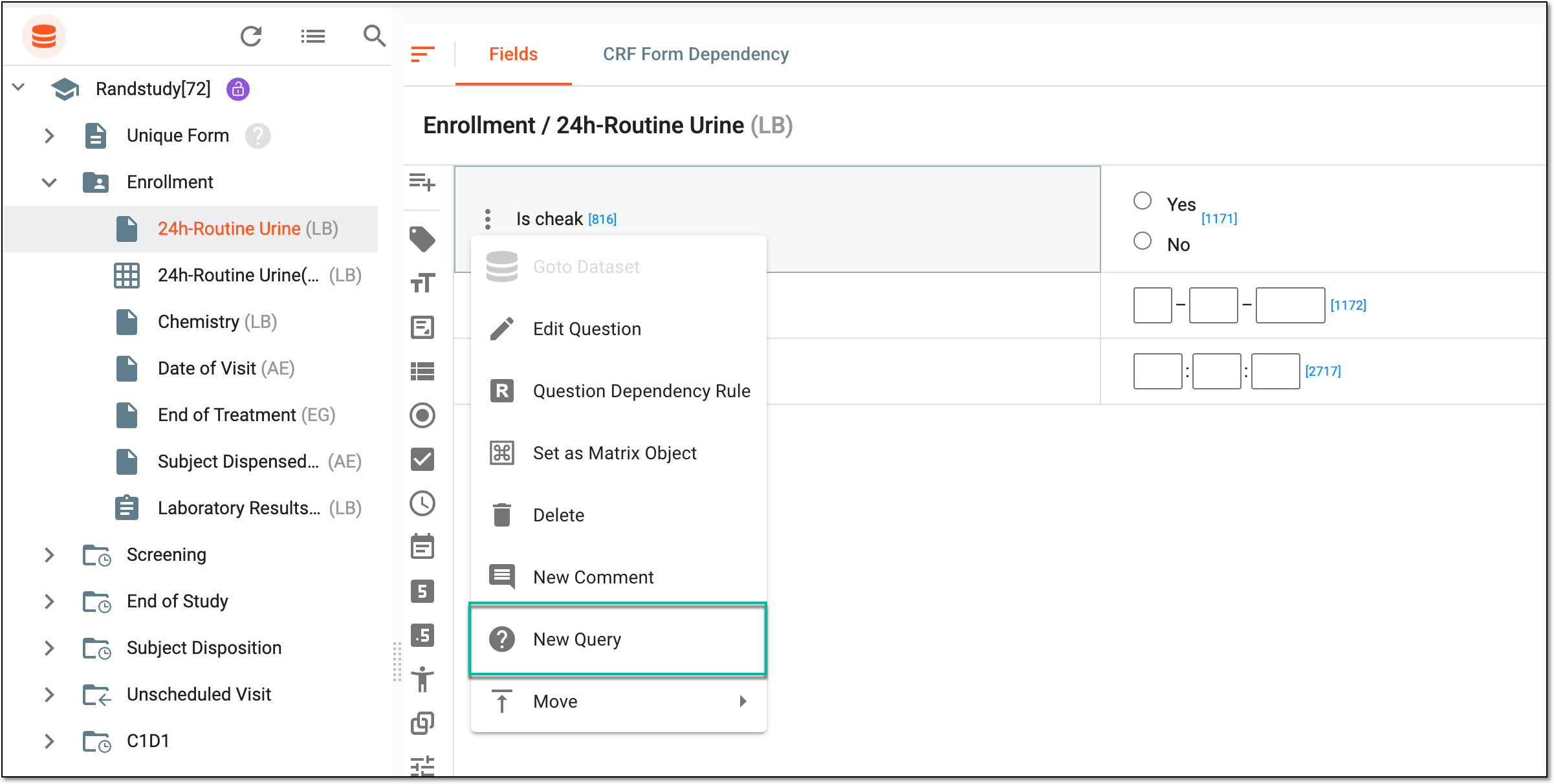
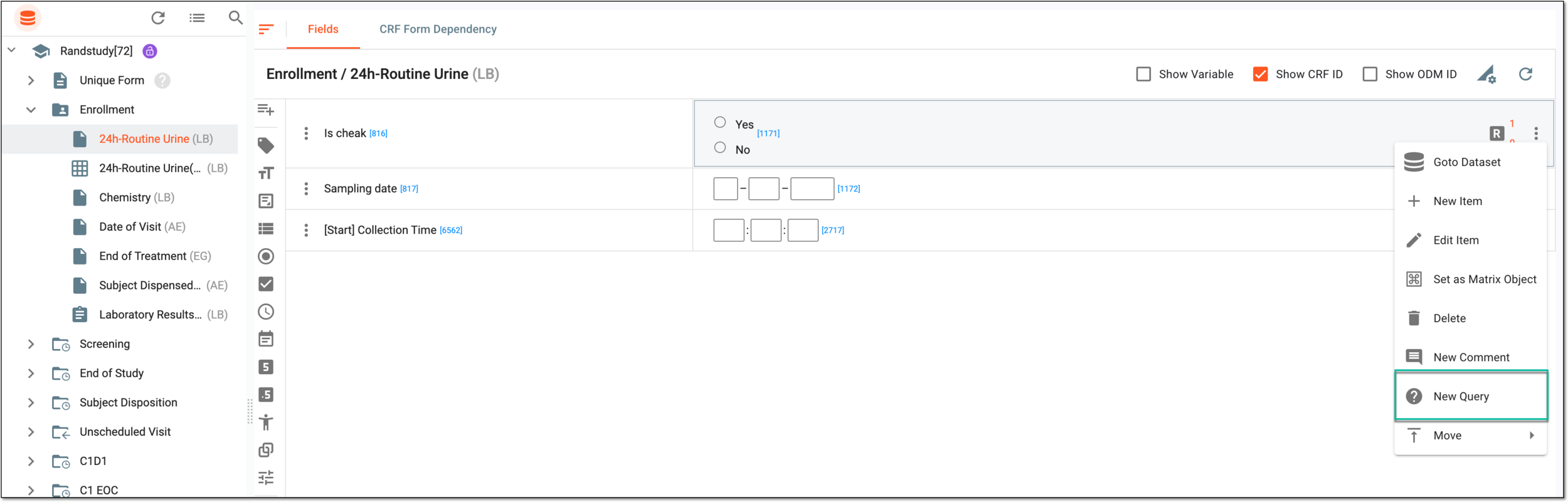



Once saved, the query is opened. The user assigned to the query now needs to address the reported issue and close the query.