Discontinue subject
A subject may be discontinued from the research study at any time if the subject is no longer available or eligible to continue participating in the study. You can discontinue a subject, for example, if the subject is not following study procedures or maybe deliberately providing false information, and so on.
If needed, instead of discontinuing the entire subject, you can also discontinue certain case report forms (CRF) associated with that subject or their individual pages. It depends on the situation in which you are.
-
In the EDC application header, select the STUDY INFO tab.
-
On the page that opens, in the left pane, expand the Subject option.
-
In the menu that appears, select the Subject Information subtab.
-
In the Subject List table, next to the needed subject, select More
 >
Discontinue
>
Discontinue  .
.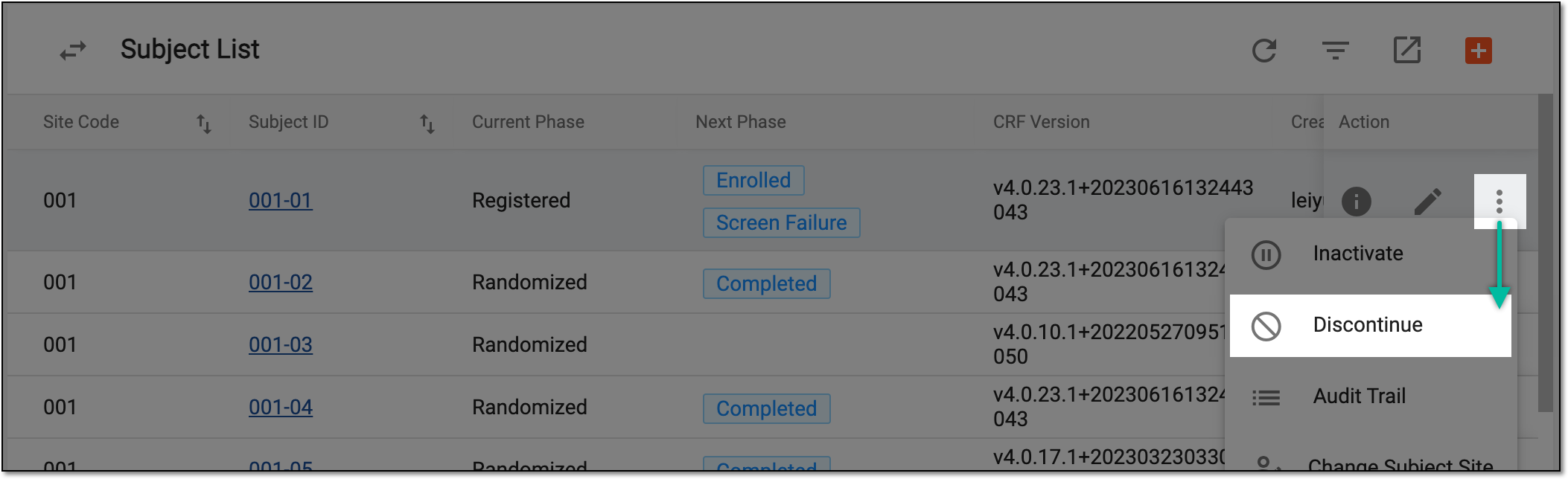 Figure 1. Selecting to discontinue subject
-
In the Discontinue Information dialog, select the date when the subject is discontinued, enter the reason for discontinuation, and then select the checkbox(es) of the form(s) that you want to discontinue. Depending on your business needs, you can discontinue one page, several pages, or the whole subject.
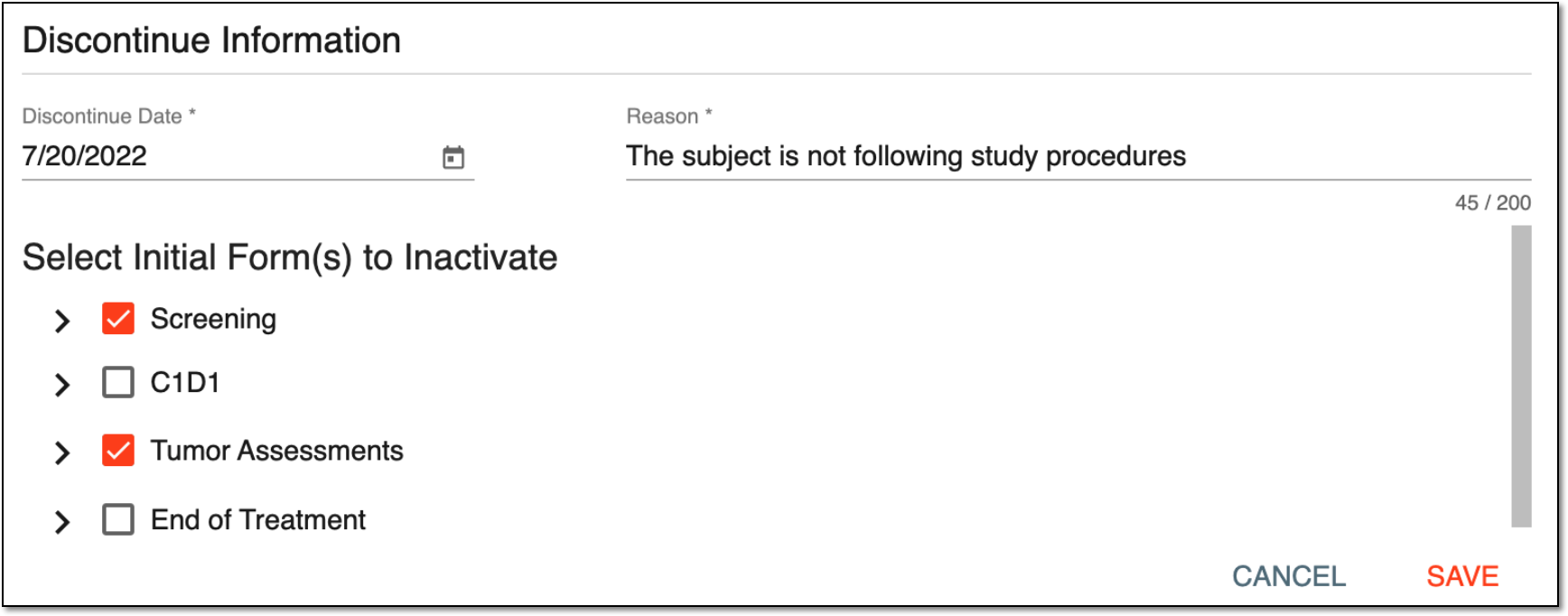 Figure 2. Discontinuing subject
-
Select
 to apply the implemented changes.
Once saved, the subject is discontinued. You can no longer use it for data entry.
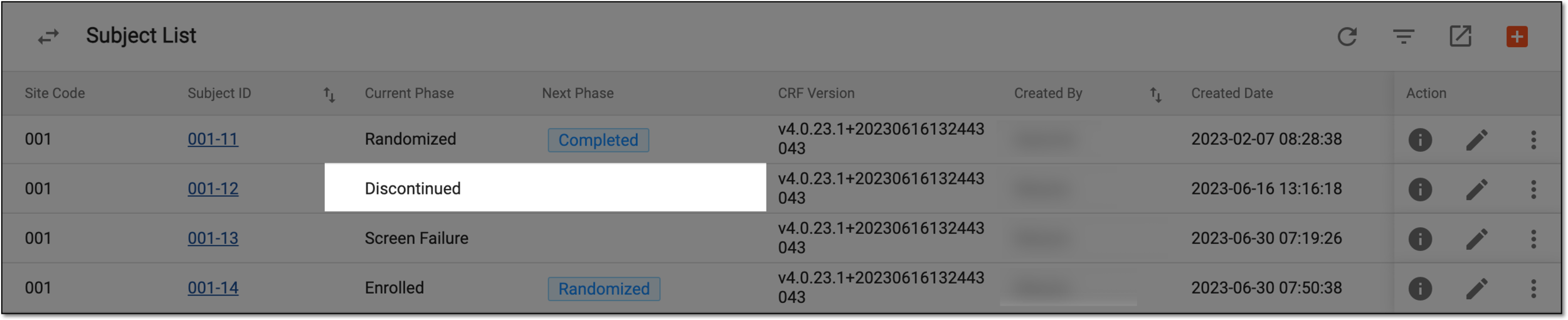
Now, the Discontinued value is displayed for the subject's current phase, and there is no next phase available. They disappear from the table (thus, you cannot change the phase manually and the subject can no longer move forward in the clinical trial).