View change history of MedDRA synonyms
Change History is another feature of the PV application that, along with the Audit Trail, helps maintain the integrity of data and ensures regulatory compliance. While the Audit Trail feature captures a chronological record of all actions performed on data in the PV application, the Change History provides a more detailed view of the specific changes made to MedDRA synonyms. For example, it shows you the previous and current values of an HLGT term (High-Level Group Term), whether a MedDRA synonym has been deactivated or deleted, who made the change, the reason for the change, and other relevant details.
-
In the PV application header, select the CONFIGURATION tab.
-
In the left pane, select MedDRA Synonym.
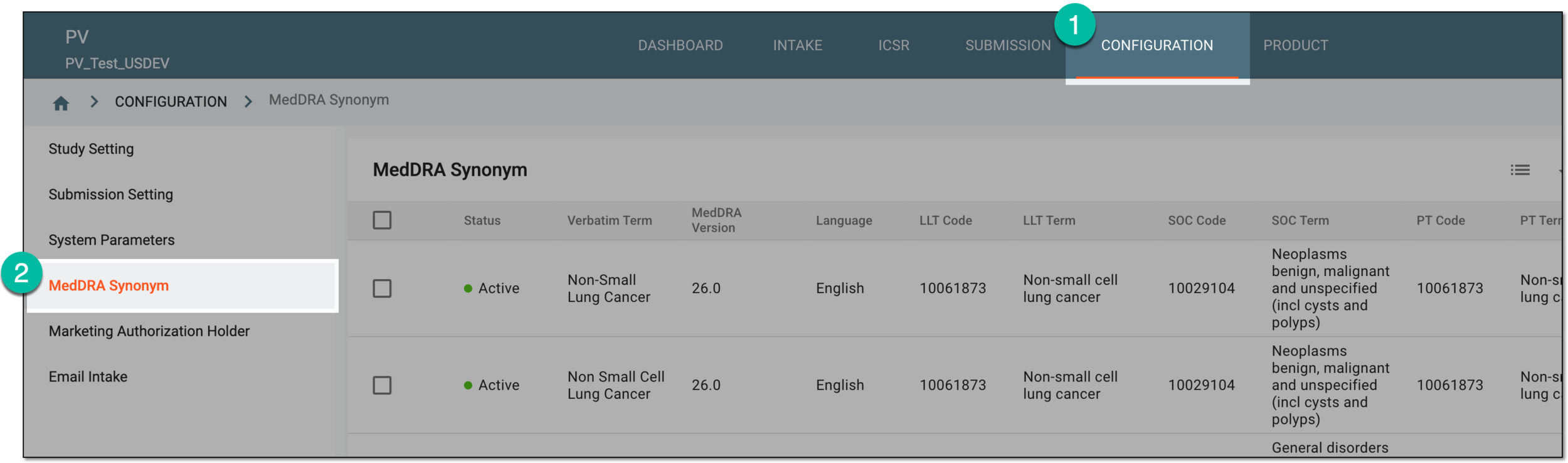 Figure 1. Accessing MedDRA synonym configuration
-
On the MedDRA Synonym page that opens, do one of the following:
-
To view the change history of all MedDRA synonyms at once: from the workspace toolbar, select Change History
 .
. Figure 2. Selecting to view MedDRA synonym list change history
-
To view the change history of a specific MedDRA synonym individually: next to the needed MedDRA synonym, in the Actions column, select More
 > Change History .
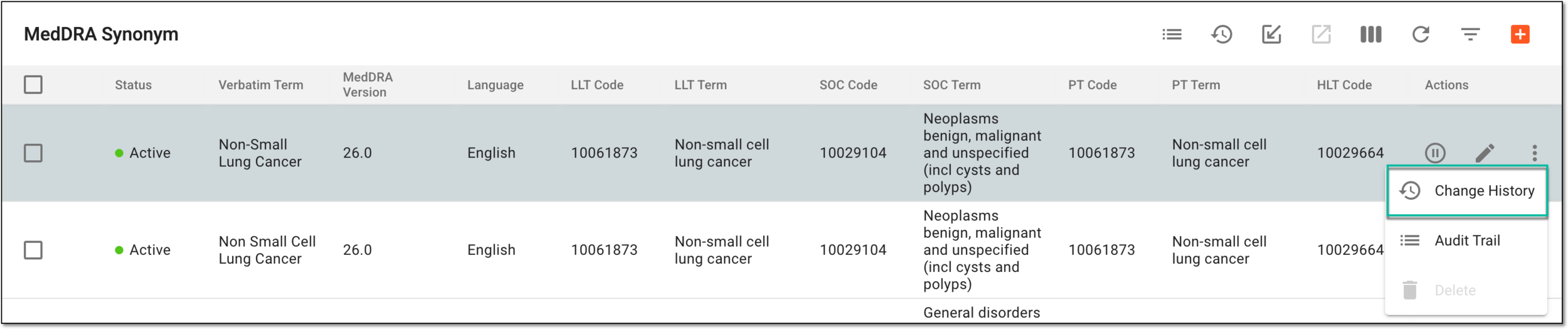 Figure 3. Selecting to view individual MedDRA synonym change history
-
-
In the Change History dialog that opens, view the detailed and comprehensive information about the changes made to MedDRA synonym(s).
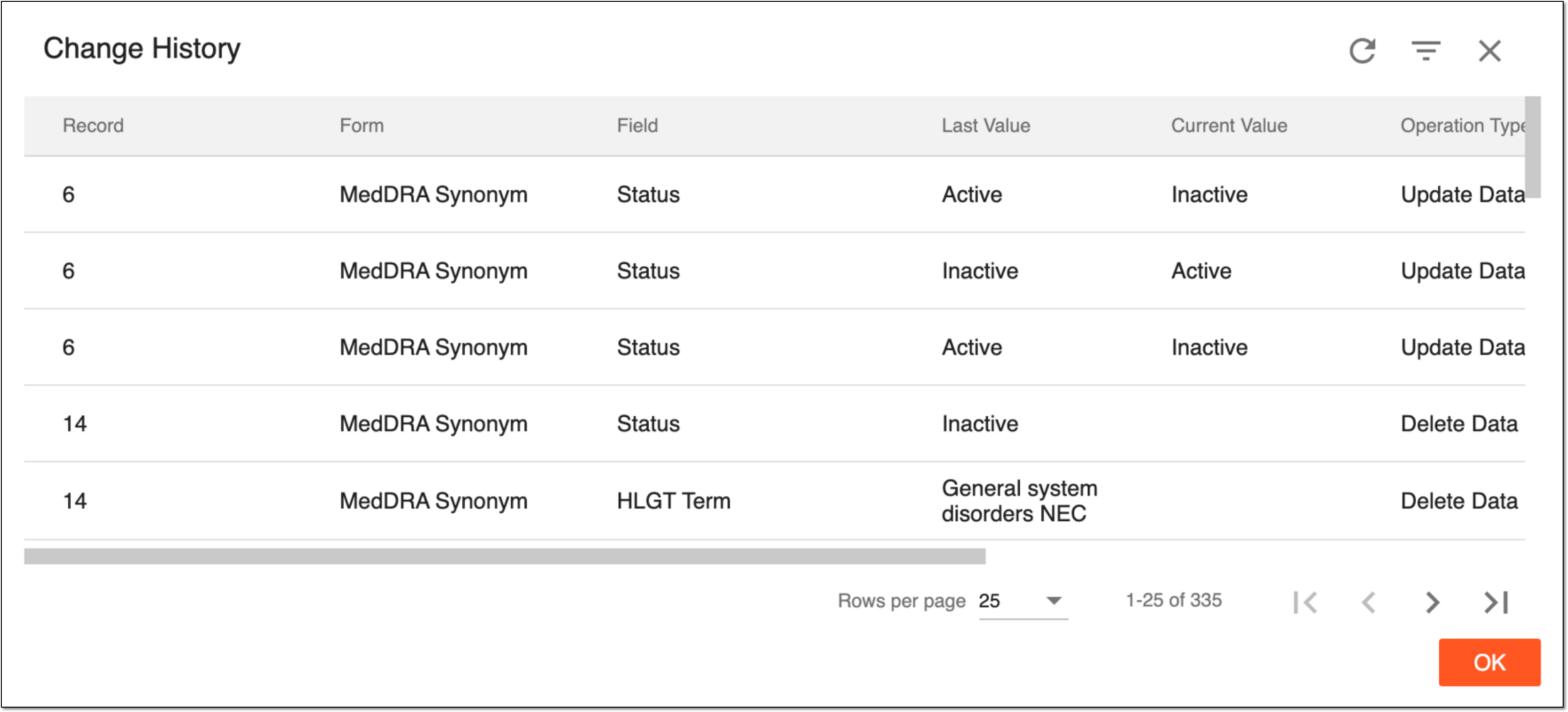 Figure 4. Viewing change history of MedDRA synonyms
You have viewed the change history for all/selected MedDRA synonyms. To obtain more short and unalterable information about the changes made to the MedDRA synonyms, consider accessing Audit Trail instead.