View validation query summary
Data validation refers to the process of ensuring the accuracy, reliability, and integrity of CRF data collected during the study. It involves a series of checks and procedures that aim to identify and resolve data inconsistencies. The importance of data validation lies in its role in maintaining the scientific validity and credibility of the study results. By ensuring the quality of the data, researchers can have confidence in the findings and draw accurate conclusions, which ultimately impacts patient safety and the decision-making process for regulatory authorities.
The summary and details of all queries that have been opened as a result of data validation are stored on the Validation Query page. Within this page, there is the Validation Query Summary tab that contains the list of query topics upon which the queries have been opened. Here you can view the number of open, closed, and answered queries as their status can change with each data validation execution.
-
In the EDC application header, select the STUDY INFO tab.
-
In the left pane of the page that opens, expand Data Validation and select the Validation Query tab.
-
On the page that appears, view the list of validation queries under the preselected Validation Query Summary tab.
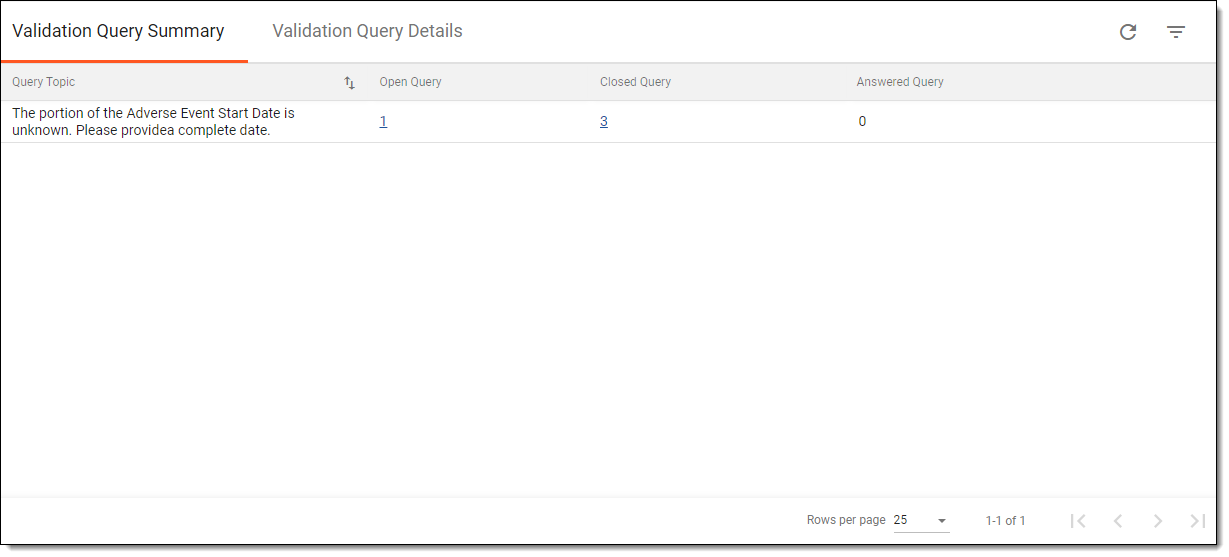 Figure 1. Viewing validation query summary
Tip
In the Validation Query Summary table, select the hyperlink in the Open Query, Closed Query or Answered Query columns to go to the Validation Query Details tab where you can view open, closed, or answered queries for a corresponding query topic.
Once viewed, you can then view the validation query details.