Upload validation rules template
In the EDC application, data validation can be conducted with the implementation of validation rules. A validation rule is a predefined criterion or set of criteria used to assess the accuracy and completeness of the collected data. The design and implementation of validation rules in a clinical trial are typically the responsibility of the data management team. This team consists of professionals such as clinical data managers, biostatisticians, and database programmers. They collaborate to define validation rules based on the study protocol and regulatory requirements.
Before you can execute validation rules to start the validation of entered CRF data, the study team requests biostatisticians to program the validation rules template and then upload it to the EDC system. The script for each validation rules template is coded in the XLS or XLSX file, and it is specifically tailored for every study separately.
-
In the EDC application header, select the STUDY INFO tab.
-
In the left pane of the page that opens, expand Data Validation and select the Validation List tab.
-
From the workspace toolbar of the Validation List table that appears, select New Item
 .
. -
In the Upload File(s) panel that expands, select or drag the template to the designated area for the upload.
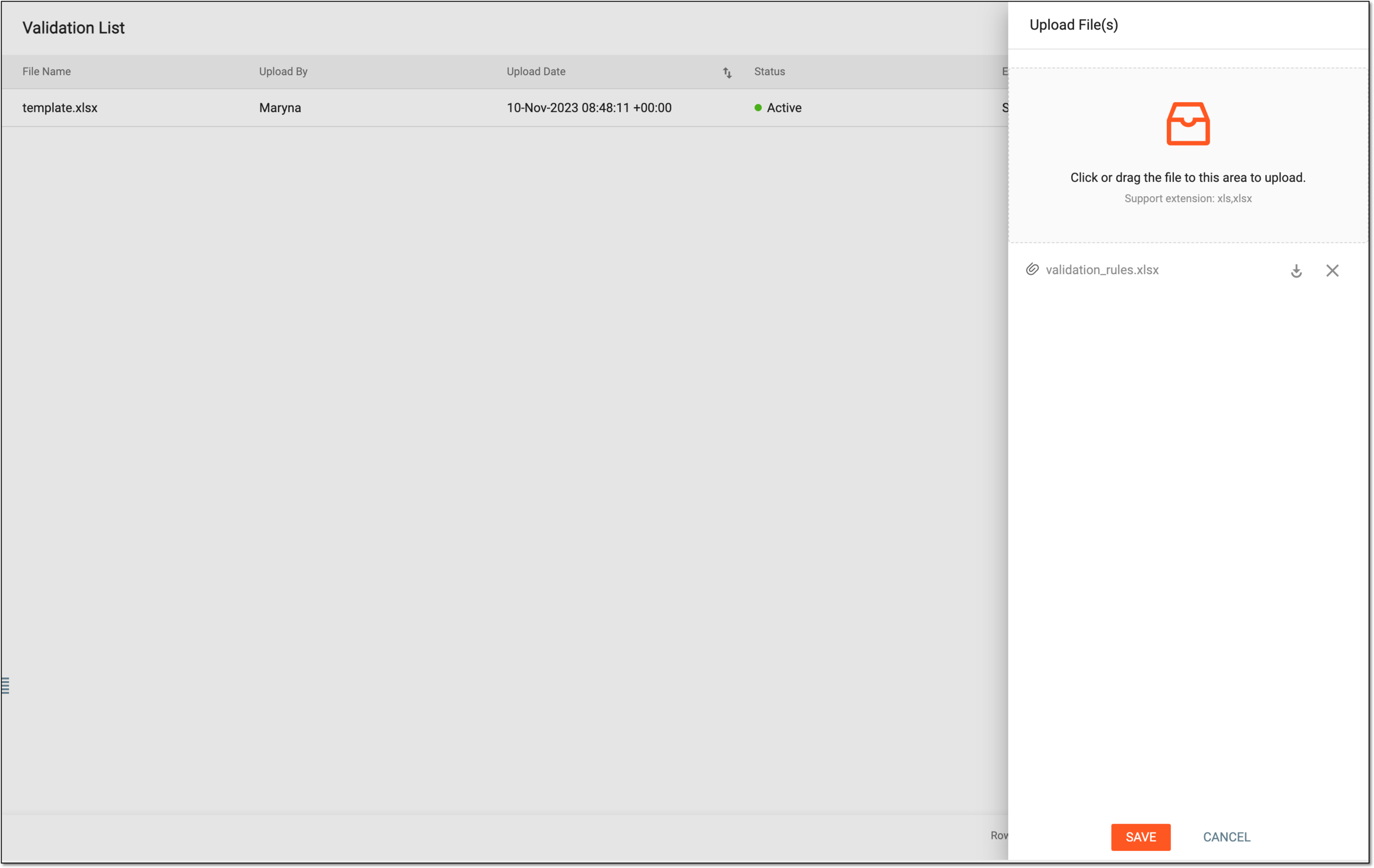 Figure 1. Uploading validation rules template
Tip
In the Upload File(s) panel, select
 to download the recently added file or select
 to remove the file from the uploading queue.
 -
Select
 to start the upload.
Important
If there has been another active template in the system already, upon the new upload, the old template becomes deactivated and the most recently uploaded one becomes activated, meaning its validation rules will be used for the validation of CRF data.
Once saved, the validation rules template is uploaded. You can now use this template to execute data validation.
Activate/Inactivate validation rules template
In the EDC application, data validation can be conducted with the implementation of validation rules. A validation rule is a predefined criterion or set of criteria used to assess the accuracy and completeness of the collected data. The design and implementation of validation rules in a clinical trial are typically the responsibility of the data management team. This team consists of professionals such as clinical data managers, biostatisticians, and database programmers. They collaborate to define validation rules based on the study protocol and regulatory requirements.
Before you can execute validation rules to start the validation of entered CRF data, the study team requests biostatisticians to program the validation rules template and then upload it to the EDC system. If there has been another active template in the system already, upon the new upload, the old template becomes deactivated and the most recently uploaded one becomes activated, meaning its validation rules will be used for the validation of CRF data. However, if you have many templates and you need to use some specific one, you can activate it manually, thus deactivating the previously active template.
-
In the EDC application header, select the STUDY INFO tab.
-
In the left pane of the page that opens, expand Data Validation and select the Validation List tab.
-
In the Validation List table that appears, select Activate
 next to the needed
template to activate it or select Inactivate
next to the needed
template to activate it or select Inactivate  to deactivate it.
 Figure 1. Activating or inactivating validation rules template
Once selected, the validation rules template is activated or inactivated. The activated template will be used for the executed data validation.
Export validation rules template
In the EDC application, data validation can be conducted with the implementation of validation rules. A validation rule is a predefined criterion or set of criteria used to assess the accuracy and completeness of the collected data. The design and implementation of validation rules in a clinical trial are typically the responsibility of the data management team. This team consists of professionals such as clinical data managers, biostatisticians, and database programmers. They collaborate to define validation rules based on the study protocol and regulatory requirements.
Before you can execute validation rules to start the validation of entered CRF data, the study team requests biostatisticians to program the validation rules template and then upload it to the EDC system. Once uploaded and used for data validation processes, it may occur that this template needs to be exported back to the computer. This can happen when biostatisticians receive a request from the study team to add new validation rules to the template or change the existing ones due to updated study requirements.
-
In the EDC application header, select the STUDY INFO tab.
-
In the left pane of the page that opens, expand Data Validation and select the Validation List tab.
-
In the Validation List grid that appears, next to the needed template, select Export
 .
. Figure 1. Exporting validation rules template
Once exported, the validation rules template is downloaded to your computer. You can now work with this template offline.
Delete validation rules template
In the EDC application, data validation can be conducted with the implementation of validation rules. A validation rule is a predefined criterion or set of criteria used to assess the accuracy and completeness of the collected data. The design and implementation of validation rules in a clinical trial are typically the responsibility of the data management team. This team consists of professionals such as clinical data managers, biostatisticians, and database programmers. They collaborate to define validation rules based on the study protocol and regulatory requirements.
Before you can execute validation rules to start the validation of entered CRF data, the study team requests biostatisticians to program the validation rules template and then upload it to the EDC system. Once uploaded and used for data validation processes, it may occur that this template needs to be deleted. This can happen when new study requirements are in place and the old template contains obsolete validation rules.
-
In the EDC application header, select the STUDY INFO tab.
-
In the left pane of the page that opens, expand Data Validation and select the Validation List tab.
-
In the Validation List table that appears, next to the needed template, select Delete
 .
. Figure 1. Deleting validation rules template
-
In the Delete Item confirmation dialog that appears, select
 to delete the template from the list.
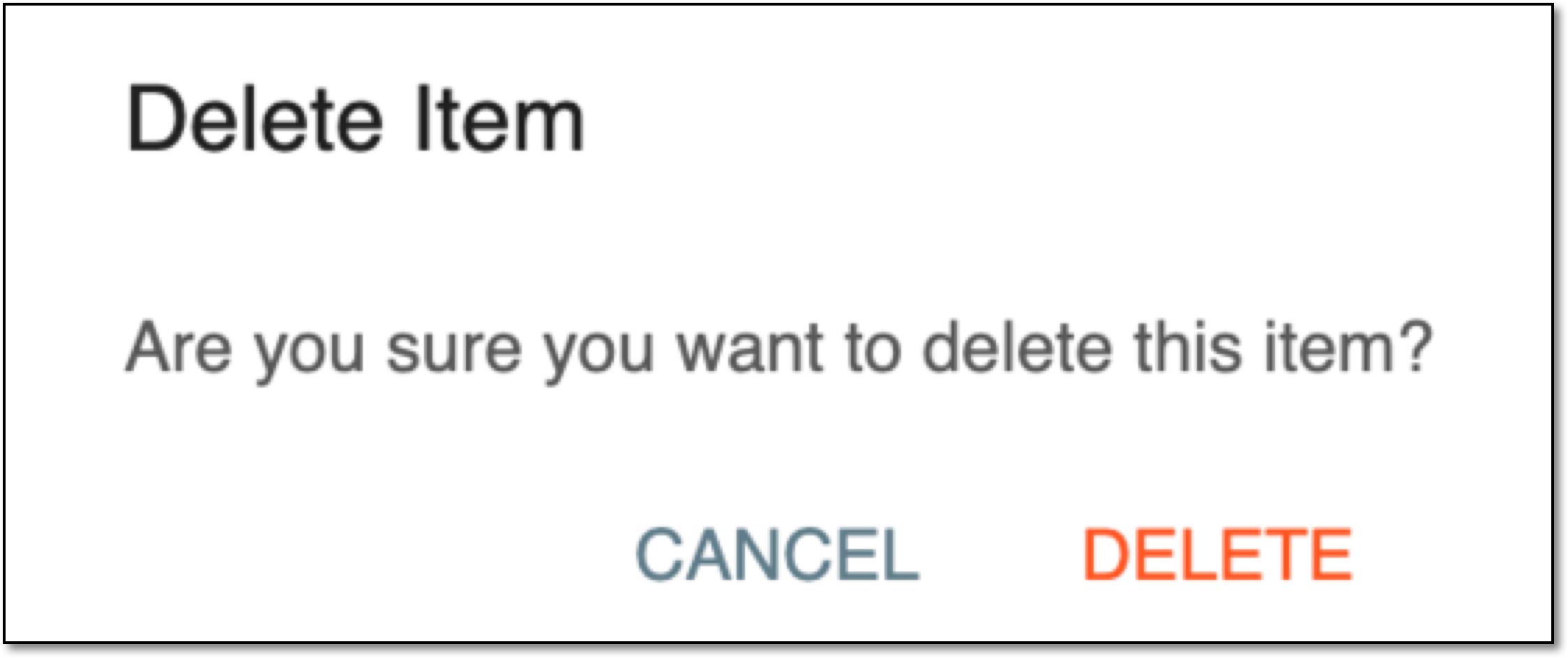 Figure 2. Confirming deletion
Once confirmed, the validation rules template is deleted.