Upload acknowledgment XML file
The Acknowledgment (ACK) message is a message sent out from the receiver’s system to inform the sender whether the submission record has been loaded successfully or rejected when the operation is initiated to import the safety data into the receiver’s database. For the E2B XML file submission approach, the ACK XML file can be uploaded manually as evidence of successful submission. This file is usually provided by the receiver.
-
In the PV application header, select the ICSR tab.
-
On the ICSR List page that opens, in the table, locate the ICSR record for which the submission record is already generated. Then select its case number to open the details page in the new browser tab.
Alternatively, from the Actions column next to your ICSR, select Edit
 to open the
ICSR details in the same browser tab.
to open the
ICSR details in the same browser tab. Figure 1. Selecting to edit ICSR
-
On the page that opens, in the left pane, select Submission.
-
Then select the record with the E2B XML file as the submission method for which you want to upload its corresponding ACK XML file.
-
In the ACK section of the submission record, select
 to upload the ACK message file from your computer.
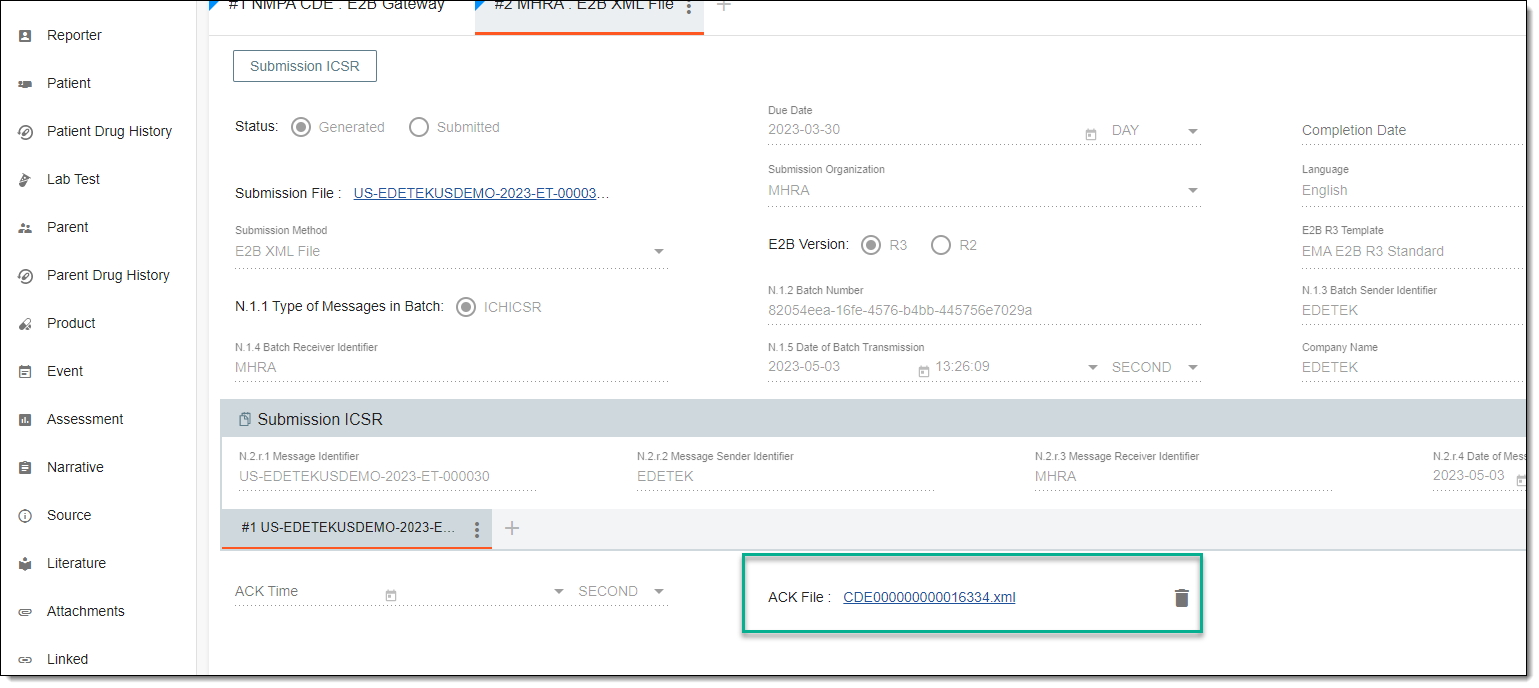 Figure 2. Uploading ACK message file
-
From the workspace toolbar, select SAVE
 .
. -
Then from the same workspace toolbar, select ACK Parse
 .
.
Once selected, the uploaded ACK message is parsed and it updates the ACK message for the submission record. In case the parsing error occurs, consider reuploading a file or trying another one.