View change history of submission record
This PV functionality focuses on the expedited submission of ICSRs to the authorities, affiliates, partners, investigators, or ethics committees. For example, a sponsor of the clinical trial for the Investigational New Drug (IND) must submit Serious and Unexpected Suspected Adverse Reactions (SUSAR) to FDA in the IND safety report within 7 or 15 days depending on the seriousness criteria. The form of submission acceptable to each authority or partner is different.
All of the generated submission records have a history of changes. This history includes the list of actions done by PV users or the system on a specific submission record. It also shows the time pertinent to all operations and the type of operations that have been performed with each history record.
-
In the PV application header, select the ICSR tab.
-
On the ICSR List page that opens, in the table, locate the ICSR record for which the submission record is already generated. Then select its case number to open the details page in the new browser tab.
Alternatively, from the Actions column next to your ICSR, select Edit
 to open the
ICSR details in the same browser tab.
to open the
ICSR details in the same browser tab. Figure 1. Selecting to edit ICSR
-
On the page that opens, in the left pane, select Submission.
-
Then select the submission record whose change history you want to view.
-
On the selected submission record tab, select More
 > Change History
 .
. -
In the Change History dialog that appears, view the history of all operations performed with the selected submission record.
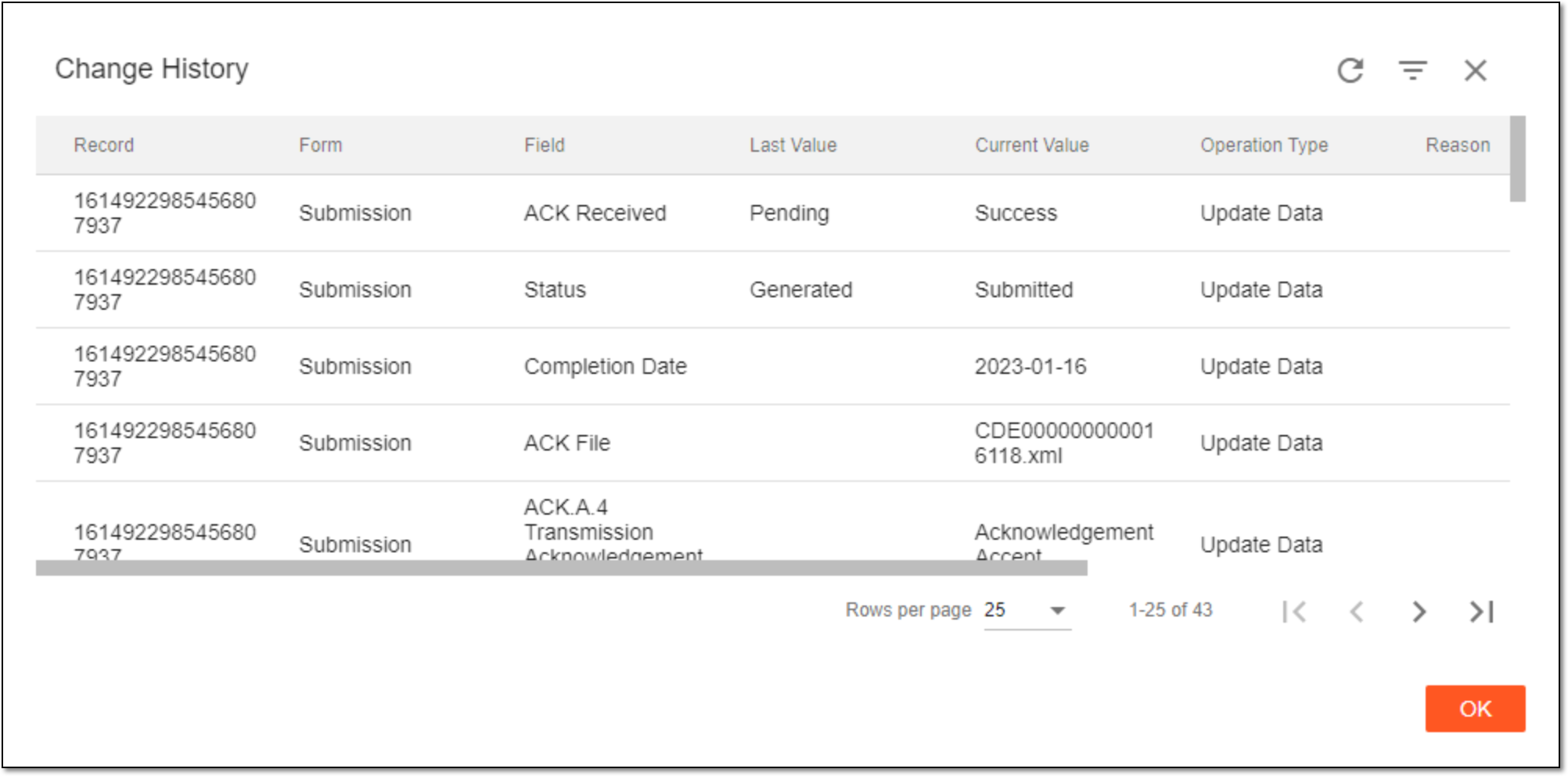 Figure 2. Viewing change history of submission record
Once viewed, select  to close the dialog. You can now view the audit trail of a submission record.