Delete submission setting
In PV, before you run the ICSR report generation or submission function, you need to configure submission setting information, such as the organization, type of data, contacts, and other details. If you no longer need some of the previously configured submission settings, you can delete them to keep the list up-to-date.
-
In the PV application header, select the CONFIGURATION tab.
-
On the page that opens, in the left pane, select the Submission Setting subtab.
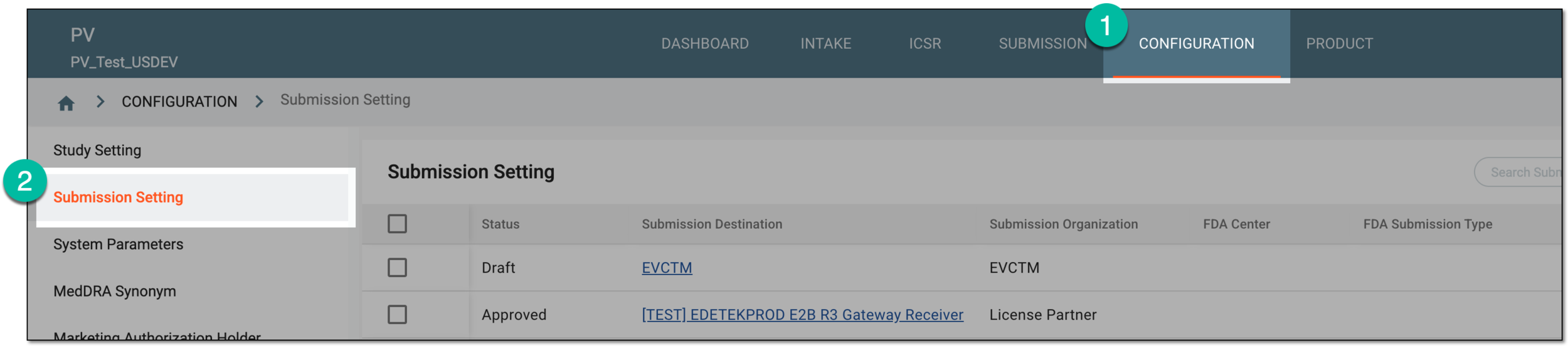 Figure 1. Accessing submission setting configuration
-
In the Submission Setting table that appears, go to the submission setting that you want to delete. Then in the Actions column next to it, select Delete
 .
.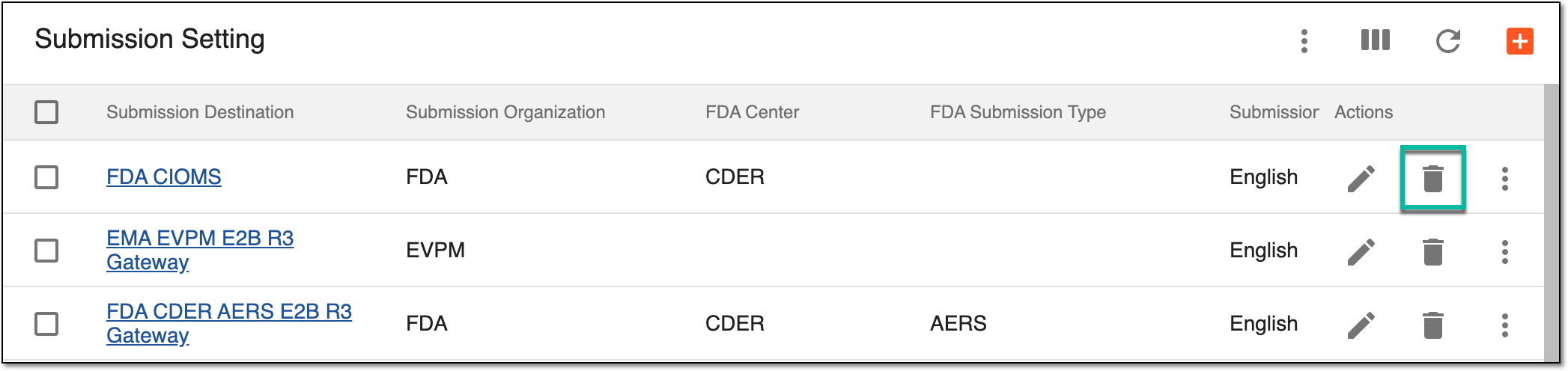 Figure 2. Selecting to delete submission setting
Tip
You can also delete the submission setting from the configuration and edit pages. Simply select More
 > Delete
from the workspace toolbar.
> Delete
from the workspace toolbar. -
In the Delete Item confirmation dialog that appears, select
 to complete the deletion.
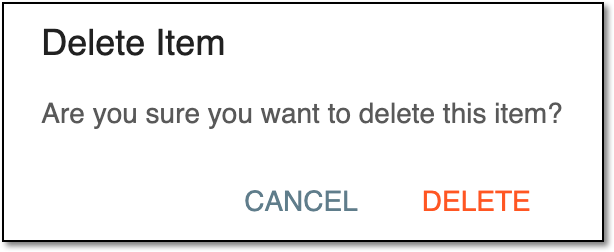 Figure 3. Confirming submission setting deletion
Upon confirmation, the submission setting is deleted. You can also configure a new submission setting.