Edit submission setting
In PV, before you run the ICSR report generation or submission function, you need to configure submission setting information, such as the organization, type of data, contacts, and other details. This configured info appears in submission packages such as XML, MedWatch 3500A, and CIOMS-1. If needed, you can edit the previously configured submission setting if it is not yet in its final approval status.
Important
For the finalized submission setting records, if you have respective system permissions, you can return the route to the initial status that allows for editing and then reinitiate the review and approval process.
-
In the PV application header, select the CONFIGURATION tab.
-
On the page that opens, in the left pane, select the Submission Setting subtab.
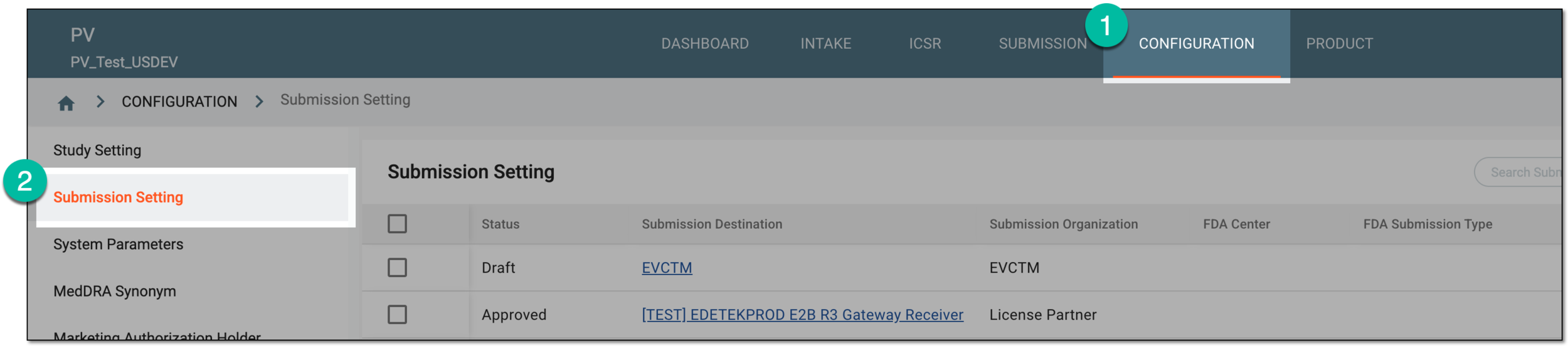 Figure 1. Accessing submission setting configuration
-
In the Submission Setting table that appears, go to the submission setting that you need to edit. Then in the Actions column next to it, select Edit
 .
.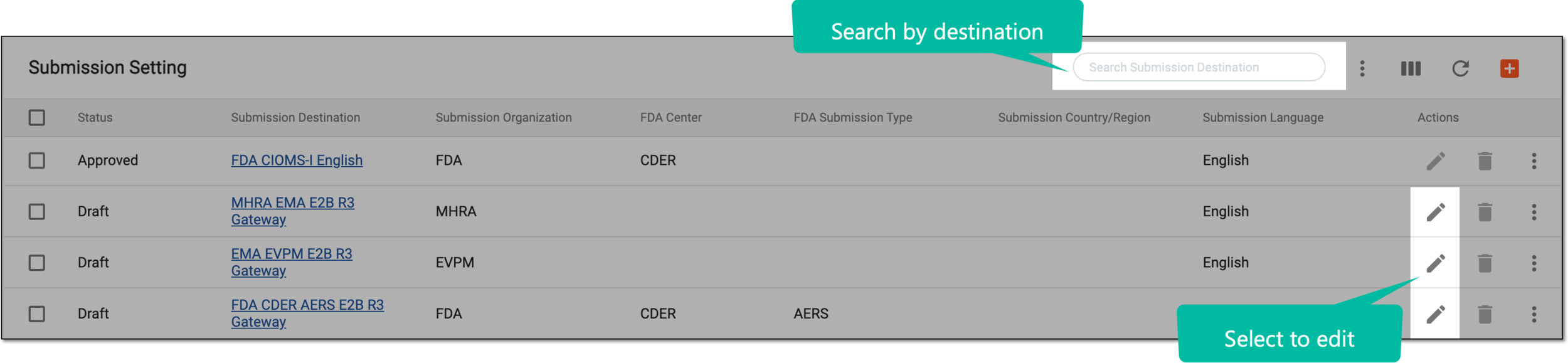 Figure 2. Selecting to edit records
Tip
From the workspace toolbar, use the Search Submission Destination filter to facilitate the location of the needed record.
-
In the submission setting form that appears, update the available configurations. These fields are identical to the ones explained in the table of the Configure submission setting section.
Important
The submission setting form fields can differ from the ones depicted in the following figure depending on the selected submission method.
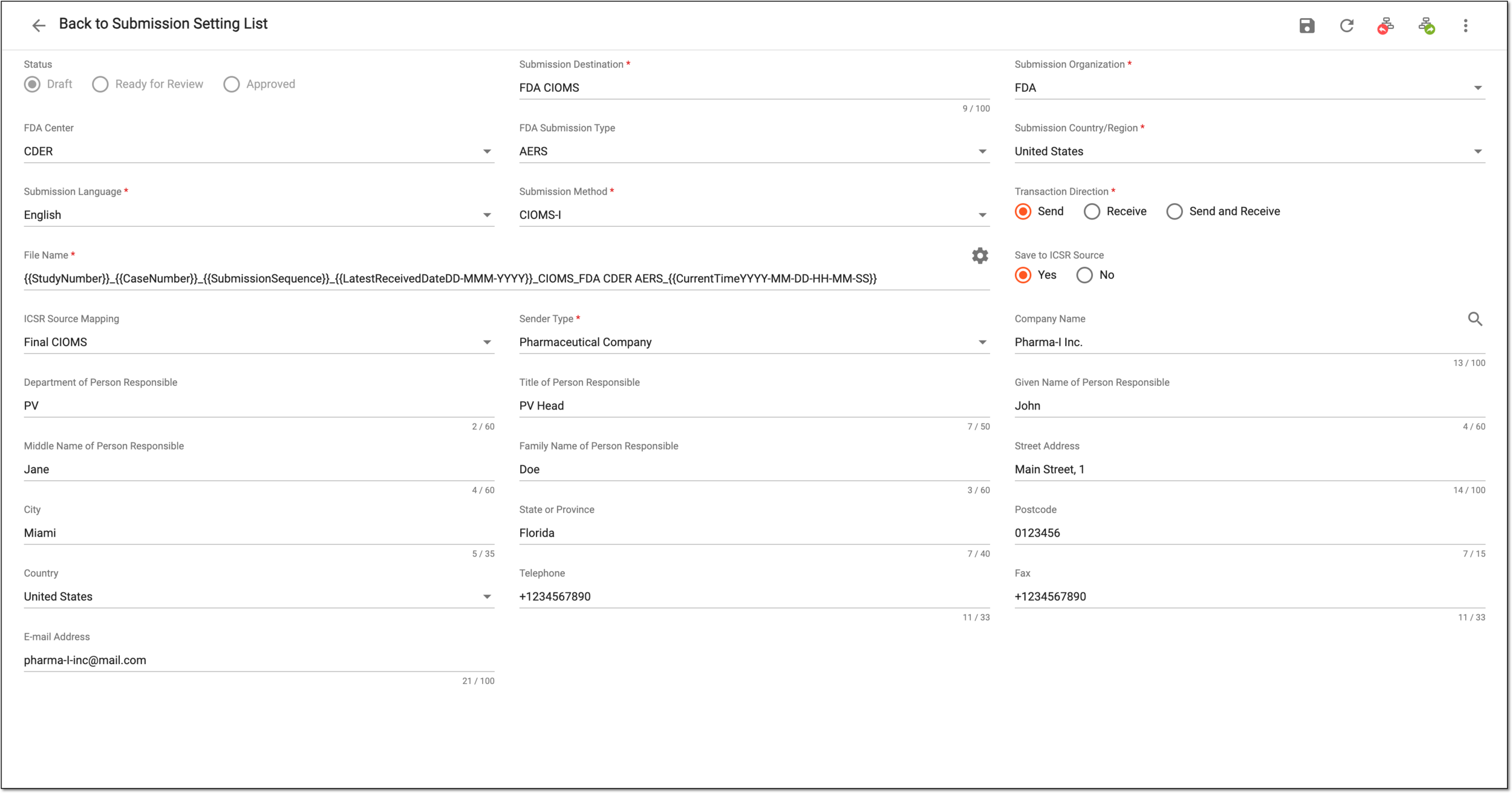 Figure 3. Editing submission setting form
-
Select
 to save the implemented changes.
Upon saving, the submission setting is updated. You can also view the submission setting change history.