File task page
The Task page is designed for file auditing and can be logically divided into four blocks, as shown in the following figure.
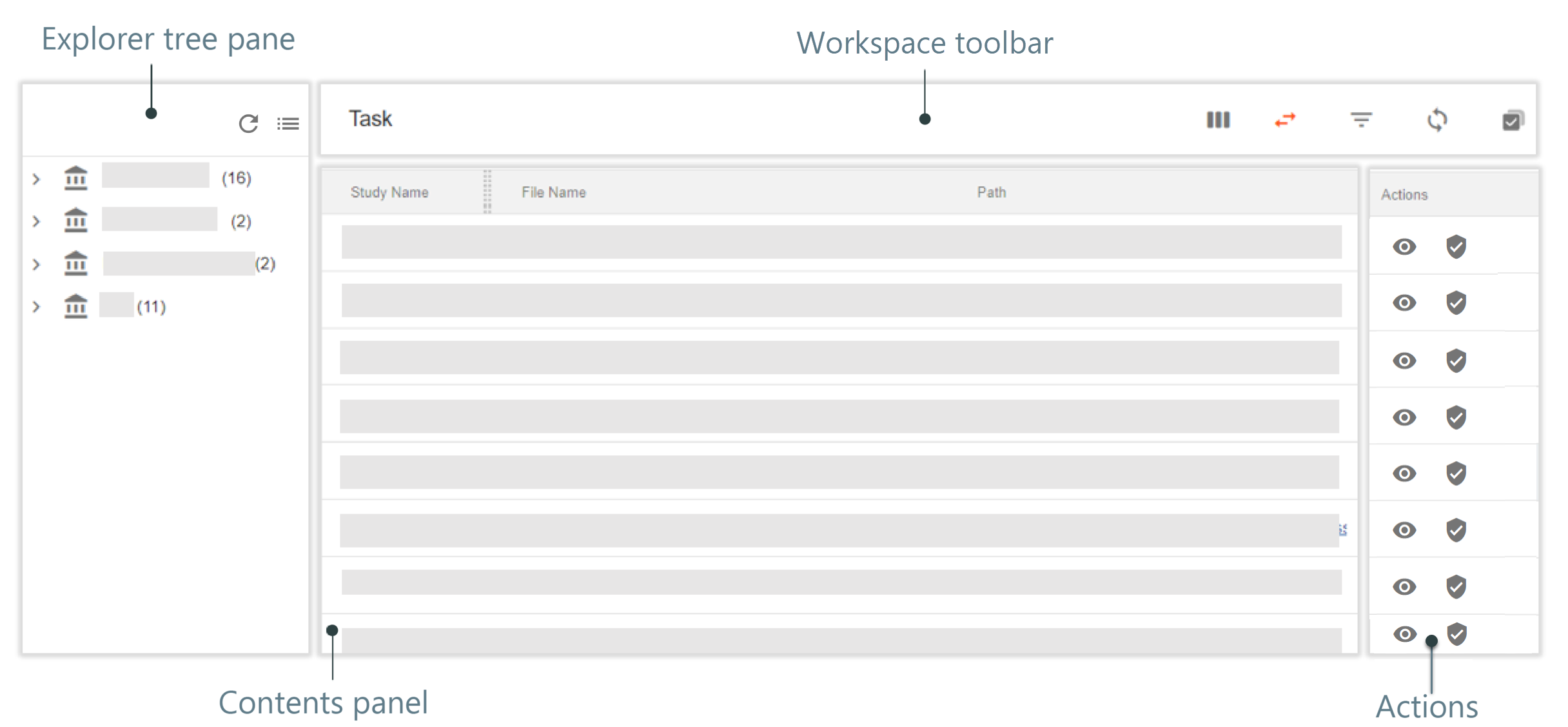
In the explorer tree pane, you can locate files to be audited through the folder hierarchy. Select the node in the tree and the corresponding files are listed in the contents panel.
Other than the common elements, the workspace toolbar consists of the following:
-
Switch View
 : select to display/hide the File Task page explorer
tree.
: select to display/hide the File Task page explorer
tree. -
Batch Process
 : select to audit multiple files at once.
The Actions column contains functional buttons for a user to perform the actions described in the following table.
|
Element |
Details |
|
|---|---|---|
|
Select Audit to audit a single file from the list of your tasks. |
|
|
Select File Preview to preview the file in a new tab via export. |

