View study depot list
A depot is a warehouse that is used to store and distribute items (drugs) to another destination (other depots or sites) in the course of a study. In CTMS, by adding a depot to a study, you provide a connection between them to let the user know that this particular depot will be used for this particular study to store, prepare, and distribute investigational products and study medications. All the depots previously added to a specific study you can find in the Depot List table.
The depots added to the study in CTMS can then be managed via the IWRS application for drug maintenance and distribution to sites.
-
Access the study management page in one of the following ways:
-
In the CTMS application header, select the DASHBOARD tab and then select the study dashboard of your interest.
 Figure 1. Accessing study management from dashboard
-
In the CTMS application header, select the STUDY MANAGEMENT tab. Then from the Study Data List table, select the study name of your interest.
 Figure 2. Accessing study management from study data list
-
-
From the left pane of the study page that opens, select Study Details > Depot List.
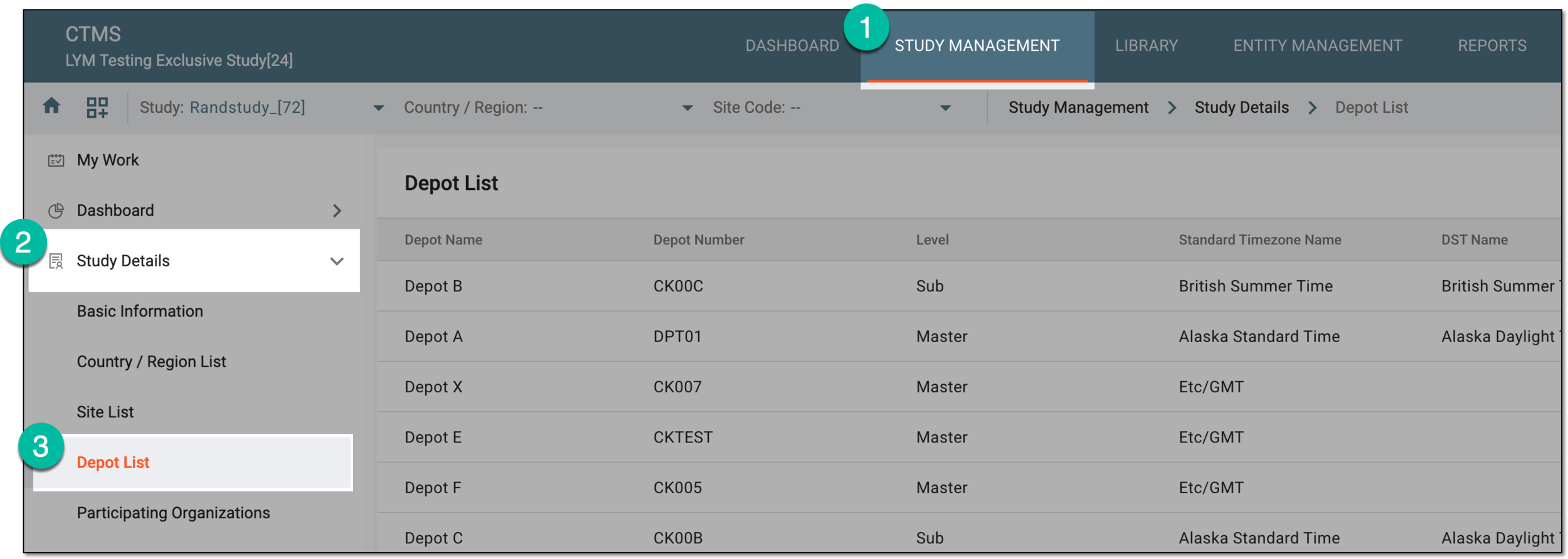 Figure 3. Accessing study depots
-
In the Depot List table that appears, view the list of the depots that belong to the selected study.
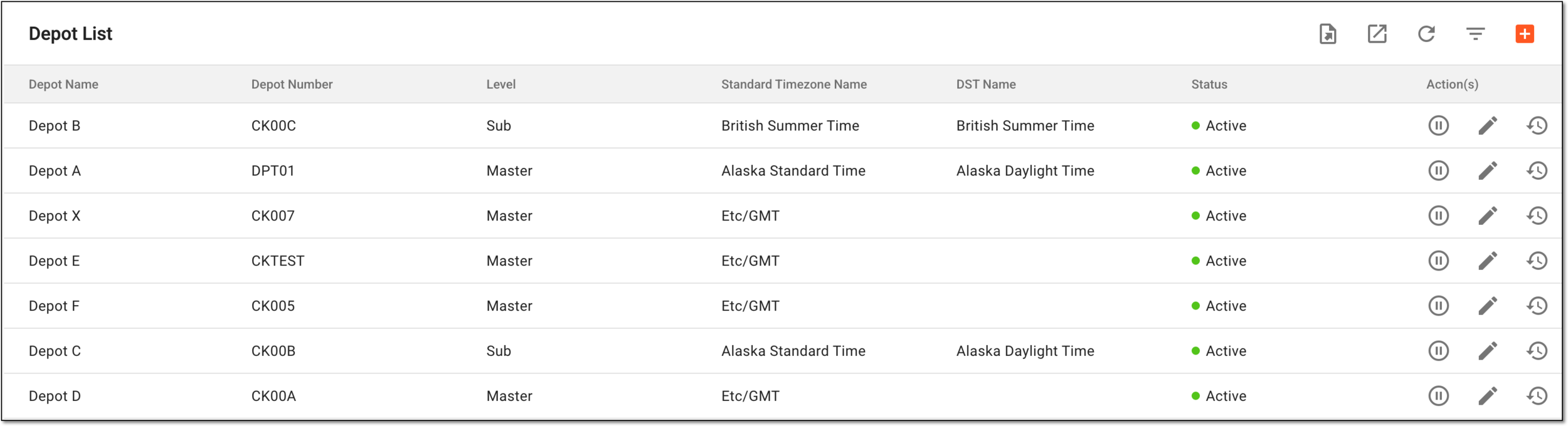 Figure 4. List of study depots
You have accessed the complete list of depots added to your study.