View staff list
There are different staff members who make the study conduct possible, including principal investigators, study coordinators, data managers, clinical research associates, and so on. A list of staff members who are working on the study or at sites can be viewed on a separate page. You can add new members if they are not on the list yet.
-
Access the study management page in one of the following ways:
-
In the CTMS application header, select the DASHBOARD tab and then select the study dashboard of your interest.
 Figure 1. Accessing study management from dashboard
-
In the CTMS application header, select the STUDY MANAGEMENT tab. Then from the Study Data List table, select the study name of your interest.
 Figure 2. Accessing study management from study data list
-
-
From the left pane of the study page that opens, select Study Details > Staff.
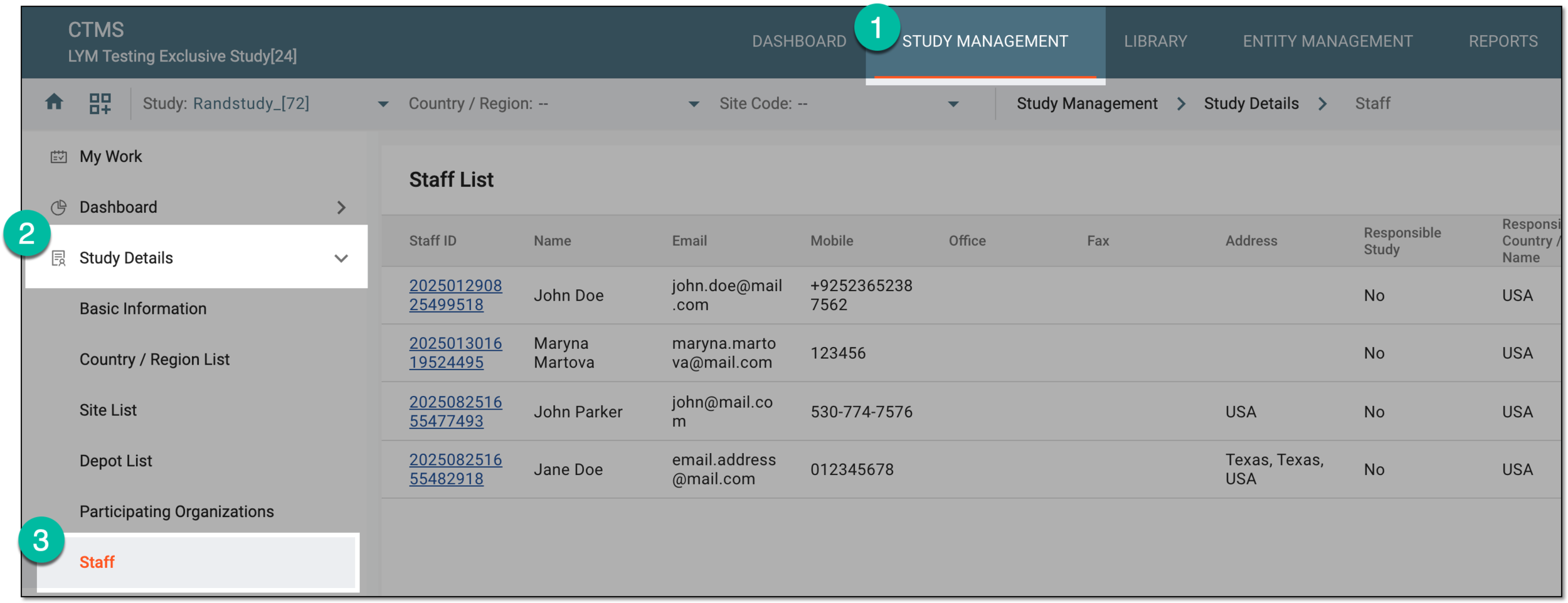 Figure 3. Accessing study staff
-
In the Hierarchy pane that opens, select the study, country, or site level to view the full list of staff working on a study, in the specific country, or at the specific site, respectively.
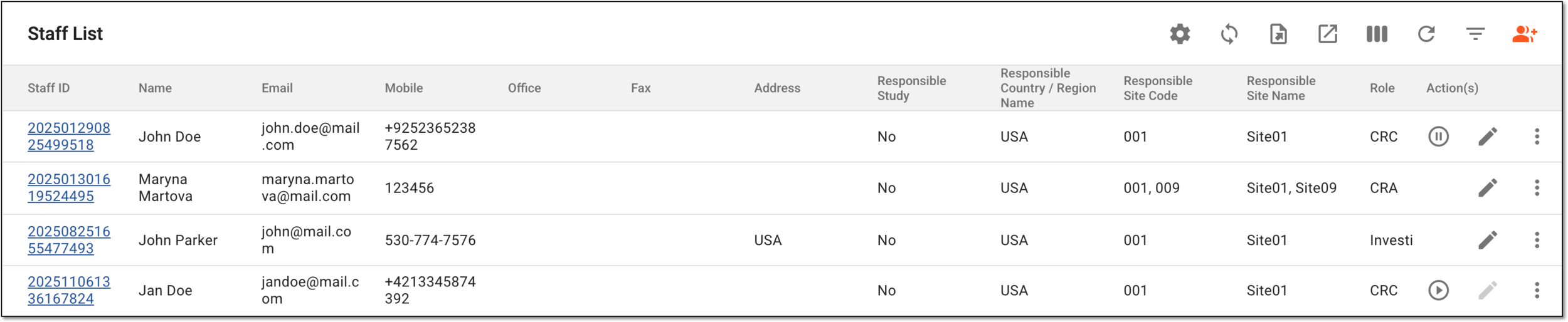 Figure 4. List of study staff members
You have viewed the list of staff members of the study.