Delete participating organization from study
A participating organization previously added to your study can be removed if the cooperation is ceased and you no longer expect any relations with it.
Important
You can only delete the participating organization that is inactivated. This provides additional tier of scrutiny in handling sensitive operations.
-
Access the study management page in one of the following ways:
-
In the CTMS application header, select the DASHBOARD tab and then select the study dashboard of your interest.
 Figure 1. Accessing study management from dashboard
-
In the CTMS application header, select the STUDY MANAGEMENT tab. Then from the Study Data List table, select the study name of your interest.
 Figure 2. Accessing study management from study data list
-
-
From the left pane of page that opens, select Study Details > Participating Organizations.
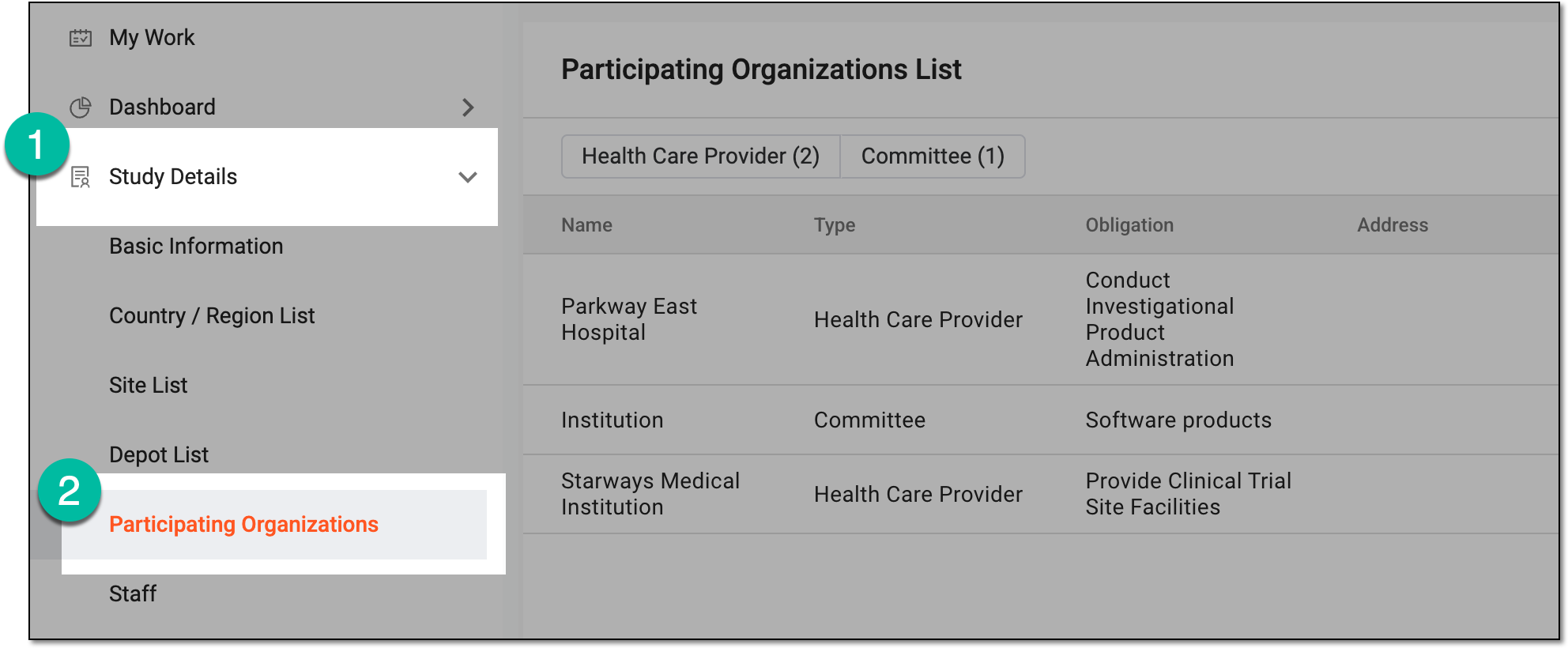 Figure 3. Accessing participating organizations of study
-
In Participating Organizations List, next to the inactivated organization that you want to remove from study, select More
 > Delete
  .
.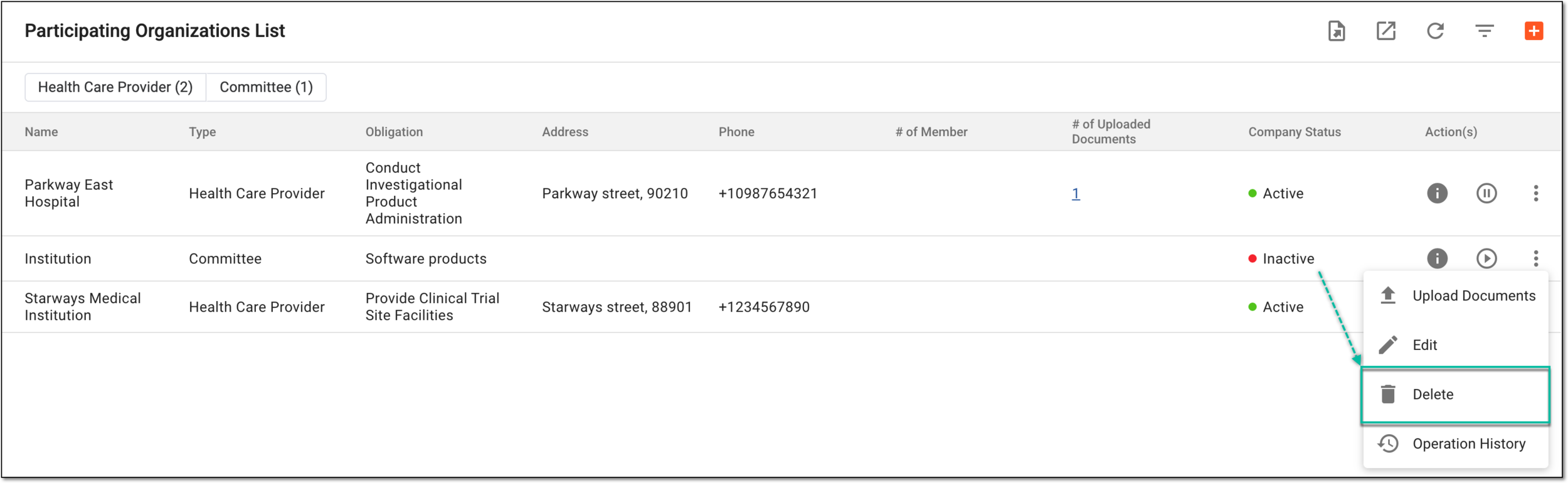 Figure 4. Selecting option to delete participating organization
-
In the Reason dialog that appears, provide the needed details to justify your action. Then select
 .
.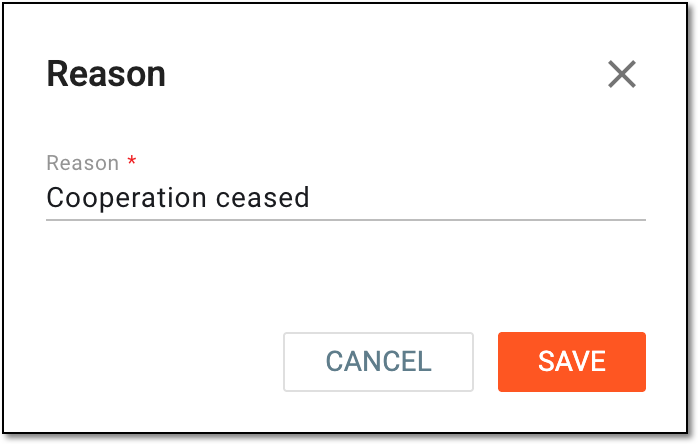 Figure 5. Providing reason for participating organization deletion
Once confirmed, a participating organization is deleted from the study.