Tasks
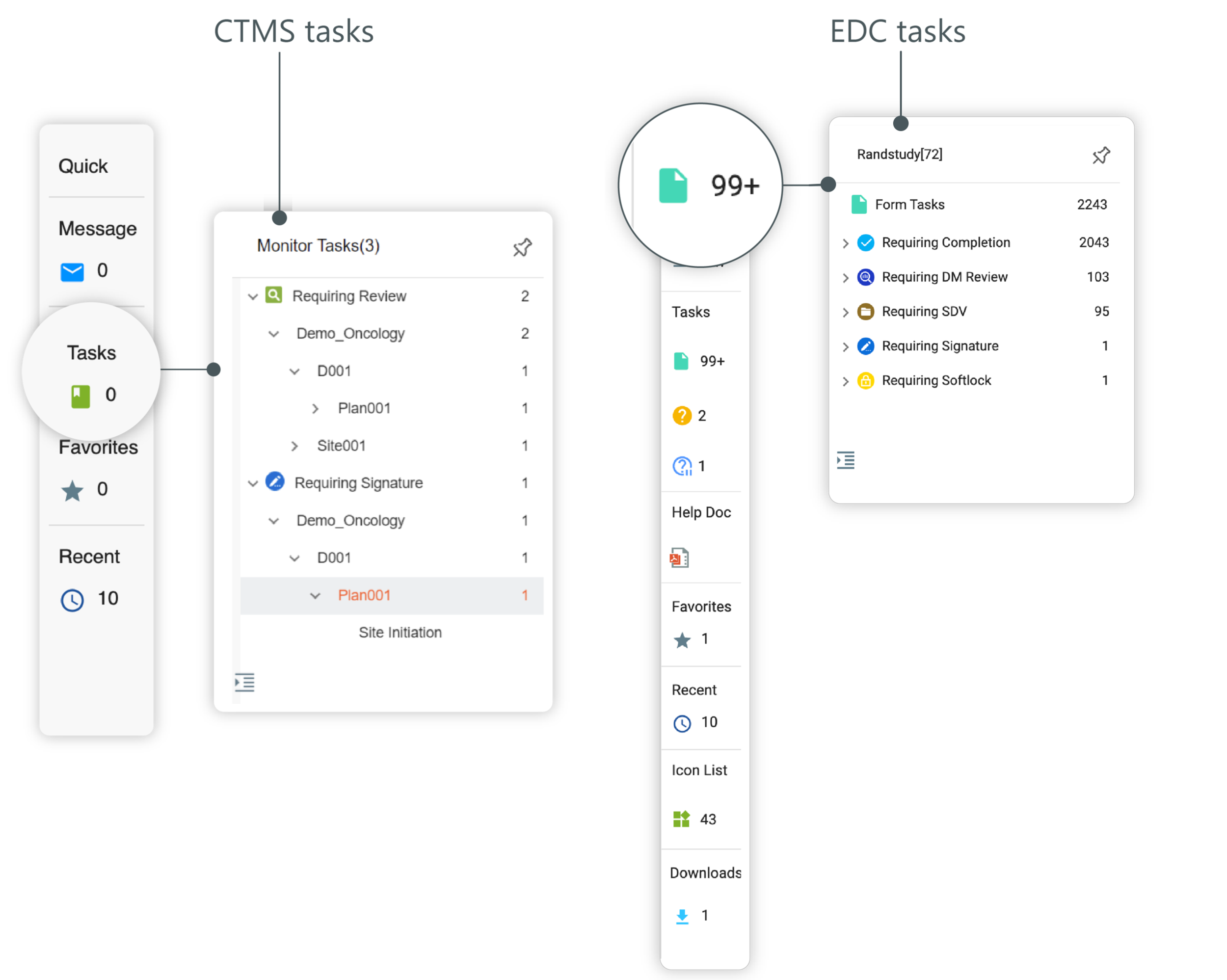
The Tasks option of the Quick panel includes the tasks that are specific to the application with which you are currently working. For example, in EDC, you have Form Tasks
 and Query Tasks
  . Form Tasks shows the list of the form to be completed, and Query Tasks are created or opened by another system user who requires your attention, information, or a suggestion on a
particular form of a subject.
. Form Tasks shows the list of the form to be completed, and Query Tasks are created or opened by another system user who requires your attention, information, or a suggestion on a
particular form of a subject.
Similarly, in CTMS, Tasks  contain all the tasks for monitoring reports' audit assigned to a current user.
As shown in the following figure, to locate a particular task, select the needed task icon from the Quick panel.
To collapse the Tasks panel, select  .
.
Tip
You can pin the opened panel to the screen by selecting  . To unpin, select
  .
.