Visit status details
A visit refers to a scheduled appointment between a participant and the clinical trial staff. During a visit, the participant undergoes a series of tests and assessments, which may include physical exams, blood tests, questionnaires, and so on. The purpose of these assessments is to evaluate the participant's health status and track any changes that may occur during the course of the trial.
Within the Visit Status Details page, you can view the details of each site visit pulled from the EDC system. These details include information about the most current status of each visit. Each visit status and other visit characteristics are explained in detail in the following table.
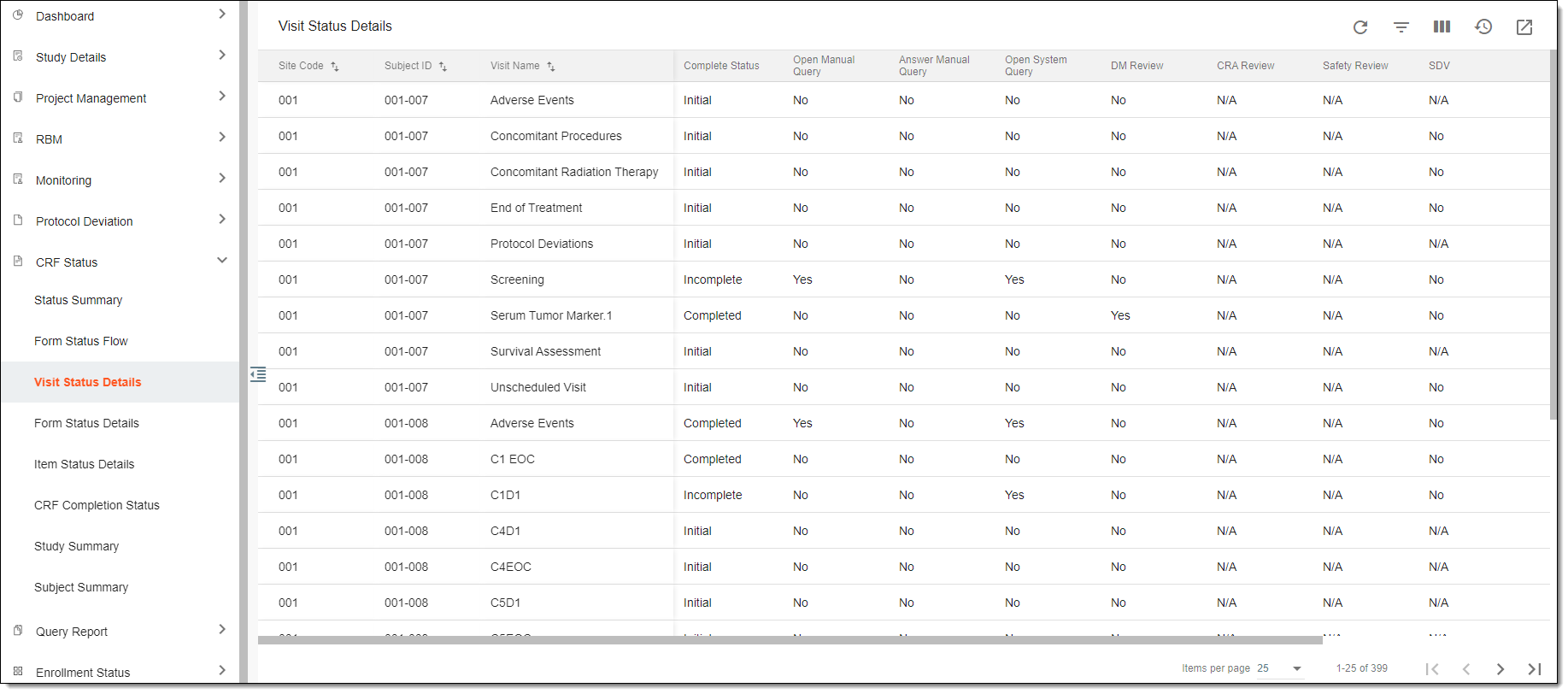
|
Column |
Details |
|---|---|
|
Site Code |
Represents a code of the site where the visit must take place or has already taken place. |
|
Subject ID |
Represents an ID of a subject for whom the data has been collected during the indicated visit. |
|
Visit Name |
Represents the name of the visit that must take place or has already taken place. |
|
Complete Status |
Represents the current status of the visit depending on its completeness. |
|
Open Manual Query |
Indicates whether a query has been manually opened by users for a visit because of some pertaining issues. |
|
Answer Manual Query |
Indicates whether some users have responded to the opened queries for a visit. |
|
Open System Query |
Indicates whether a query has been automatically generated by the system for a visit because of some pertaining issues. |
|
DM Review |
Indicates whether anyone from the data management team has already reviewed the data collected during a corresponding visit. |
|
CRA Review |
Indicates whether clinical research associates have already reviewed the data collected during a corresponding visit and whether any queries or issues have been raised and documented for resolution. |
|
Safety Review |
Indicates whether the adverse events data collected during a corresponding visit has been reviewed by the safety team and whether any safety issues have been addressed and documented. |
|
SDV |
Indicates whether the clinical monitor or a quality control team member has reviewed the data collected during a corresponding visit and whether it matches the data in source documents. |
|
Softlock |
Indicates whether the data collected during a corresponding visit is temporarily locked or restricted from further editing because some issues require further investigation or resolution. |
|
Sign |
Indicates whether the data collected during a corresponding visit has been signed by the investigator or the sponsor, indicating that they have reviewed and approved the entered data. |