Form status flow
Within the Form Status Flow page, you can view flowcharts with statuses per each available CRF form for a specific study. These flowcharts include information about the statuses that forms have gone through already and their most recent status. Moreover, there is information about users who finalized the statuses and the time of status completion for each CRF form.
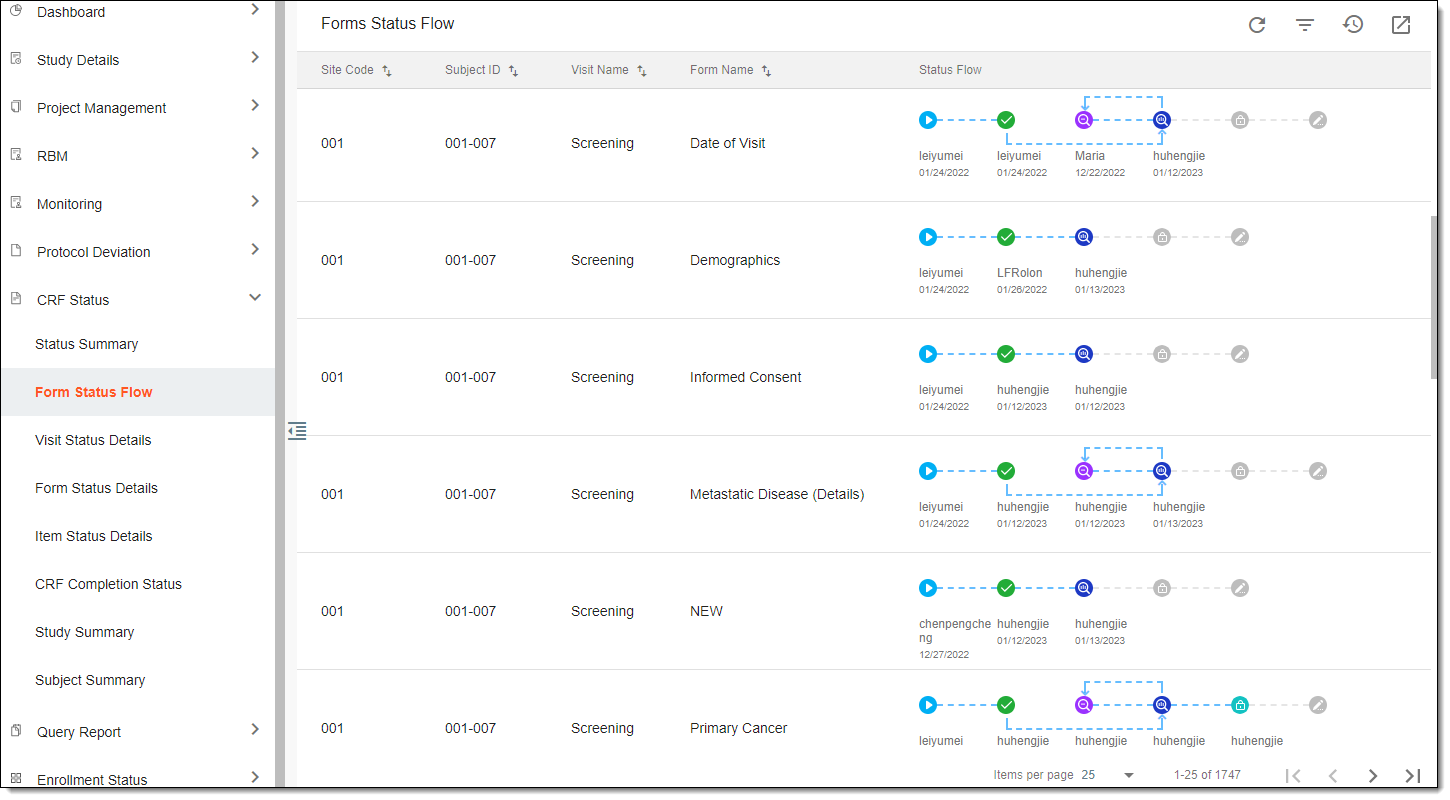
When viewing flowcharts, the following CRF form statuses are available depending on the current status of those forms:
-
Initial
 : a form is created but not yet filled out.
 -
Completed
 : a form has all the necessary data entered and is ready for review.
 -
UnReviewed
 : a form is completed but a reviewer has requested to make some changes.
 -
DM Reviewed
 : a form is reviewed by someone from the data management team.
 -
Softlocked
 : a form is reviewed and approved and no further changes can be made anymore.
 -
Signed
 : a form is signed by the investigator or the sponsor, indicating that they have reviewed and approved the data entered in these forms.