Status summary
Within the Status Summary page, you can view some statistical data pulled from the EDC system in order to provide insights into the detailed analysis of visit, form, and item statuses for a specific study. The following charts that are pertinent to the visit, form, and item statuses are available:
-
Visit Status Summary: this chart contains information about the total number of visits sorted by the following statuses:
-
Initial: visits have been scheduled but have not yet taken place.
-
Incomplete: visits have not been fully completed or certain aspects of visit reports are missing.
-
Completed: visits have taken place and the assessment has been carried out.
-
UnReviewed: visits have not yet been reviewed by a supervisor or a manager.
-
DM Reviewed: visits have been reviewed by a data manager.
-
Softlocked: visits are temporarily locked or restricted from further editing because some issues require further investigation or resolution.
-
Signed: visits have been approved and visit reports have been signed by a supervisor.
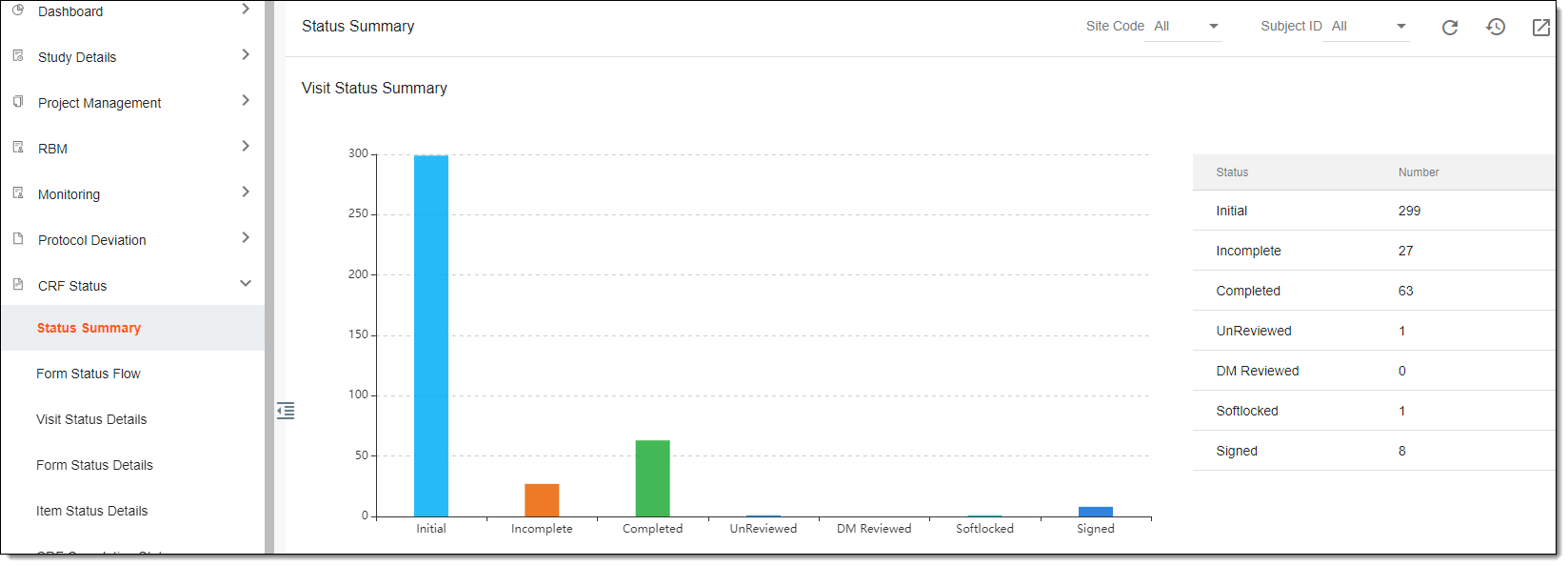 Figure 1. Viewing visit status summary chart
-
-
Form Status Summary: this chart contains information about the total number of existing CRF forms sorted by the following statuses:
-
Initial: forms have been created but not yet filled out.
-
Incomplete: forms with data partially entered and some fields are left blank or require additional information.
-
Completed: forms with all the necessary data entered and ready for review.
-
UnReviewed: forms have been completed but not reviewed by anyone yet.
-
DM Reviewed: forms have been reviewed by data managers.
-
SDV: forms have been reviewed by a clinical monitor or a quality control team member to ensure that the data entered in forms match the data in source documents.
-
Softlocked: forms have been reviewed and approved, and no further changes can be made to ensure data integrity.
-
Signed: forms have been signed by the investigator or the sponsor, indicating that they have reviewed and approved the data entered in these forms.
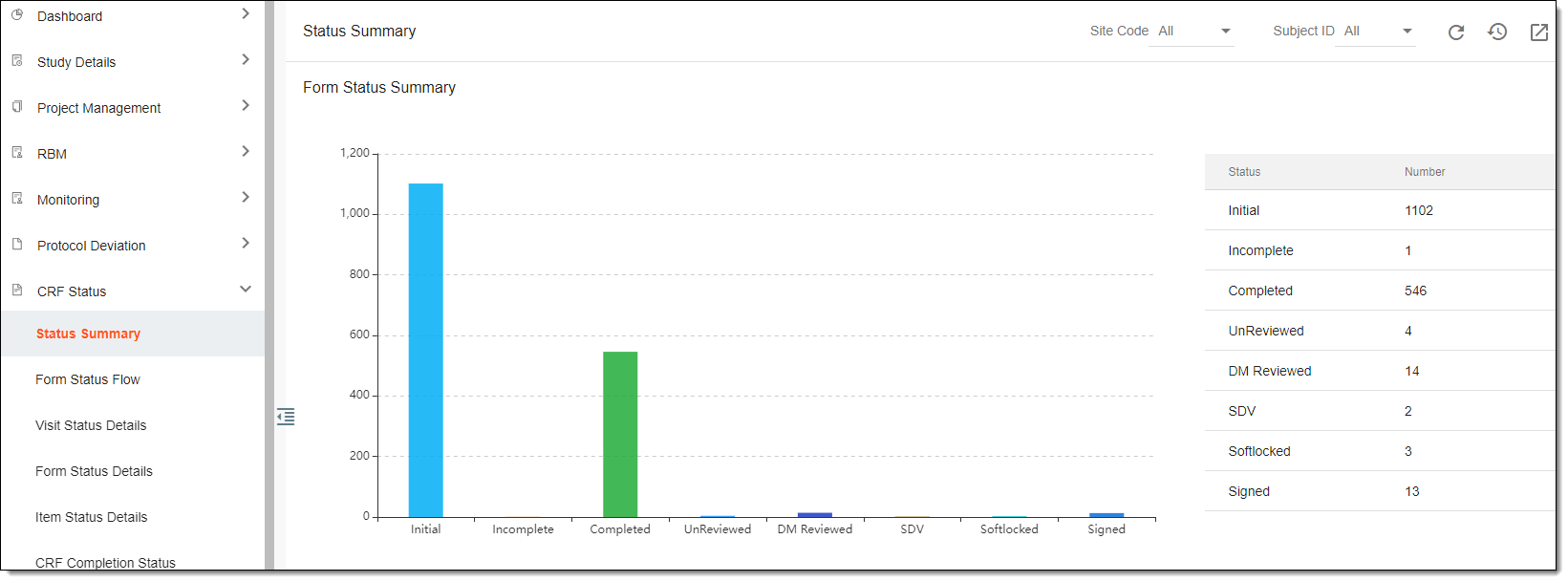 Figure 2. Viewing form status summary chart
-
-
Item Status Summary: this chart contains information about the review process of data entered into CRF form items sorted by the following review statuses:
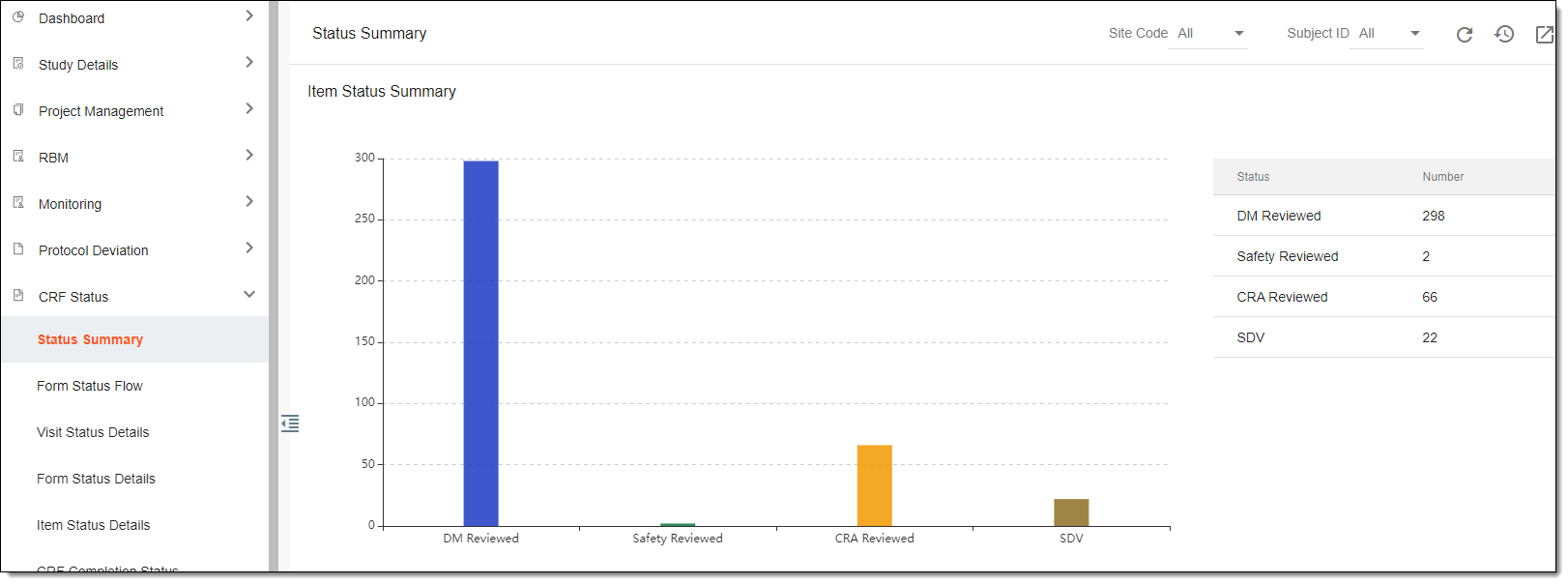 Figure 3. Viewing item status summary chart
-
DM Reviewed: data managers have checked for completeness, accuracy, and consistency of the data entered into the CRF form items.
-
Safety Reviewed: the data entered into CRF form items related to adverse events has been reviewed by the safety team and any safety issues have been addressed and documented.
-
CRA Reviewed: the data entered into CRF form items has been reviewed by clinical research associates and any queries or issues have been raised and documented for resolution.
-
SDV: the data entered into CRF form items accurately reflects the original source documents, such as medical records, laboratory reports, or pharmacy records.
-