Transmit submission record
This PV functionality focuses on the expedited submission of ICSRs to the authorities, affiliates, partners, investigators, or ethics committees. For example, a sponsor of the clinical trial for the Investigational New Drug (IND) must submit Serious and Unexpected Suspected Adverse Reactions (SUSAR) to FDA in the IND safety report within 7 or 15 days depending on the seriousness criteria. The form of submission acceptable to each authority or partner is different.
This feature enables the transmission of the generated submission record to the selected destination in the XML file. Before transmitting a submission record, make sure the data has been entered correctly in the case and the coding operation has been performed. When transmitting a submission record, it may happen that a system error occurs. Usually, this error is related to the gateway configuration or network issues, therefore, you need to contact the EDETEK administrator to fix it.
-
In the PV application header, select the ICSR tab.
-
On the ICSR List page that opens, in the table, locate the ICSR record for which the submission record is already generated. Then select its case number to open the details page in the new browser tab.
Alternatively, from the Actions column next to your ICSR, select Edit
 to open the
ICSR details in the same browser tab.
to open the
ICSR details in the same browser tab. Figure 1. Selecting to edit ICSR
-
On the page that opens, from the left pane, select Submission.
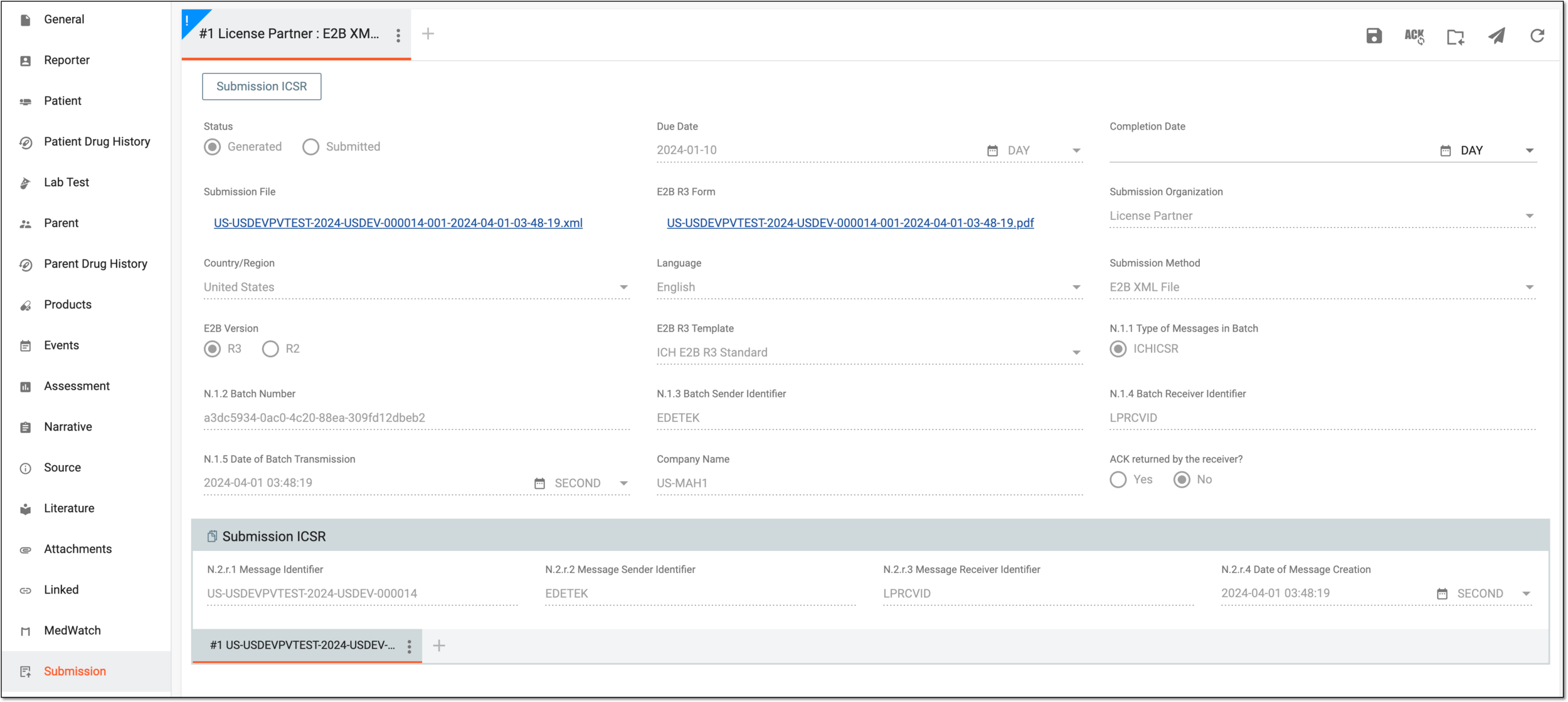 Figure 2. Selecting case submission
-
Then select the submission record that you want to transmit through the corresponding gateway.
Tip
If you are not planning to send the submission records via the gateway, you can download them by selecting the hyperlink in the Submission File field of the opened submission record.
-
From the workspace toolbar, select Transmit
 .
.
Once selected, it may take up to thirty minutes for the transmission to occur. You can now check the ACK message or update it manually.